At My Car User Manual, you can get Audi Q2 owner manuals in PDF format. The manual gives direct access to vehicle specifications, controls, maintenance schedules, and troubleshooting steps. You can view and read the manual online. You can also print or download it for free. No registration. No purchase.
Search by year and model variant to find the exact manual matching your vehicle. Manuals are regularly updated when new files become available. You can check back for added model years and variants.
The Audi Q2 is available with different trims, engines, transmissions, and features depending on the model year. Because specifications can change over time, a manual from one year may not fully match another.
Use the Audi Q2 manual that best matches your vehicle’s year, engine, trim, and equipment. Specifications and features may differ by market and model year.
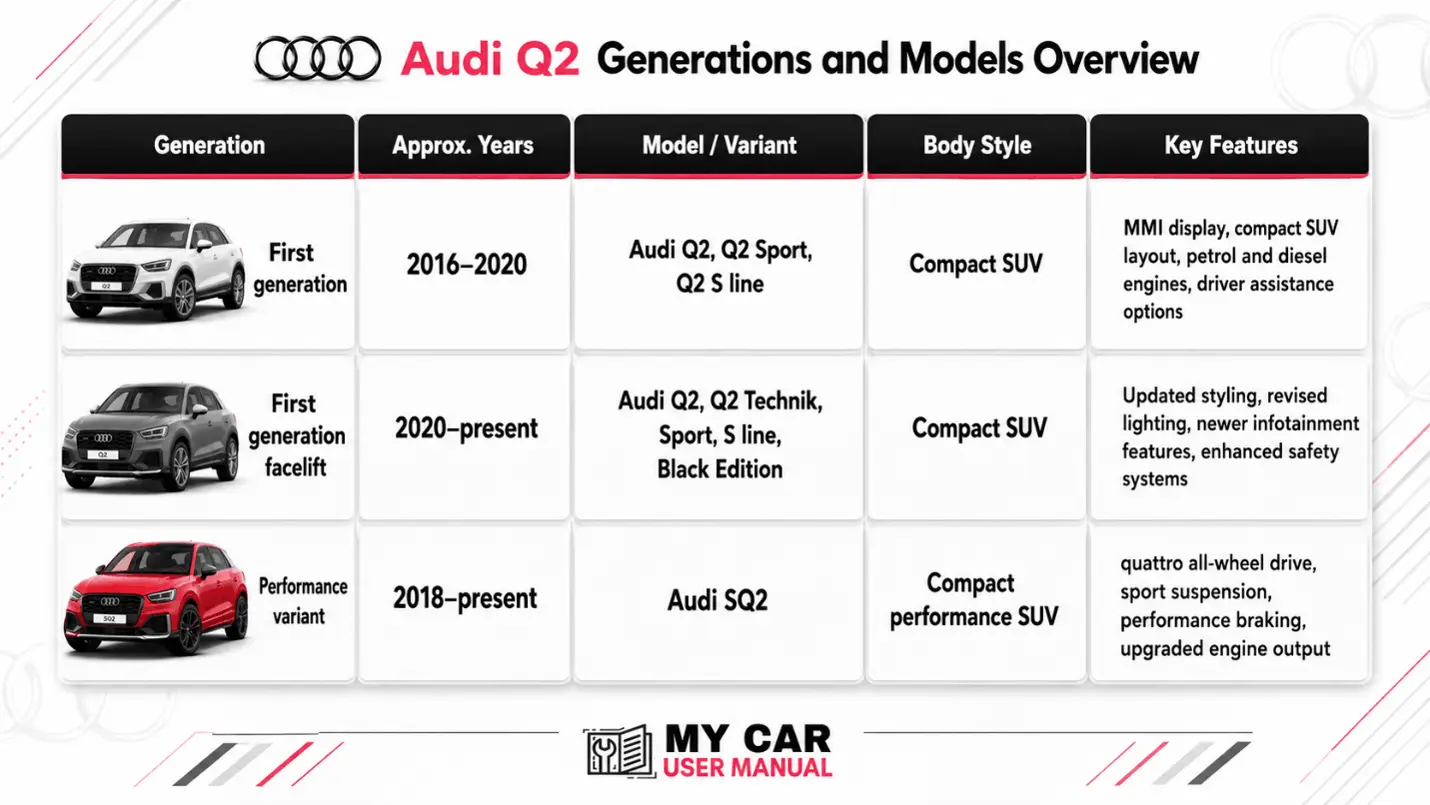
The Audi Q2 user manual explains how to use the car correctly. It helps owners understand dashboard messages and follow safety guidance. The manual also explains basic vehicle checks. Use it to learn new controls, check warning lights, and prepare for journeys. It can also help confirm service and maintenance information.
Most Audi Q2 handbook PDFs include:
For best results, use the manual PDF that matches your exact model year. You can print a copy for the glovebox or download a PDF on any device.
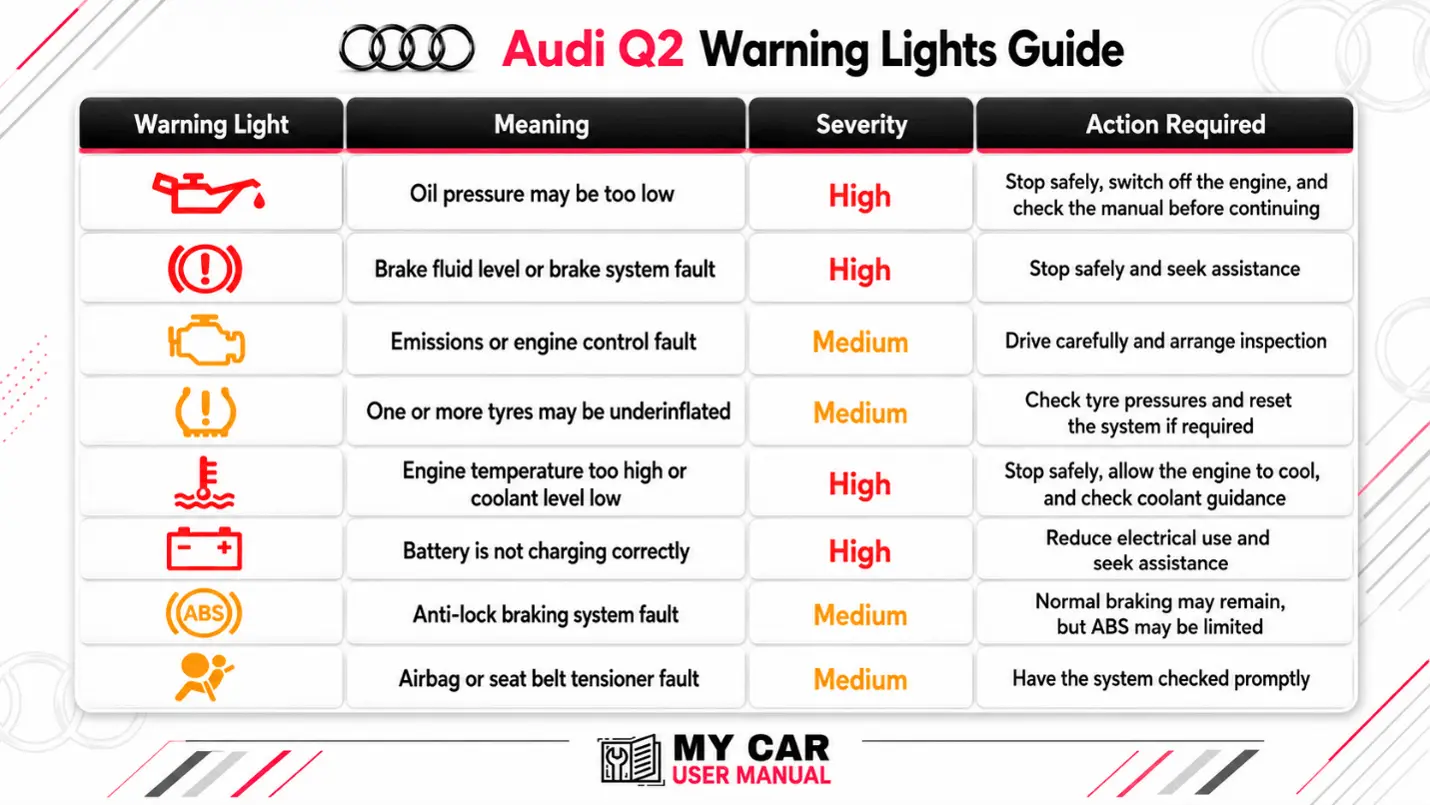
Warning lights can vary by model year and equipment. The owner’s manual explains each symbol. It also tells of urgency and the next action. Red warnings usually require immediate attention. Amber warnings usually mean the vehicle needs to be checked soon.
The Audi Q2 manual includes routine checks that help keep the vehicle safe, efficient, and reliable. It does not replace scheduled servicing, but it helps owners understand what should be inspected between services.
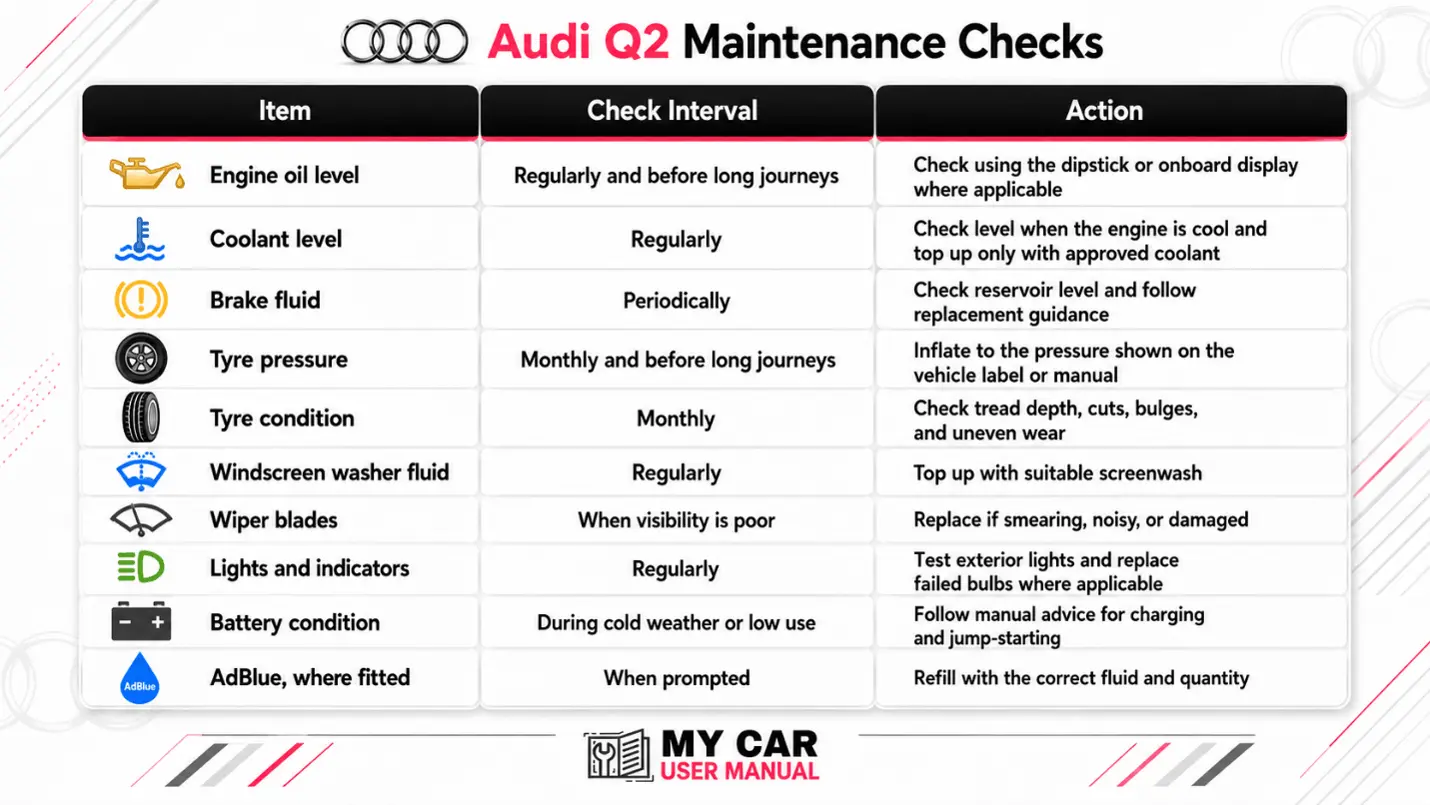
Service intervals can vary by engine, driving conditions, oil type, mileage, and time. Always follow the service information shown in the vehicle and the relevant Audi Q2 handbook.
The Audi Q2 user manual is easier to use when searched by topic rather than read from front to back. PDF manuals are especially useful because you can use the built-in search tool. You can print selected pages or save a copy for offline access.
For feature-specific help, use exact terms from the vehicle display. For example, search for the dashboard message shown on the instrument cluster rather than a general description.
The manual can help with simple checks before you contact a garage. It can explain what a message means, where a control is located, and whether a reset or inspection is required.
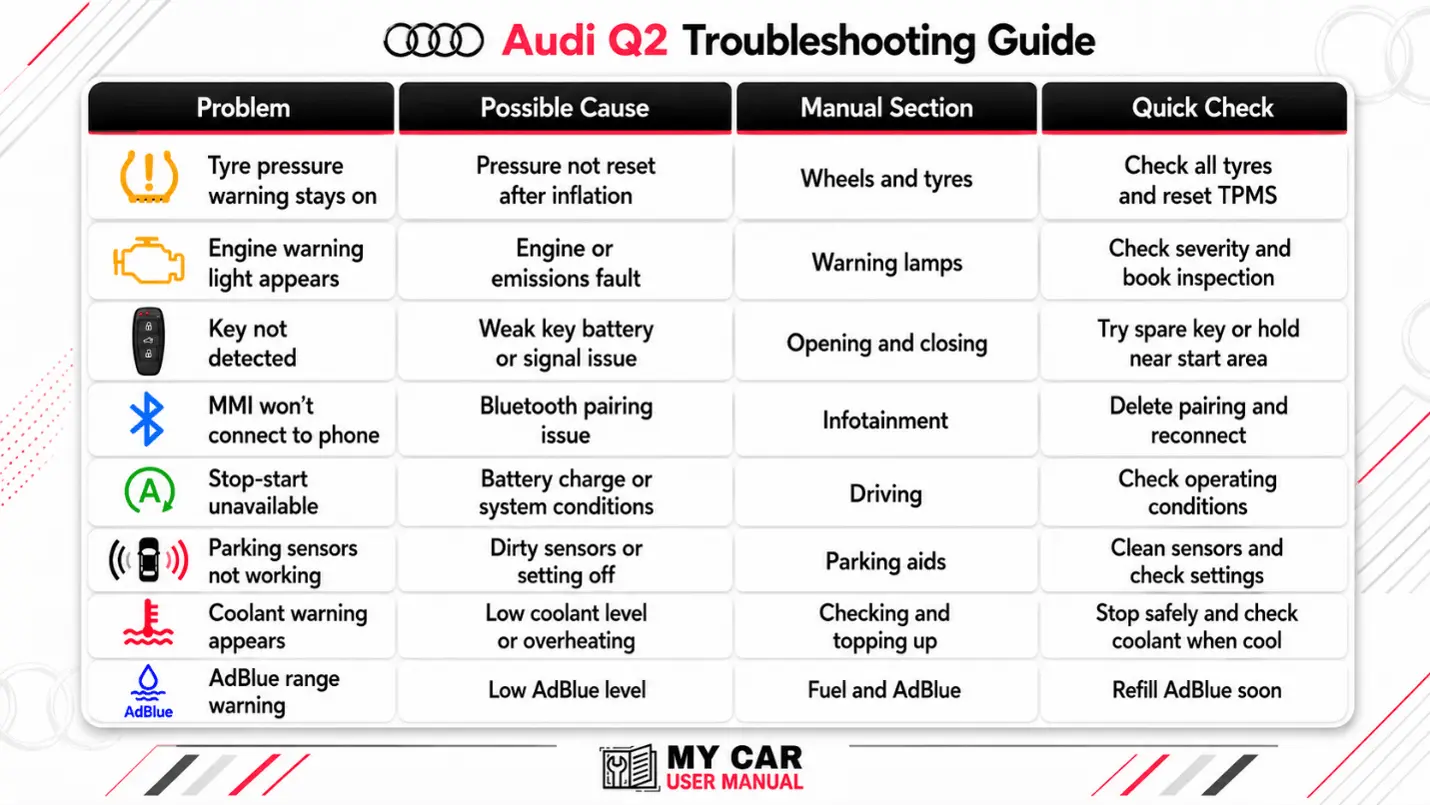
Troubleshooting steps









