Count on us to get a BMW i7 owner's manual PDF. You can view, read, print, and download the manual from the library. Just enter the correct BMW i7 year and model, and you will get the right manual PDF that matches your vehicle specs. No paywall. No purchase. No account required. The PDF owner manual gives the same core guidance as the in-car help screens, but in a searchable format you can keep on your phone or laptop. Use the manual to confirm controls, warning messages, charging steps, and feature limits before you drive, charge, or change settings.
The BMW i7 owner manuals are organised by model year and model name in our library. You can choose the correct i7 manual easily and quickly. Each PDF file supports quick section search. It allows you to jump to a specific section in seconds without scrolling through many pages. You can jump straight to “charging,” “driver assistance,” “tyre pressure,” or “warning lights.” You can print the required pages or the whole manual for glovebox use. You can also save the manual on your device for offline access. The manual library is updated often, so newer production changes, software notes, and feature updates get reflected as new PDF editions become available.
Use free PDF viewing for BMW i7 manuals across model years. You can find the right manual in the library by putting in the model and year. Then open it in your browser for quick reading. The PDF manual provides a clear chapter structure and consistent terms like controls, settings, displays, assistance systems, and maintenance. Even when features change by year, the manual layout stays familiar, so you can move between generations without relearning how the manual is organized. You can use the built-in search option to find the exact section you need.
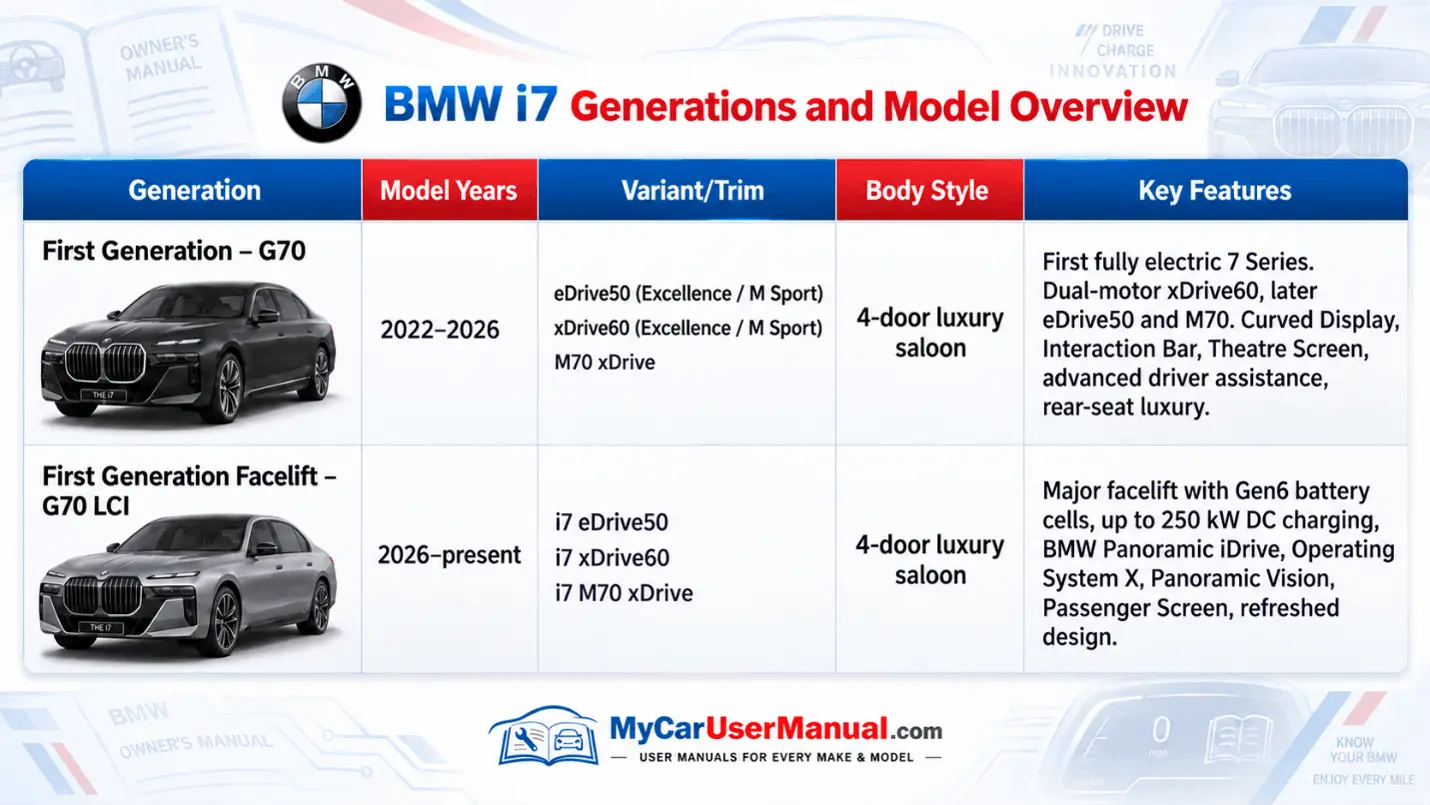
All generations support the same core actions: open PDF, view online, print pages, download the full manual, and search within the manual for a symptom or feature. This matters because BMW i7 equipment can vary by market, trim, and build date. If you are comparing model years, use the manual to verify product differences in menus, icons, charging options, and assistance features. The right model year manual helps you avoid wrong steps when pairing a phone, setting driver profiles, using iDrive menus, or managing charging and climate settings. If you replace your i7 with a newer year, switch to that year’s PDF to match updated menus, icons, and feature names.
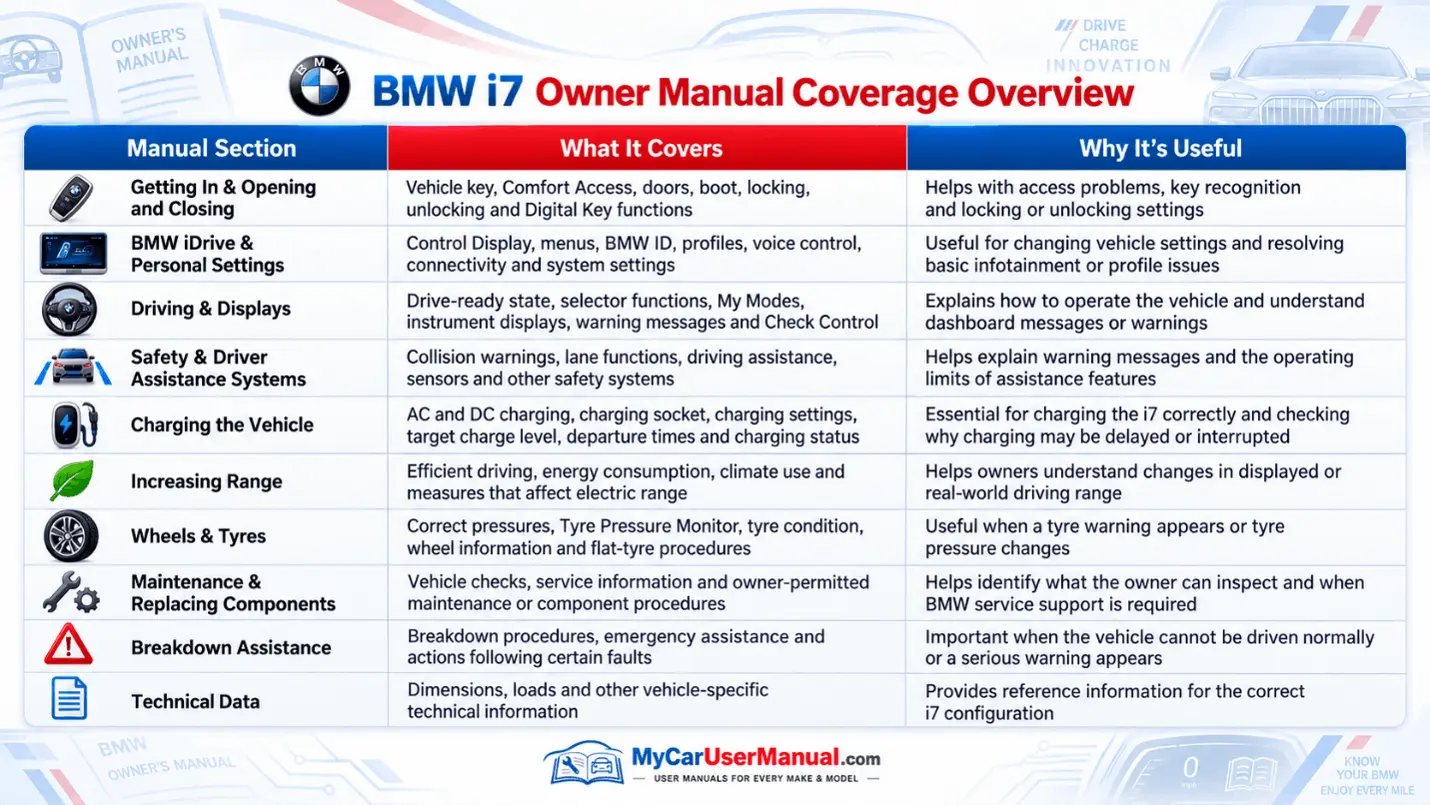
The BMW i7 owner’s manual covers vehicle operation, safety, and care. All the sections are covered in one structured reference. It explains driver controls, iDrive screens, steering wheel buttons, voice control, BMW Digital Key, profiles, and display settings. It details charging basics, high-voltage safety notes, charging ports, charging status, and range-impact factors like speed, temperature, climate use, and wheel choice. It also covers driver assistance features, alerts, and limits, so you understand what the system can and cannot do in real traffic. This reduces misuse and helps you interpret warnings fast.
The manual also covers maintenance and ownership tasks that protect the warranty and reliability. You can expect sections on tyre pressure monitoring, brake notes, wiper fluid, exterior lights, fuses, emergency equipment, and towing guidance. It explains indicator lights, check control messages, and the meaning of common alerts. It includes specifications where needed, like approved fluids, tyre sizes, and load limits. It also lists safe procedures for jump-start related guidance when applicable, and how to handle a no-start condition, a locked charge connector, or a stuck parking lock message.
Start with the PDF search tool. Type the exact term you see in the car, not a guess. Use words like “Charging interrupted,” “Driver assistance,” “Park assistance,” “TPMS,” “Check Control,” “Range,” “Key,” “Display,” “iDrive,” “Bluetooth,” or the exact warning light name. Search results land you inside the right chapter faster than scrolling. Then read the full subsection, not just the first lines, because BMW procedures often include conditions, safety notes, and system limits that change the correct next step.
Use the manual’s structure to stay accurate. Confirm your model year on the cover and match it to your vehicle details, then verify with your VIN if available. When a feature has multiple names, search both terms, like “Digital Key” and “Key card,” or “charging flap” and “charging port.” Use the index and chapter titles to follow the logic: overview, controls, settings, operation, warnings, then troubleshooting. If you plan to print, print the procedure pages plus the warning and safety pages that come right before them. Keep a small printed set for charging, tyre issues, and warning lights.
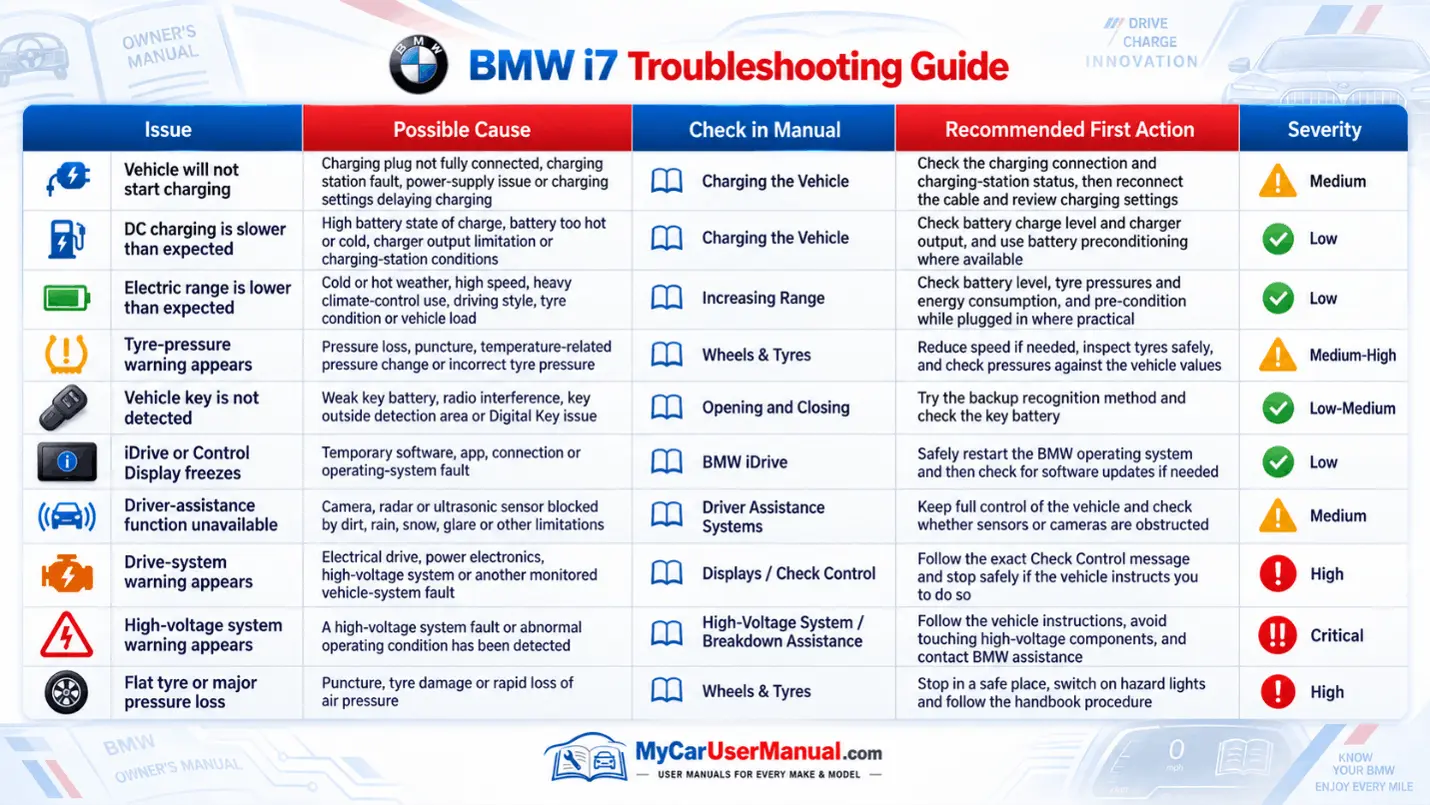
Use the owner’s manual to map symptoms to causes and safe actions. For charging issues, search “charging does not start,” “charging interrupted,” “DC fast charging,” and “charge connector release.” The manual usually lists checks in order: connector fit, charge port status, vehicle readiness, schedule settings, temperature limits, and message meanings on the display. For warning lights and messages, search the exact icon name or message text. This gives precise information on urgency and next steps. The manual helps you separate “drive possible” alerts from “stop safely” alerts and gives the correct follow-up steps.
For everyday problems, the manual is a fast diagnostic guide. If Bluetooth pairing fails, search “telephone,” “Bluetooth,” “connected devices,” and “delete device,” then follow the reset and re-pair steps that match your iDrive version. If a door, trunk, or charging flap will not latch, search the part name and “manual operation” or “emergency release.” If tyre pressure drops, search “tyre pressure,” “TPMS reset,” and “flat tyre,” then follow the inflation targets and reset sequence. Use the manual to confirm limits, warnings, and when to contact service.