Here, you can access the BMW i8 owner’s manual as a free PDF. You can choose the manual from the library for your exact year and model. Using the manual, you can learn dashboard controls. You can follow the iDrive menu paths. You can check the hybrid start and shutdown steps. You can understand charging basics. You can review high-voltage safety warnings. Open the PDF in your browser for quick viewing. Read it on your phone or tablet anytime. You can download it to keep offline for travel or garage use. For quick access, print only the pages you use most. It may include warning lights and message guides, tyre pressure charts, towing point diagrams, fuse box layouts, and emergency procedures. This way, you can get the right information easily and quickly. The BMW i8 PDF owner manual is a daily tool for vehicle setup, operation, and emergencies.
Choose the correct BMW i8 owner manual PDF by model year and body style. The right manual will match your equipment and screen layout. A correct match matters because menu paths, option names, and driver assistance prompts can change by year and market. Every PDF supports search. It allows you to jump to a specific section or problem in seconds. Search terms like charging cable, eDrive, key battery, tyre mobility kit, service interval, or brake fluid. We store manuals by year and model and keep updating files when clearer revisions and better scans appear. Use the PDF search for chapter names, parts, and warning symbols. Print pages and keep them in the car. We often add new manuals and replace outdated files.
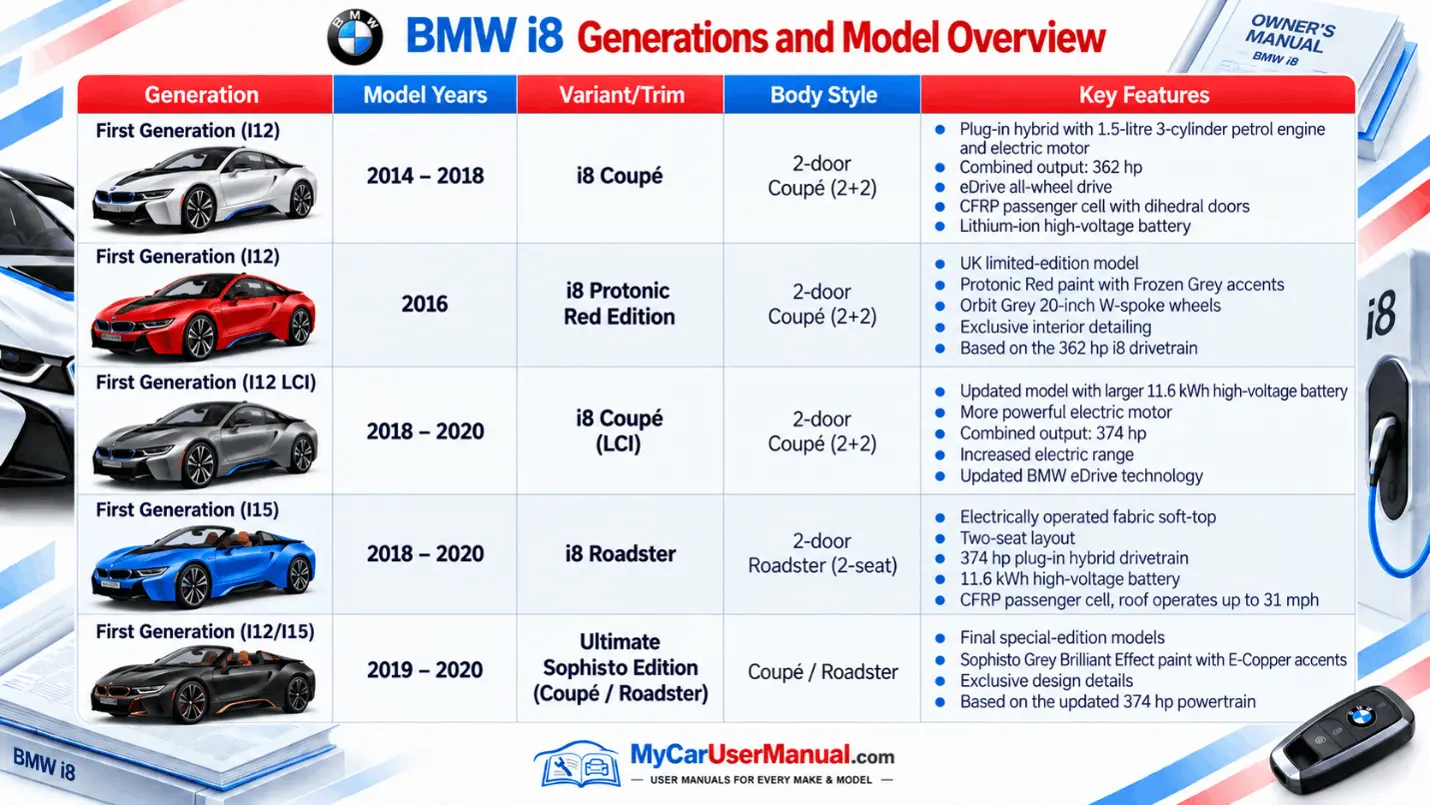
This BMW i8 PDF owner manual library supports all generations and trims. It includes coupe and roadster variants. We aim to provide free PDF viewing and free PDF download for any BMW i8 model year you own, drive, or research. You can open the manual in a web viewer to read without saving. Use Zoom, page thumbnails, and PDF bookmarks to move across sections fast. If you prefer offline access, download the user manual PDF to your phone, tablet, or laptop and keep it ready in the garage and on the road.
Each manual entry is organized by year and model. It reduces mismatches. Just choose your i8 year and open the PDF. Then, confirm the title and edition details on the first pages. For a perfect match, compare your vehicle build details and VIN with the manual’s applicability notes. If your car has optional features, use the index to find add-on sections such as navigation, head-up display, parking assistance, lane warnings, adaptive lighting, or connected services. The manuals stay free even when you only need one page, like a jump-start note, the tyre mobility kit steps, or the tow eye location. One PDF supports viewing, printing, downloading, and searching.
The BMW i8 owner’s manual covers daily operation and key safety limits. It explains cockpit layout, steering wheel controls, instrument cluster icons, and warning messages. It shows how to start and shut down the hybrid system, use Comfort and Sport settings, and select eDrive driving mode when conditions allow. It describes energy flow displays, regenerative braking behavior, and efficiency tips tied to the hybrid system. You also get charging guidance, including charge port handling, charging status indicators, and basic charging rules.
The manual also works as a reference for maintenance and specification. It lists tyre sizes, wheel specs, target tyre pressures, and tyre pressure monitor reset steps. It includes recommended fluid types, fill points, and service internal guidance. It also includes cautions about incorrect fluids and mixing. Many manuals provide technical data tables, fuse charts, and component location diagrams. Emergency sections cover hazard warning use, roadside safety, towing instructions, and what to do after a warning message appears.
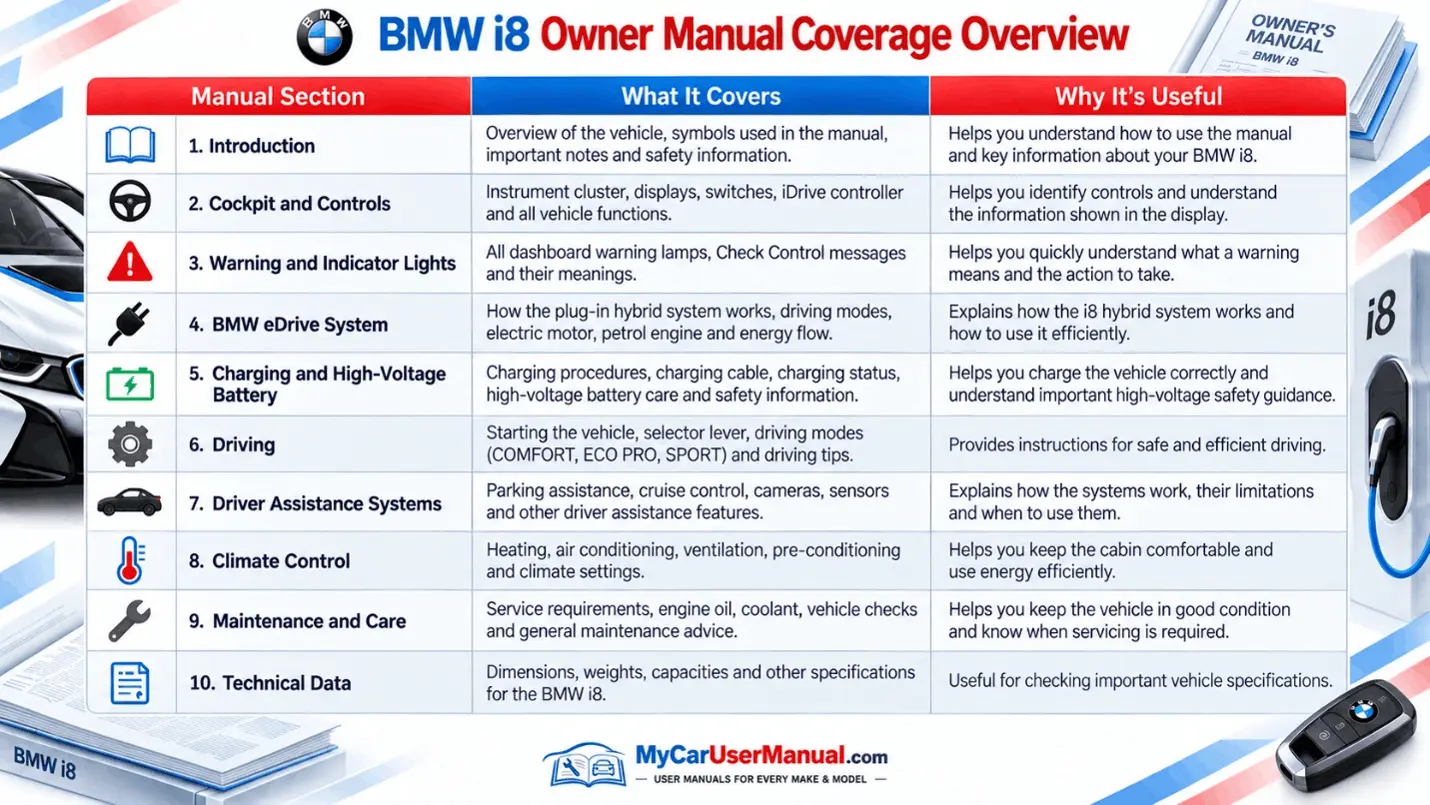
Start with the table of contents. It helps you to learn how BMW organizes the BMW i8 owner’s manual. If the PDF bookmarks are available, then you must use them. They match major chapters such as Controls, Driving, Mobility, and Maintenance. For fast answers, use the built-in PDF search tool. On desktop, use Ctrl+F or Cmd+F and search focused terms like charging, tyre pressure, warning light, key battery, fuse, tow, coolant, or service. On mobile PDF readers, use the search icon, then tap results to jump straight to the right page, diagram, or table.
Use the index when you know the feature name. If you do not know the feature name, use symptom words. If the car displays a message, search the exact message text, then read the pages before and after the match for context and limits. Try short keyword pairs, like charge and charging, or tyre pressure and TPMS. Save key pages as printed sheets or saved images, like towing points, emergency release locations, and tire mobility kit steps. For frequently used tasks, such as pairing Bluetooth, configuring driver profiles, scheduling charges, and resetting service reminders, keep a brief personal list of page numbers.
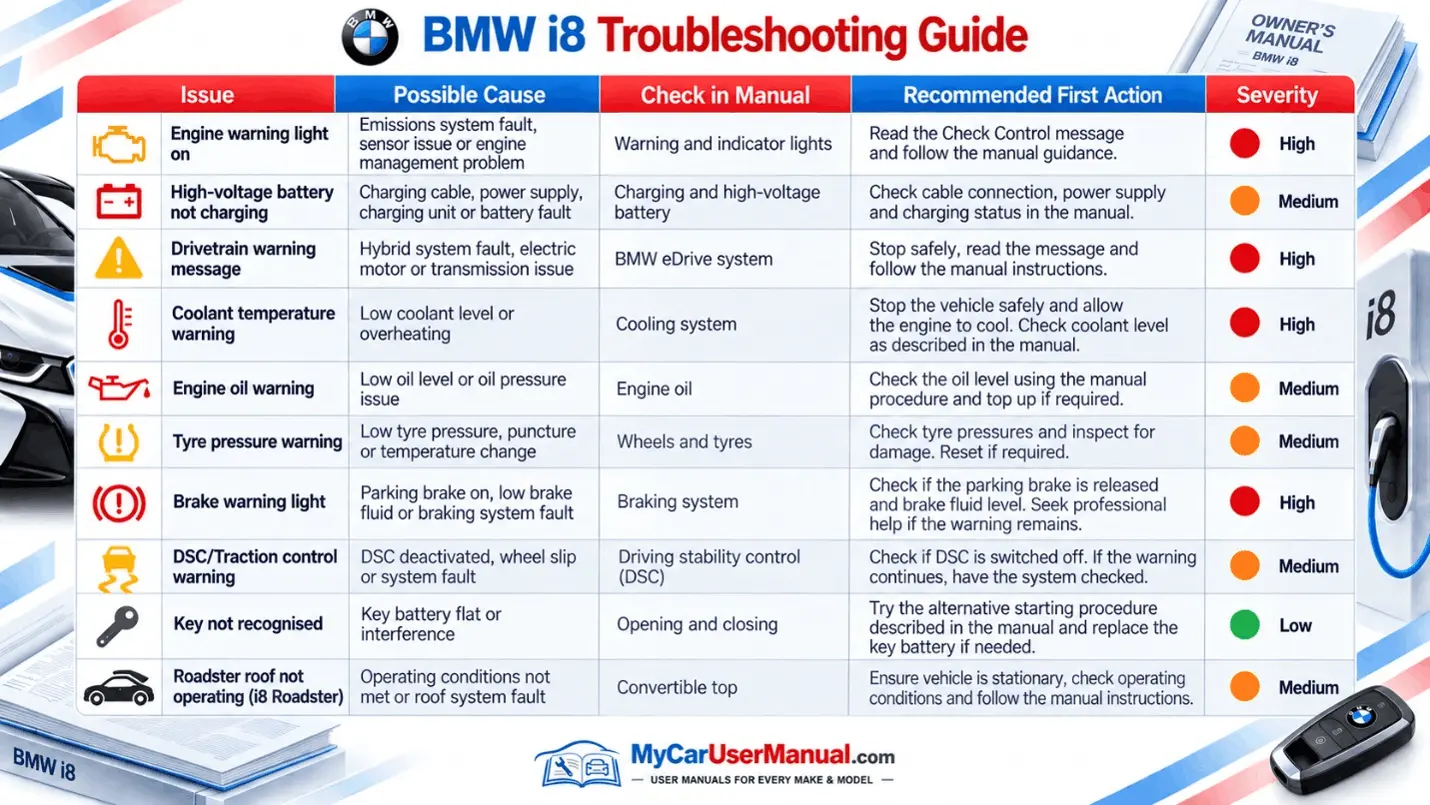
Use the BMW i8 owner’s manual to interpret warning lights and screen messages. Do this before you change settings, replace parts, or book service. The instrument cluster and central display can show alerts for hybrid system status, charging faults, tyre pressure, brake system warnings, temperature limits, and driver assistance limits. The manual links each icon and message to its meaning. It lists common causes. It tells you what to do next. It also highlights triggers like low state of charge, hot or cold ambient temperature, incorrect tyre pressure, and a loose charging cable connection. For a tyre pressure warning, it provides the correct pressure values, tyre inspection steps, and the TPMS reset procedure. For a charging warning, it guides you through charge connector seating, charge port indicator lights, charging timer or schedule settings, and quick checks to confirm the car is receiving power.
For common usability problems, the manual gives step-by-step fixes that reduce trial and error. If the key fob is not detected, the manual covers key battery replacement and the backup start method. If Bluetooth pairing fails, it shows the iDrive path, device visibility settings, and memory limits for saved phones. If electric driving is not available, it points to battery state of charge, temperature limits, and drive mode rules. If the display freezes, the manual often lists basic restart or reset paths for the system. Use a consistent flow every time: identify the symptom, search the exact term, follow the listed steps, then recheck the message and any manufacturer notes.