Here, you can get the BMW X2 owner's manual as a free PDF. You can download it for the exact year and model you drive. The BMW X2 PDF owner manual allows you to view, read, and confirm instructions without guessing. The manual uses BMW terms for iDrive menus, dashboard symbols, control buttons, and safety warnings. It provides the list of key specs that affect daily use, such as tyre pressure values, fuel grade, and limits for driver assistance features. You can use it to verify settings, functions, and safety limits quickly.
All BMW X2 PDF owner manuals in this library are free. No purchase, no checkout, no paywall. Open the PDF for free viewing, download the PDF to your device, or print pages for quick reference. You can use PDF search to find a section, feature, or problem, then jump to the exact page. Manuals are sorted by year and model. It helps you to select the correct generation and equipment set. We keep adding BMW X2 owner manuals as new model years launch and as revised handbook editions are released. Use model filters to match your PDF fast.
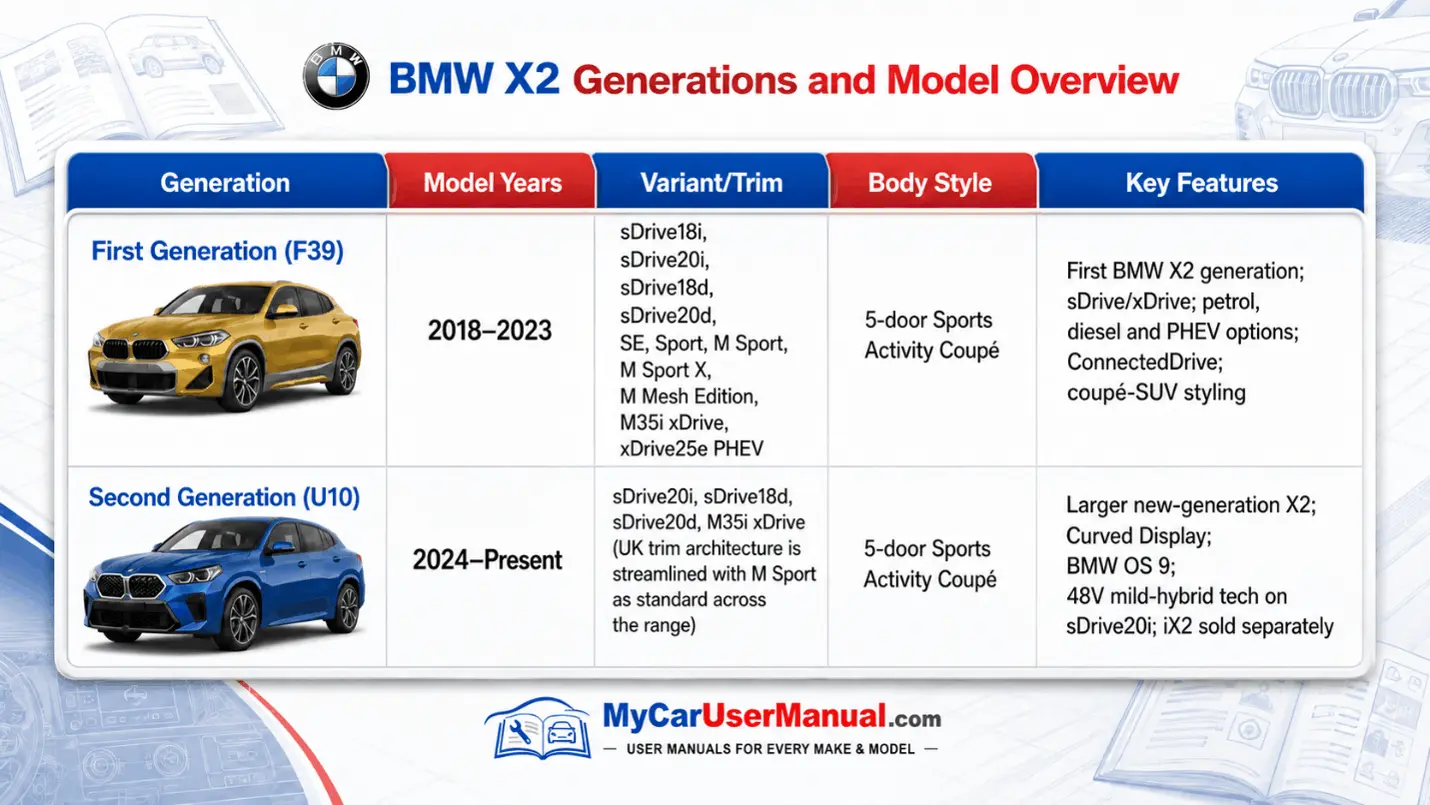
BMW X2 details change across generations, refresh years, and equipment lines, so the correct BMW X2 PDF owner manual matters. Some years use different iDrive versions, different instrument cluster layouts, and different button labels on the steering wheel and center console. Driver assistance packages also change, which affects cruise control behavior, lane guidance, parking assistance, and warning messages. A year-specific BMW X2 owner manual keeps terminology, icons, specifications, and feature lists aligned with your specific BMW X2. Updates change sensor locations, menu paths, and reset steps.
Free PDF viewing supports fast checks across the full manual, not just one chapter. Use the table of contents to reach controls, driving, safety, maintenance, and technical data. Use keyword search to find tyre pressure monitoring system, oil level, coolant, battery charging, fuse chart, towing, or service reminder. If you own more than one BMW X2, open manuals for multiple years and compare procedures side by side. If you only need a single procedure, print that page, or download the full PDF for offline access. Use thumbnails for fast page scanning.
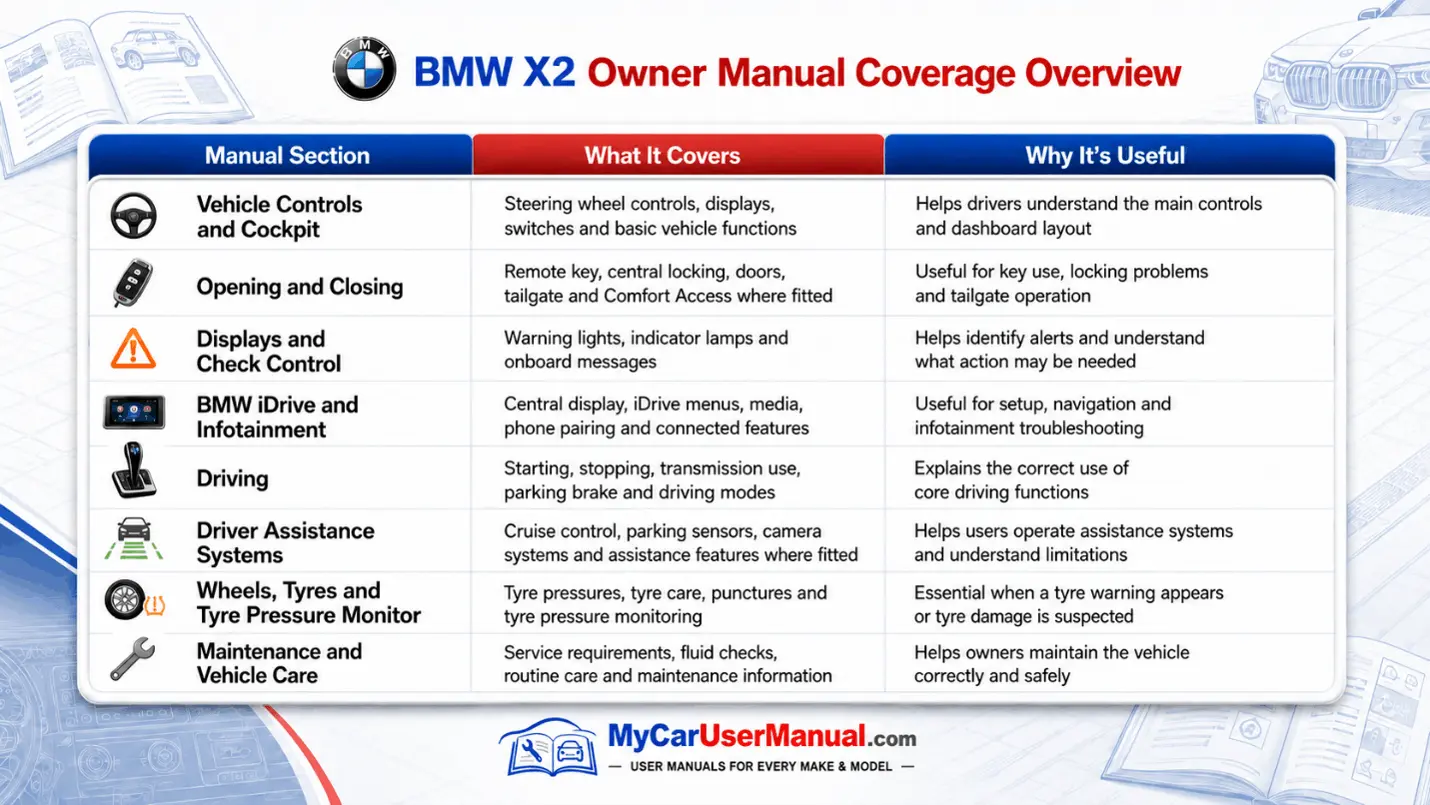
The BMW X2 owner’s manual covers daily operation and core controls. It shows you how to start and stop the vehicle. You can learn how to use the key to lock and unlock the doors. The manual also explains how to set up the driver profiles. It covers the controls on the steering wheel. It tells you about the wipers and the headlights. You can find out how to use the turn signals and adjust the mirrors and windows. The manual also explains how to adjust the seats and the climate settings. It gives information about the iDrive system. You can learn about the audio sources and how to pair your phone with the BMW X2 using Bluetooth. It explains how to make phone calls and use the navigation system. The manual also talks about voice control and the system settings for the iDrive system. It also has information about safety products in the car, like seat belts, airbags, and child safety locks. It covers lighting modes, mirrors, and profile memory.
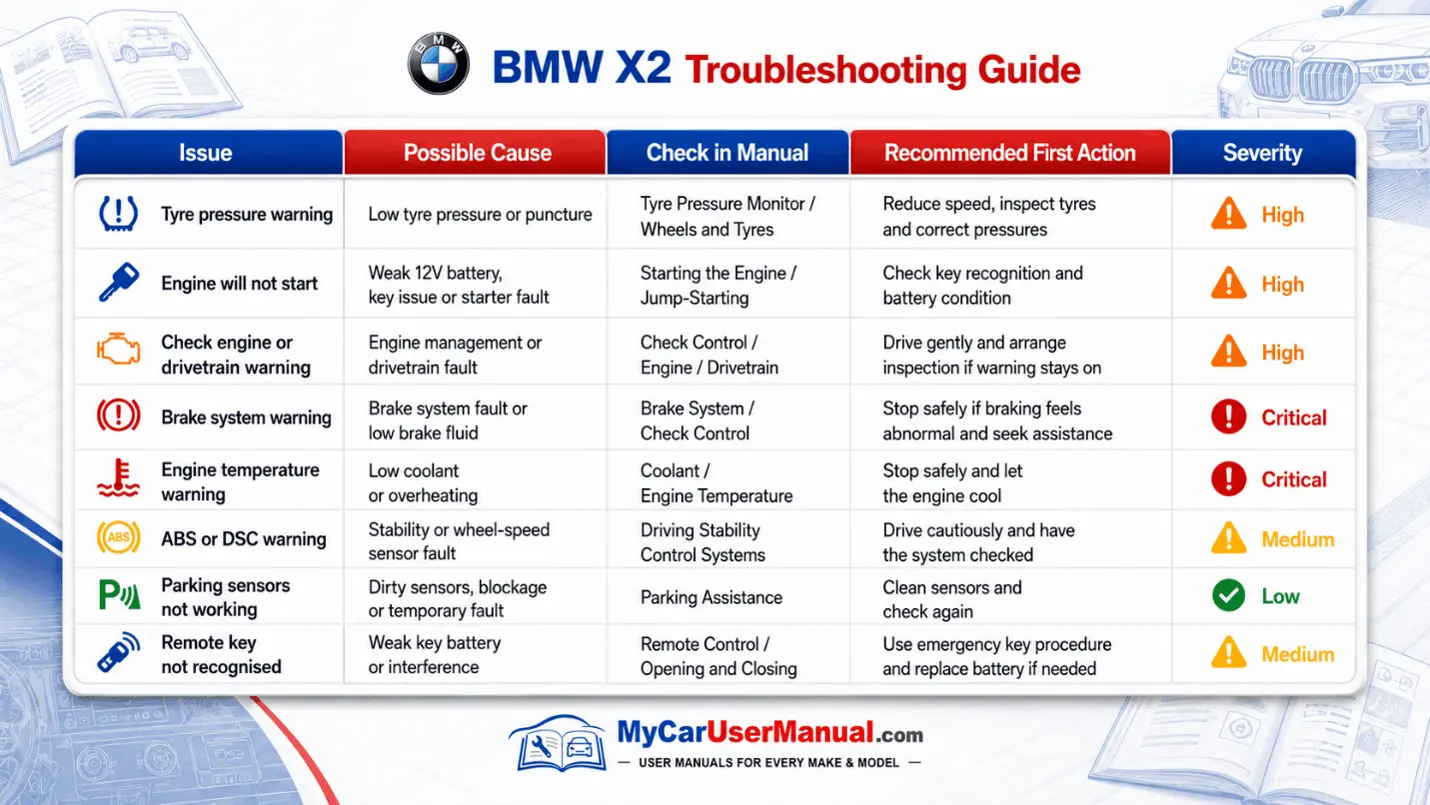
The manual also covers maintenance, specifications, and safety responses. It lists recommended fluids and capacities, including engine oil grade, coolant type, washer fluid, and brake fluid notes. It provides tyre and wheel data, tyre pressure tables, load limits, and tyre mobility or run-flat guidance, depending on equipment. It explains warning lights and check control messages, including what to do now and what to schedule later. It includes emergency instructions for jump-starting terminals, towing points, jack points, and hazard warning steps. Maintenance pages list service intervals, brake wear, and tyre rotation.
Use the PDF search feature first, then read the nearby pages to catch limits and warnings. Search with BMW terms that appear on screens and labels, such as Check Control, tyre pressure monitor, service interval, iDrive settings, pairing, or driver assistance. If you need a reset, search with reset in the phrase, like TPMS reset, service reset, clock reset, or window initialization. Bookmark high-use pages like tyre pressure values, oil level check, fuse locations, towing eye location, the emergency call system, and warning light charts. Search the exact warning text shown on screen.
Before following the steps, match the user manual to your vehicle year, drivetrain, and equipment. xDrive and sDrive variants can differ in driving modes, traction control behavior, and specifications. Packages can change menu items and button icons, so verify the visuals shown in the manual match your dashboard and iDrive screen. Take every caution and warning line as part of the instruction set, because it defines safe temperature, lift points, and system limits. Use cross-references and the index to move between related topics like warnings, maintenance, and emergency equipment. Check for fuse boxes, jack points, and towing eyes.
Use the BMW X2 owner’s manual to troubleshoot by symptom, then confirm by message and system name. Initialize with the dashboard warning light or the iDrive check control message, because the manual maps each symbol to a cause and a required response. Common issues include low tyre pressure alerts, tyre pressure monitoring system relearn prompts after wheel changes, low washer fluid, a door or hood not latched, and a key fob battery that needs replacement. The manual also shows the correct oil level check method and how to add oil only when the manual allows it. Use the steps for TPMS and service resets.
For comfort, connectivity, and drive behavior, the BMW X2 manual explains normal logic and feature limits. Auto start stop can stay off due to battery state, temperature, or climate demand, and the manual lists those conditions. Parking sensors and camera-based systems can warn or disable when dirt, ice, or glare blocks sensors, and the manual states cleaning steps and operating limits. For Bluetooth or audio dropouts, the manual outlines pairing steps, device priority, and how to remove and re-add a phone profile to restore audio and calls. Follow stop driving warnings and get service.