Looking for a DS 3 owner’s manual? At My Car User Manual, you can get the DS 3 manual in PDF format for different years, models, trims, and generations. You can view the manual online. You can print or download it also for offline use. No account creation, no purchase, and no subscription required.
Manuals are organised by year and model, where available. It makes it easier to find information for the DS 3 hatchback, DS 3 Crossback, DS 3 E-Tense, and later DS 3 variants. Manuals are regularly updated as new PDF documents become available.
The DS 3 handbook helps you understand controls, dashboard messages, safety systems, maintenance checks, and everyday operation. Each PDF can be opened online, read on mobile, saved for later, printed, or downloaded for offline use.
Use the DS 3 user manual by year to match your exact vehicle. DS Automobiles has updated the DS 3 range over time, from the earlier hatchback to the later crossover-style DS 3 and DS 3 E-Tense. Specifications, trims, engines, equipment, connected services, myds features, and vehicle functions may vary by market and year.
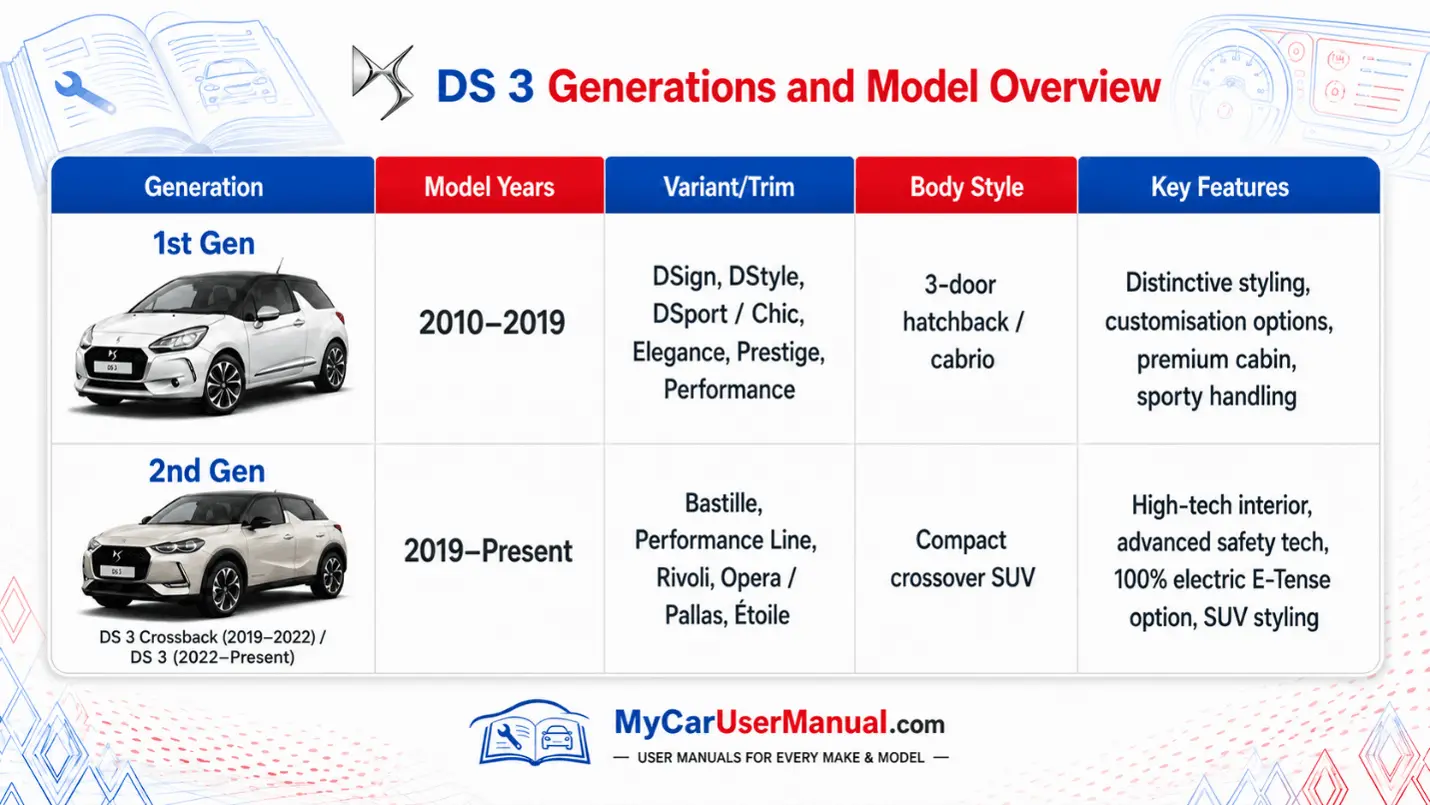
A DS 3 owner’s manual PDF gives practical information for daily use, safety, maintenance, and troubleshooting. It explains the vehicle’s controls in simple sections, so you can quickly find what you need.
Typical DS 3 handbook coverage includes:
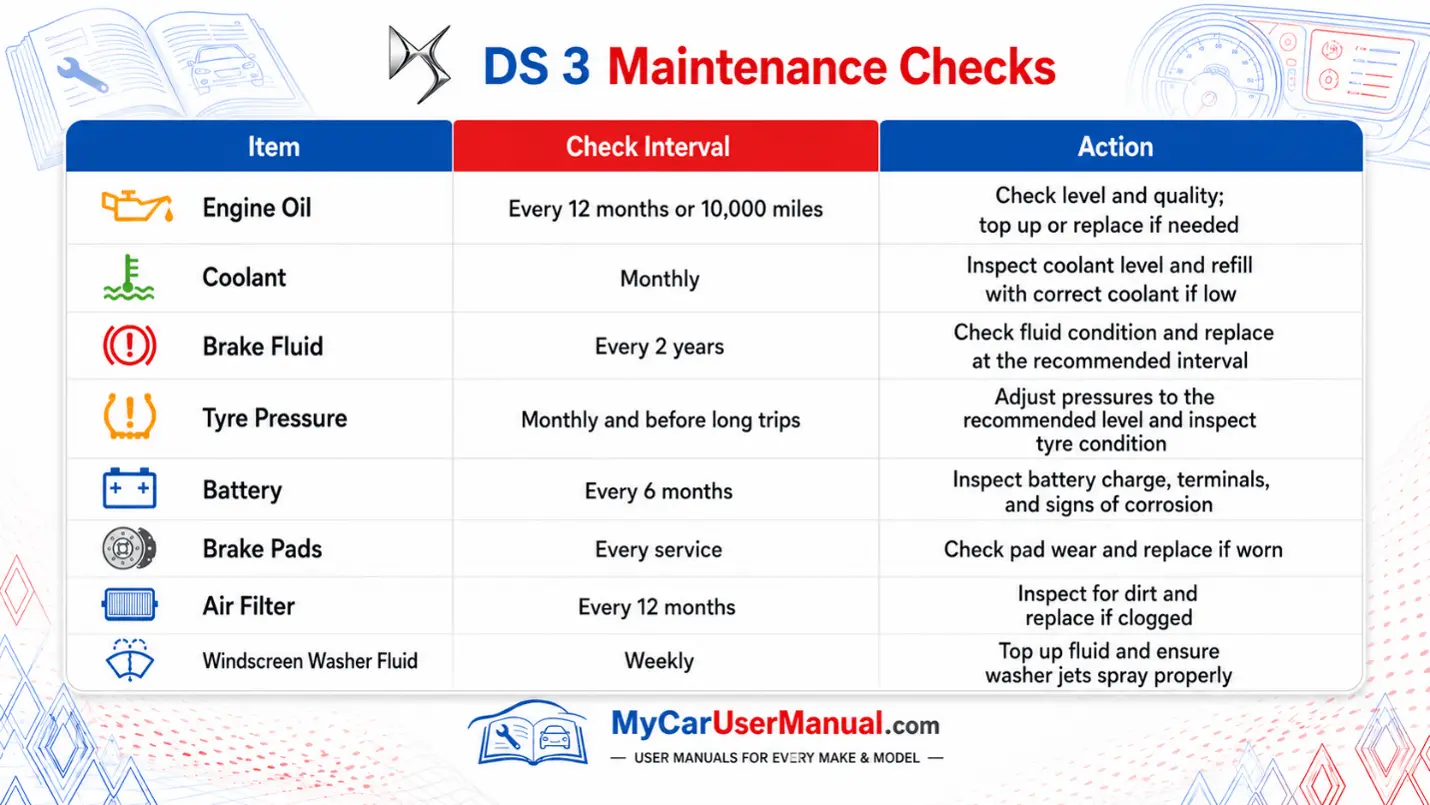
The DS 3 maintenance schedule in the manual helps you keep the vehicle safe, efficient, and reliable. Service intervals can vary depending on engine type, mileage, driving conditions, and model year.
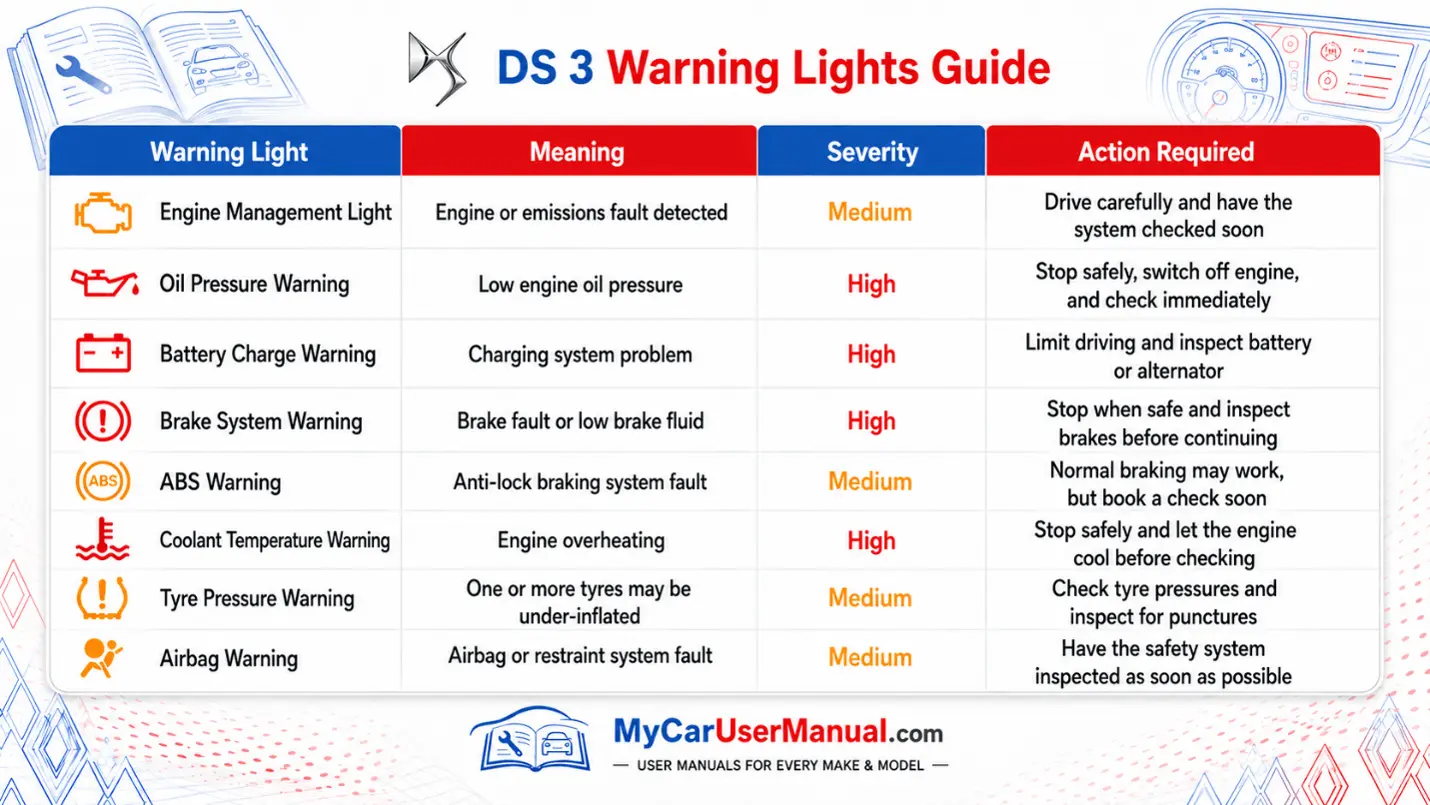
Warning lights appear on the instrument panel when the vehicle detects a fault, system status, or safety issue. Some lights are informational. Others need immediate attention.
The DS 3 user manual explains each symbol, its meaning, and the action required. Always check the manual before continuing to drive if a red warning light appears.
The DS 3 owner manuals are usually arranged by topic. PDF format makes them easy to search, zoom, print, and save.
To find the right information quickly:
The DS 3 handbook is often the best first place to check when a warning appears, or a feature does not work as expected. It can help you identify simple checks before booking a repair.
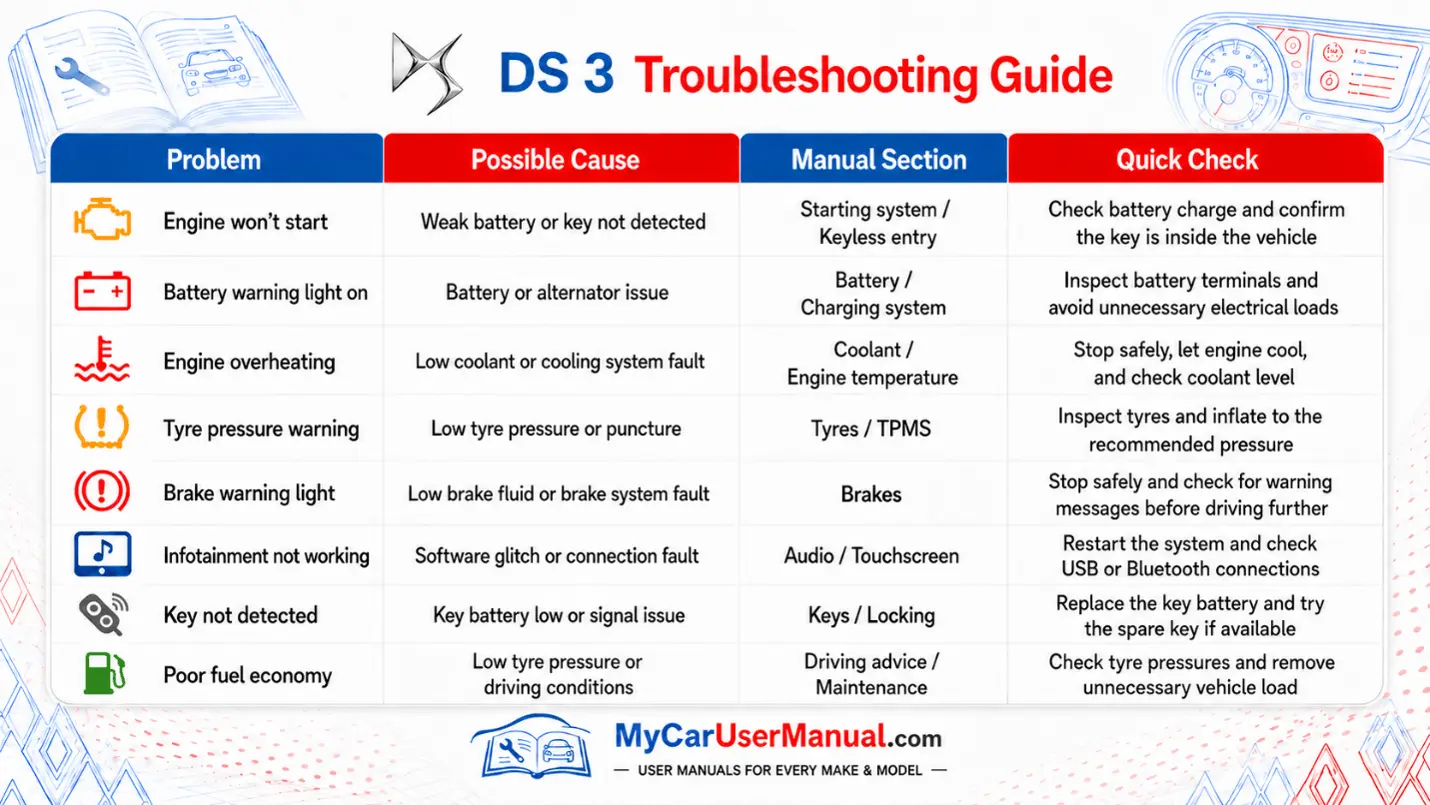
Use these basic steps before taking further action: