At My Car User Manual, the DS 7 owner's manual is available as a free PDF download. No account. No purchase. No paywall. The manual gives you direct access to every system, component, and procedure specific to your vehicle.
Each DS 7 user manual is organised by year and model. You can get quick access on mobile, tablet, or desktop. Manuals are regularly updated when newer handbook versions become available. You can check back for the latest PDF for your model year.
View DS 7 owner manuals in free PDF format for any model year and variant. Each manual can be read online, printed, or downloaded for offline use.
Use the correct DS 7 owner’s manual PDF to check controls, features, warning lights, and maintenance details. Specifications, trims, engines, and equipment may vary by market and year.
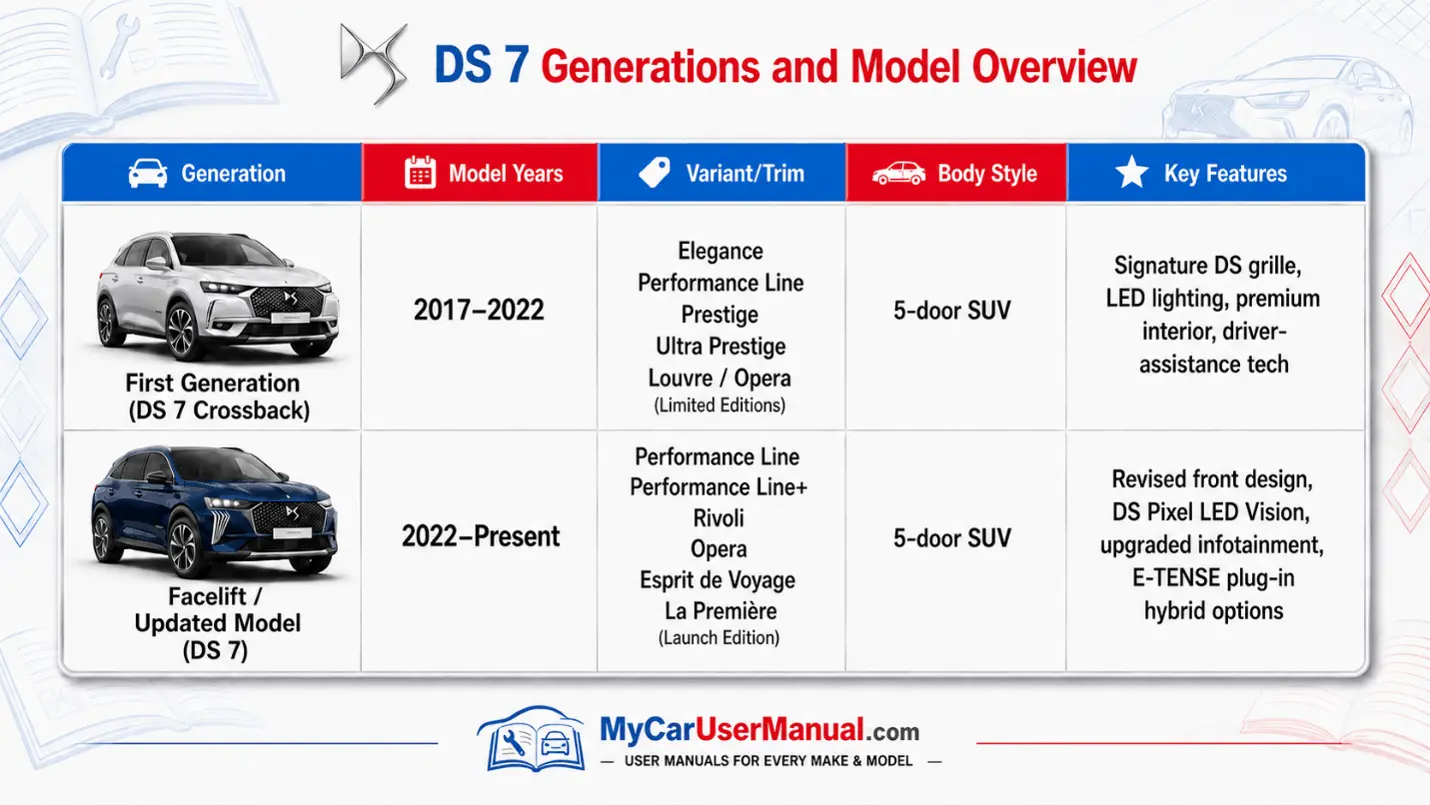
The DS 7 user manual is designed to help you understand the vehicle before, during, and after driving. It explains the controls, warning messages, safety equipment, comfort settings, and maintenance checks set out by DS Automobiles.
Most DS 7 owner manuals include information on:
For the best result, select the manual by year rather than using a general handbook. A 2018 DS 7 Crossback manual may not match a later DS 7 E-Tense model with different controls, menus, charging functions, or safety features.
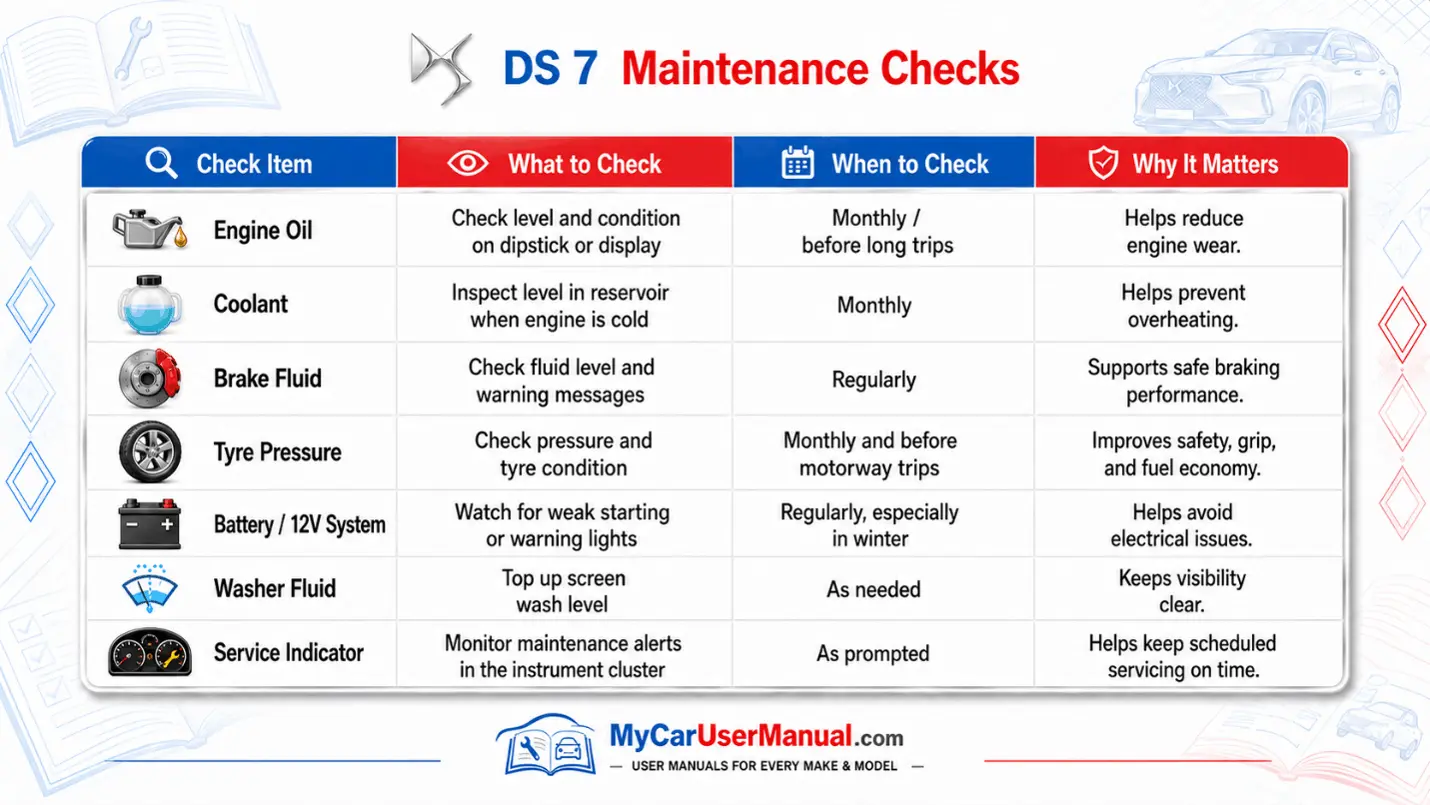
The maintenance schedule in the handbook explains routine checks that help keep the vehicle reliable and safe. The exact service plan depends on engine type, mileage, age, driving conditions, and service history.
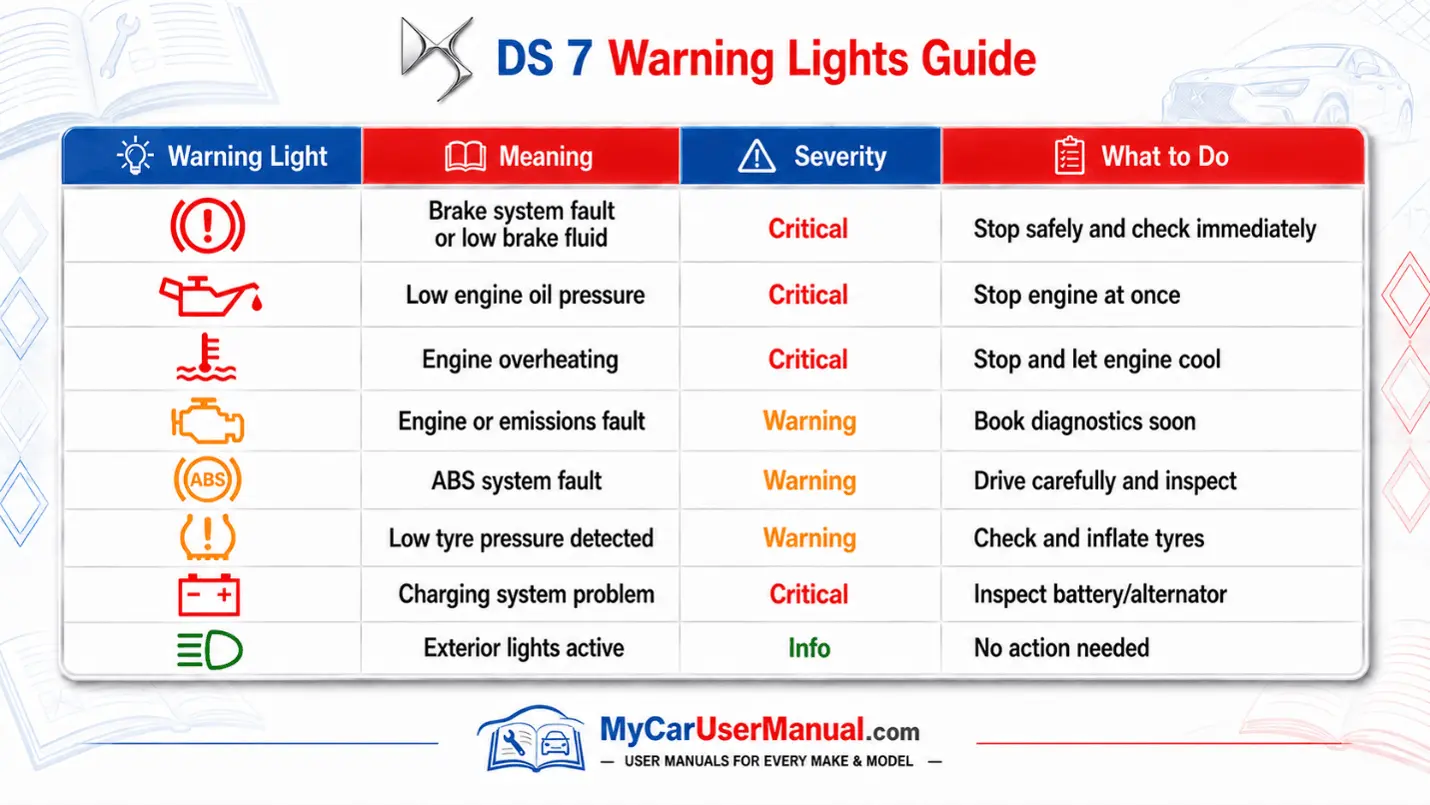
The warning lights section is one of the most useful parts of the owner’s manual. It explains dashboard symbols, message displays, colour coding, and the action needed.
Red lights usually mean stop as soon as it is safe. Amber lights often mean a fault or system warning that needs checking. Green, blue, and white lights normally show that a feature is active.
The DS 7 troubleshooting section helps you understand basic faults before arranging inspection or repair. The manual does not replace professional diagnosis, but it can help you identify simple checks and safe next steps.
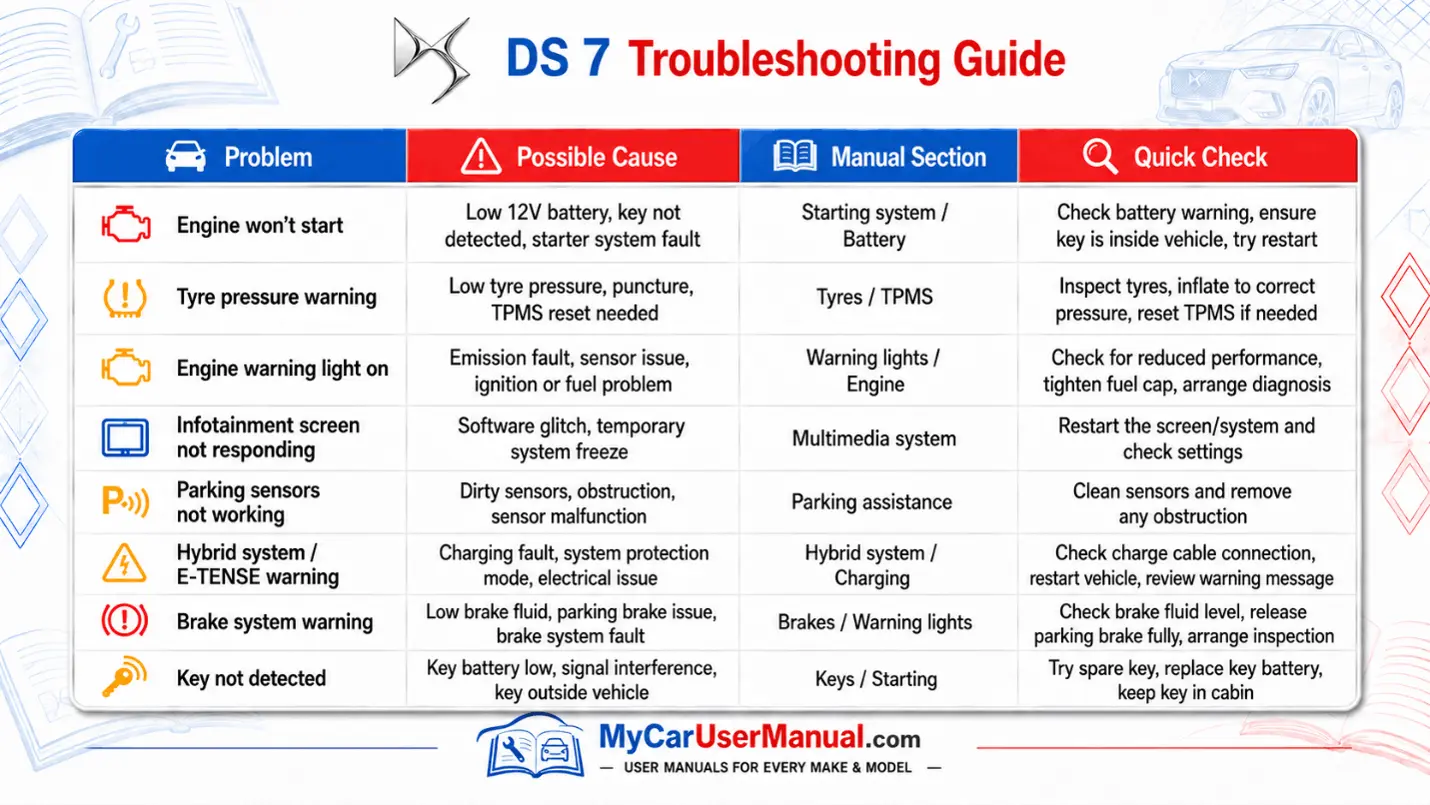
Follow these basic troubleshooting steps before taking further action: