At My Car User Manual, you can get DS 9 owner manuals in PDF format. You can view, read, print, and download PDF manuals for free. Each PDF is organized by year and model. You can pull the right document without guessing.
The DS user manual helps you to check controls, dashboard messages, warning lights, service items, safety systems, infotainment, charging, and everyday driving features. Manuals are regularly updated when newer PDF files or handbook versions become available.
View DS 9 owner manuals online for every available generation, model year, and variant. Each PDF can be opened on mobile, tablet, or desktop without registration.
DS Automobiles may change the specifications, trims, engines, equipment, and features by market and year. Always match the DS 9 user manual to your model year, powertrain, trim level, and dashboard layout.
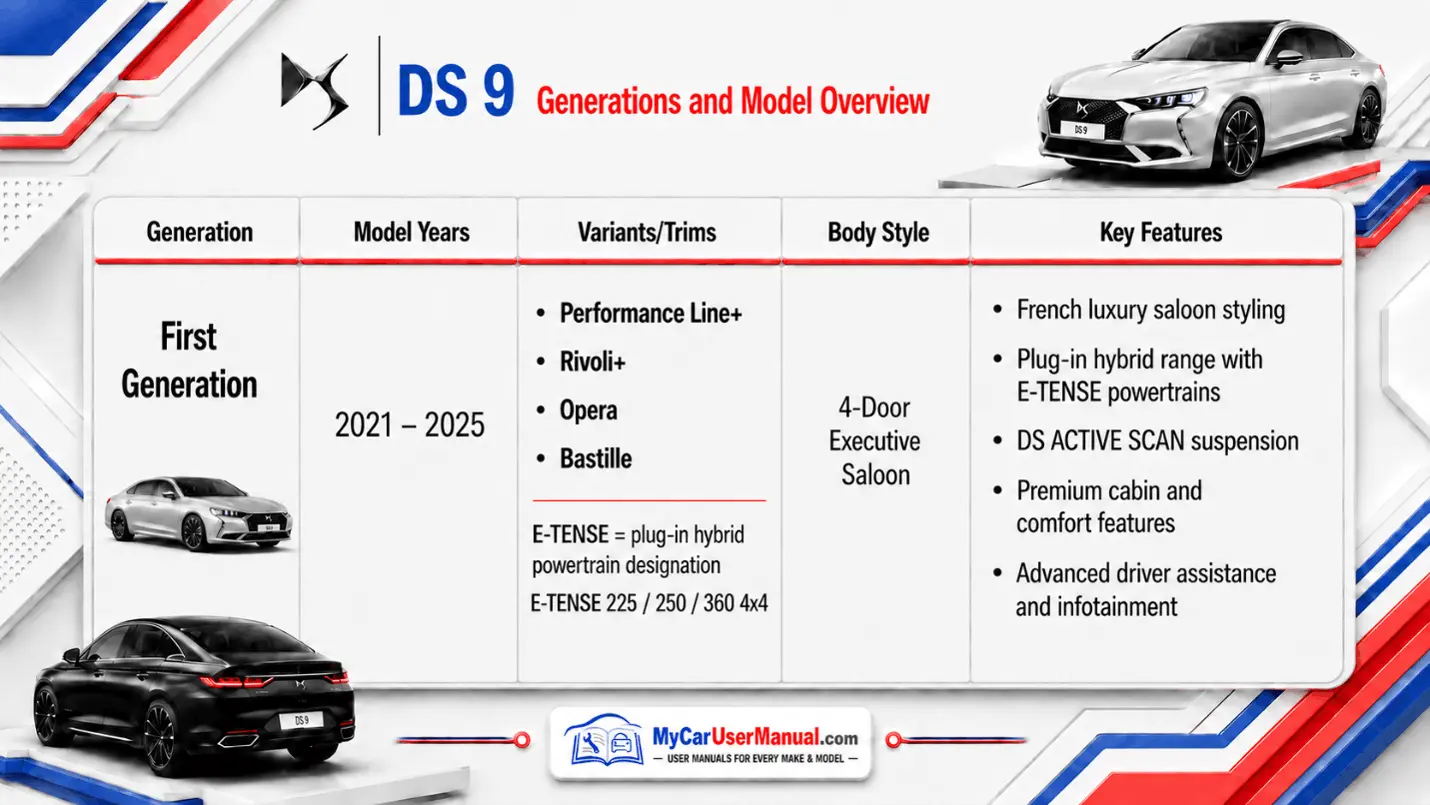
The DS 9 owner’s manual PDF explains how to use the vehicle safely and efficiently. It is designed for daily reference, not just emergencies.
Common manual coverage includes:
For quick use, download the DS 9 handbook PDF to your phone. This makes it easier to check a warning light, tyre pressure reset, charging message, or infotainment setting when you are away from home.
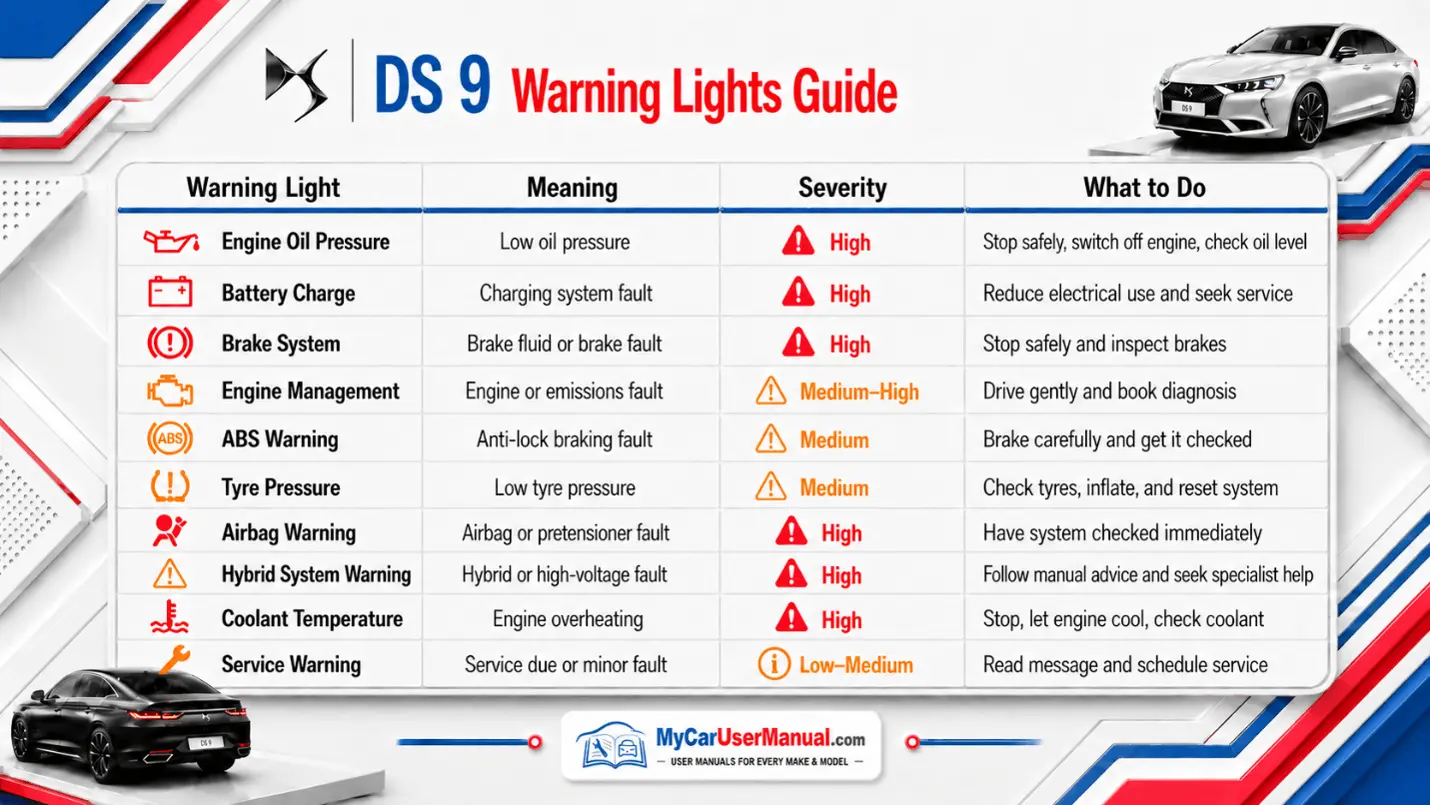
Dashboard symbols can be simple reminders or serious safety warnings. The DS 9 owner's manuals explain each warning light, the likely cause, and the correct action.
Do not ignore red warning lights. Stop when safe and check the relevant manual section before continuing.
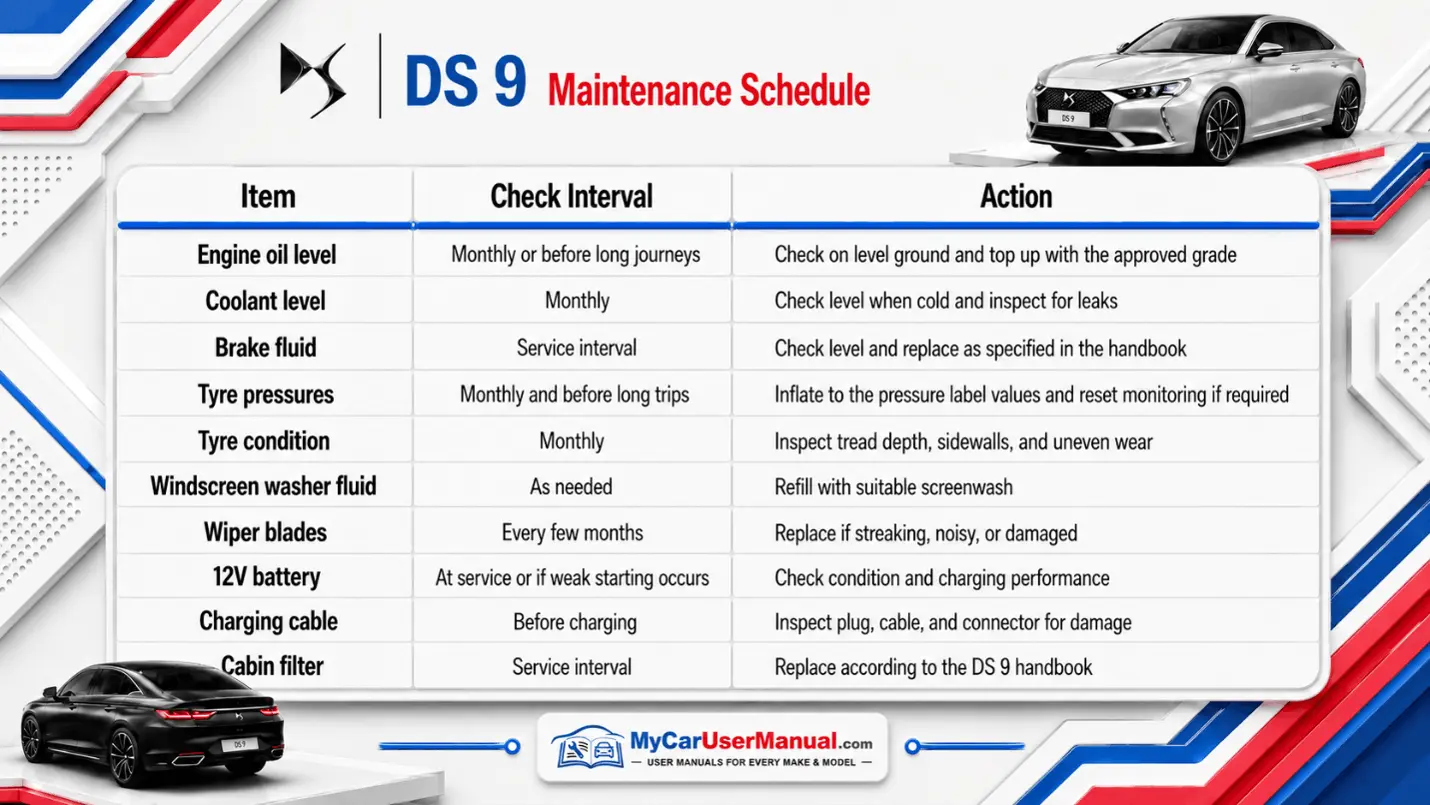
The maintenance schedule helps you keep the car safe, efficient, and in optimal condition. The correct interval may depend on engine type, mileage, age, usage, and local servicing rules.
Use the DS 9 manual by year and model before carrying out checks. Plug-in hybrid models may include extra guidance for charging cables, battery cooling, electric driving modes, and high-voltage system safety.
A DS 9 handbook can be long, so it helps to search by keyword instead of reading from the start.
If your DS 9 has the IRIS system or connected MyDS features, check the infotainment and connectivity sections carefully. These pages can help you set up user profiles, navigation, voice commands, smartphone pairing, and assistance features for better peace of mind.
The DS 9 troubleshooting section can help you identify simple problems before booking a repair. It can also tell you when it is not safe to keep driving.
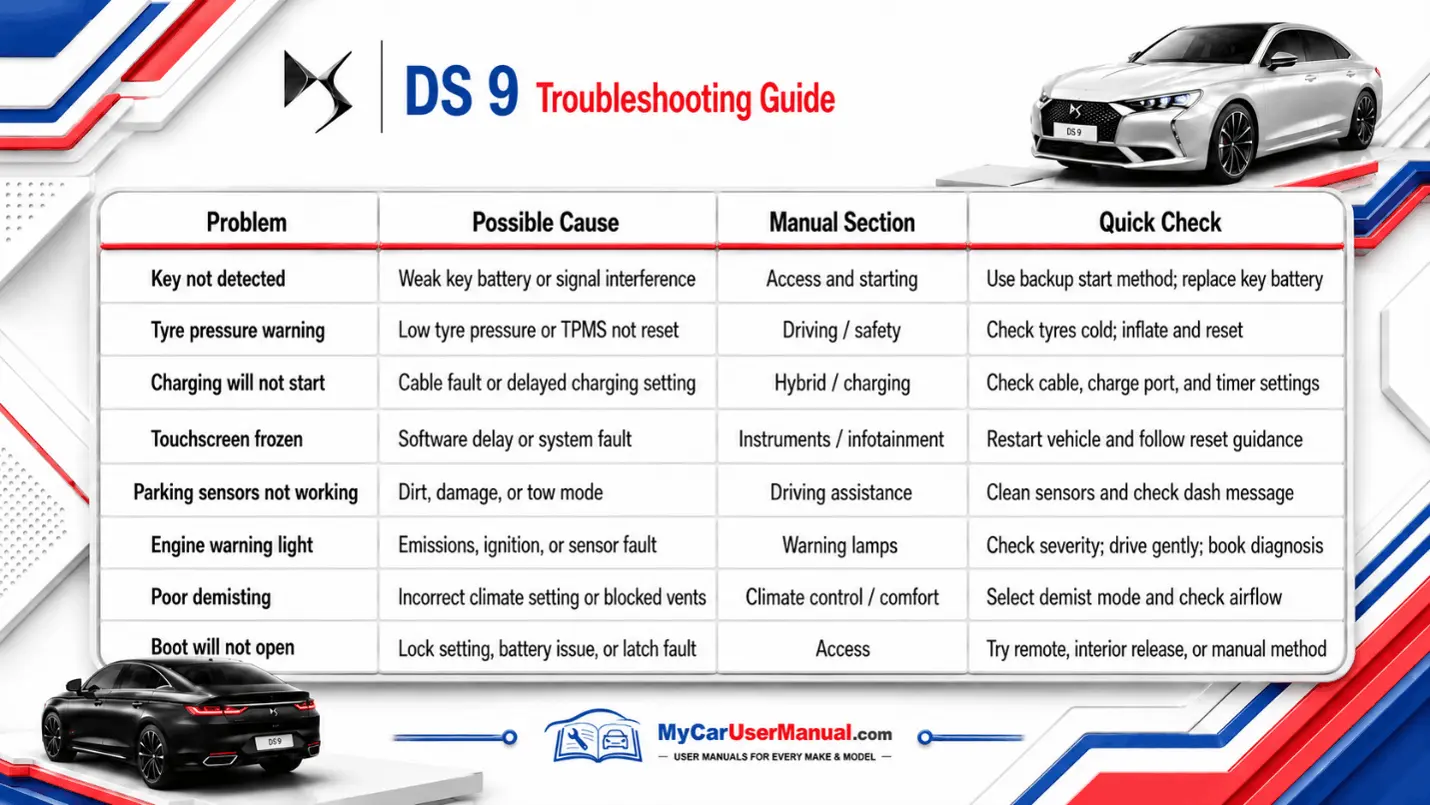
Basic DS 9 Troubleshooting Steps