Ford Puma Owner Manuals: Free PDF Download

Find Ford Puma owner manuals in free PDF format. The library is organised by year, model, and generation. You can view, read, print, or download the correct manual for your vehicle.

All the Ford Puma user manual PDFs are free. No need to purchase. No registration required. Manuals are updated regularly as more years and model variants become available.

Ford Puma Owner’s Manual PDF for All Generations

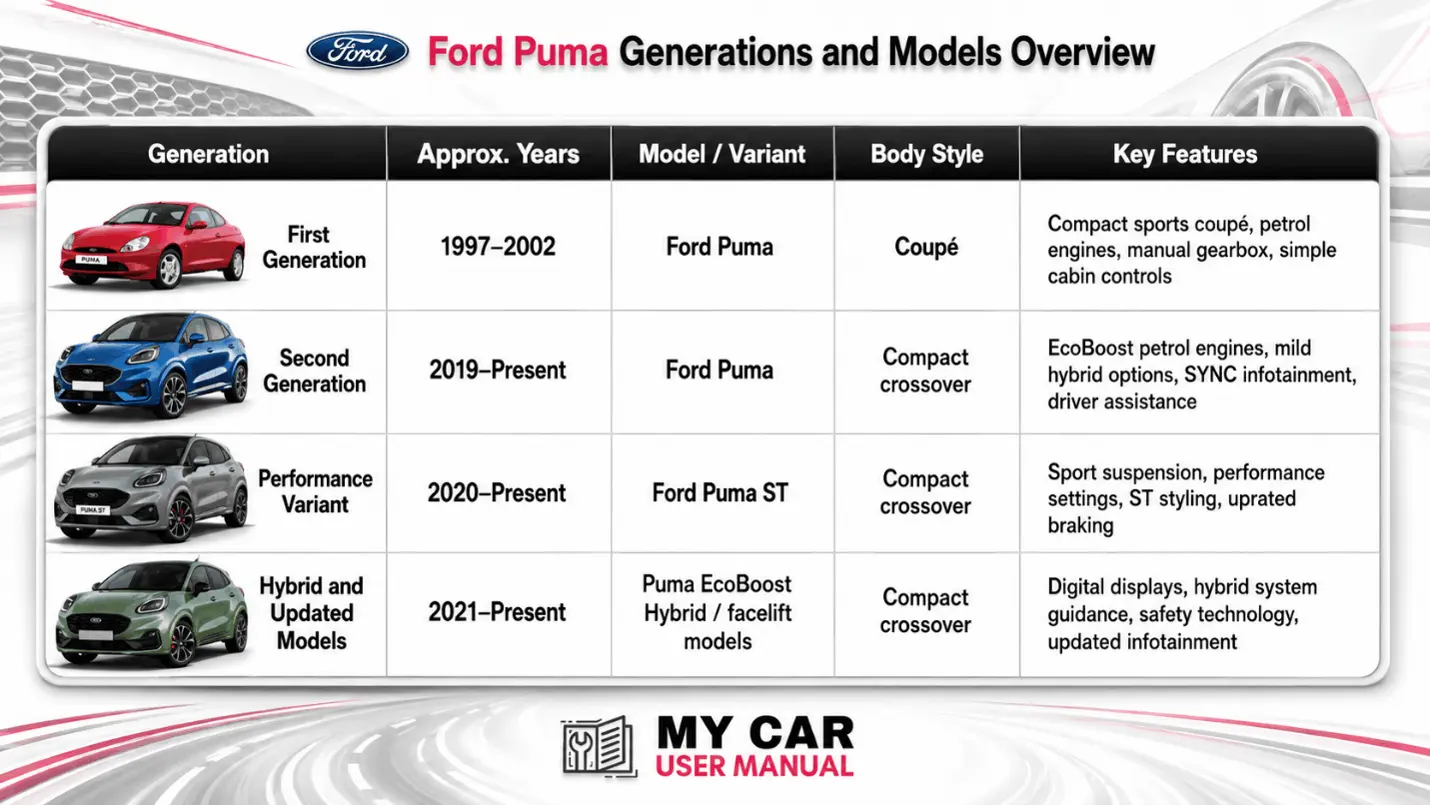
Ford Puma owner manuals cover both the original Puma coupé and the modern Puma compact crossover. Choose your manual by year to match the specifications to your vehicle.

Specifications, trims, engines, and features may vary by market and year. Always check the exact model year and variant before using a Ford Puma user manual.
Ford Puma Owner Manual PDF

What does the Ford Puma Owner's Manual Cover?

The handbook explains how to use the vehicle safely and correctly. It is useful for new owners, used car buyers, fleet vehicles, and anyone checking features before a service or MOT.

Most Ford Puma owner manuals include:

  • Vehicle controls and dashboard layout
  • Starting, stopping, locking, and key functions
  • Instrument cluster messages
  • Warning lights and information symbols
  • Seats, mirrors, windows, and child locks
  • Climate control and heated screen use
  • SYNC infotainment, Bluetooth, navigation, and phone pairing
  • Driver assistance systems
  • Fuel, AdBlue where applicable, oil, coolant, and washer fluid
  • Tyre pressures, puncture repair, and wheel changing
  • Battery care and jump-starting
  • Fuses, bulbs, and electrical information
  • Towing, loading, and roof rack guidance
  • Cleaning, storage, and corrosion care
  • Scheduled maintenance and service checks

Ford Puma Warning Lights: Find Meanings in the Manual

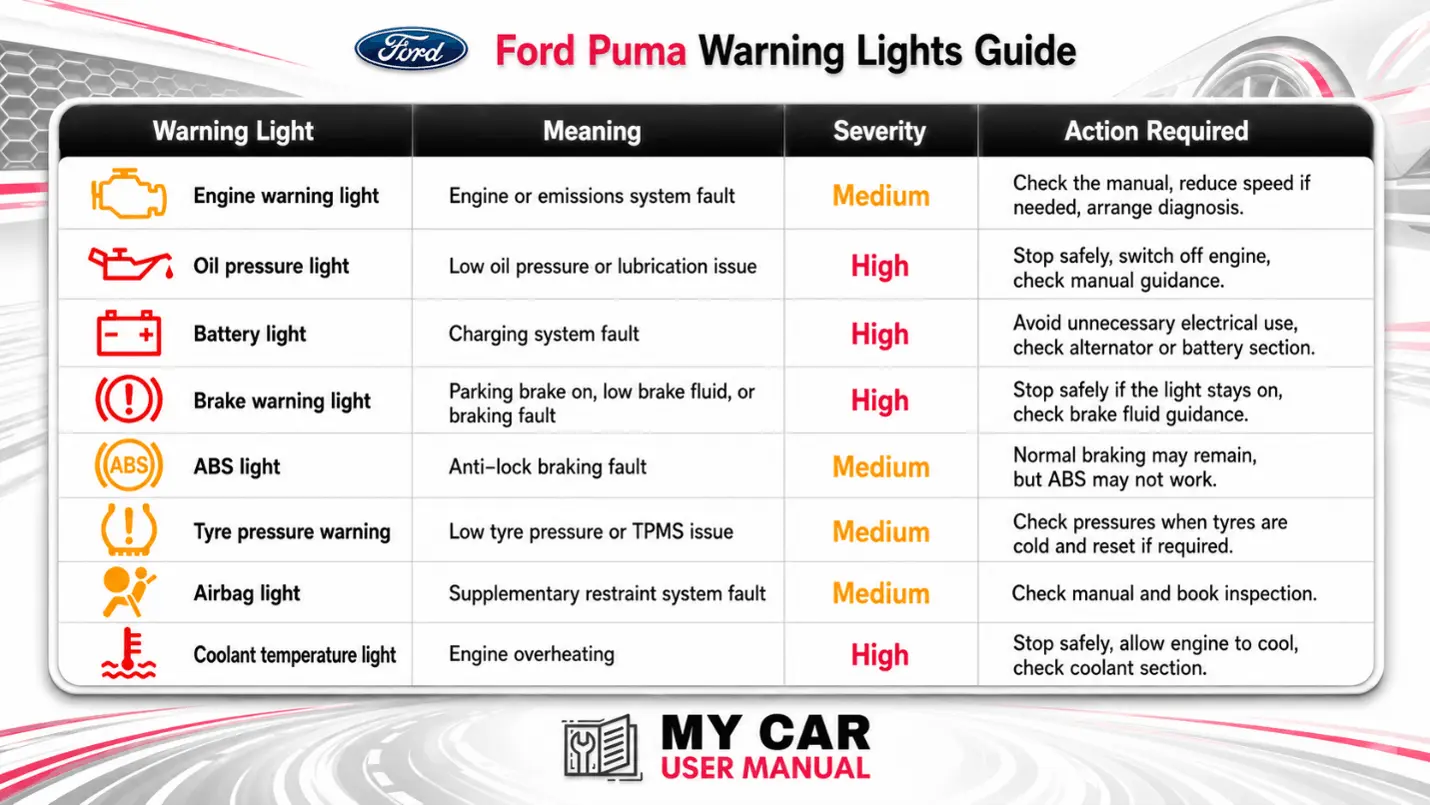
Warning lights can vary between Ford Puma generations, trims, and instrument cluster types. The manual gives the correct meaning for each symbol and explains what to do next.

Use the manual if a red warning light comes on. Check the issue before continuing to drive. Amber lights indicate a fault that needs attention soon. Green and blue lights usually show an active feature.
Ford Puma Manual PDF

Ford Puma Maintenance Schedule: Manual Checks

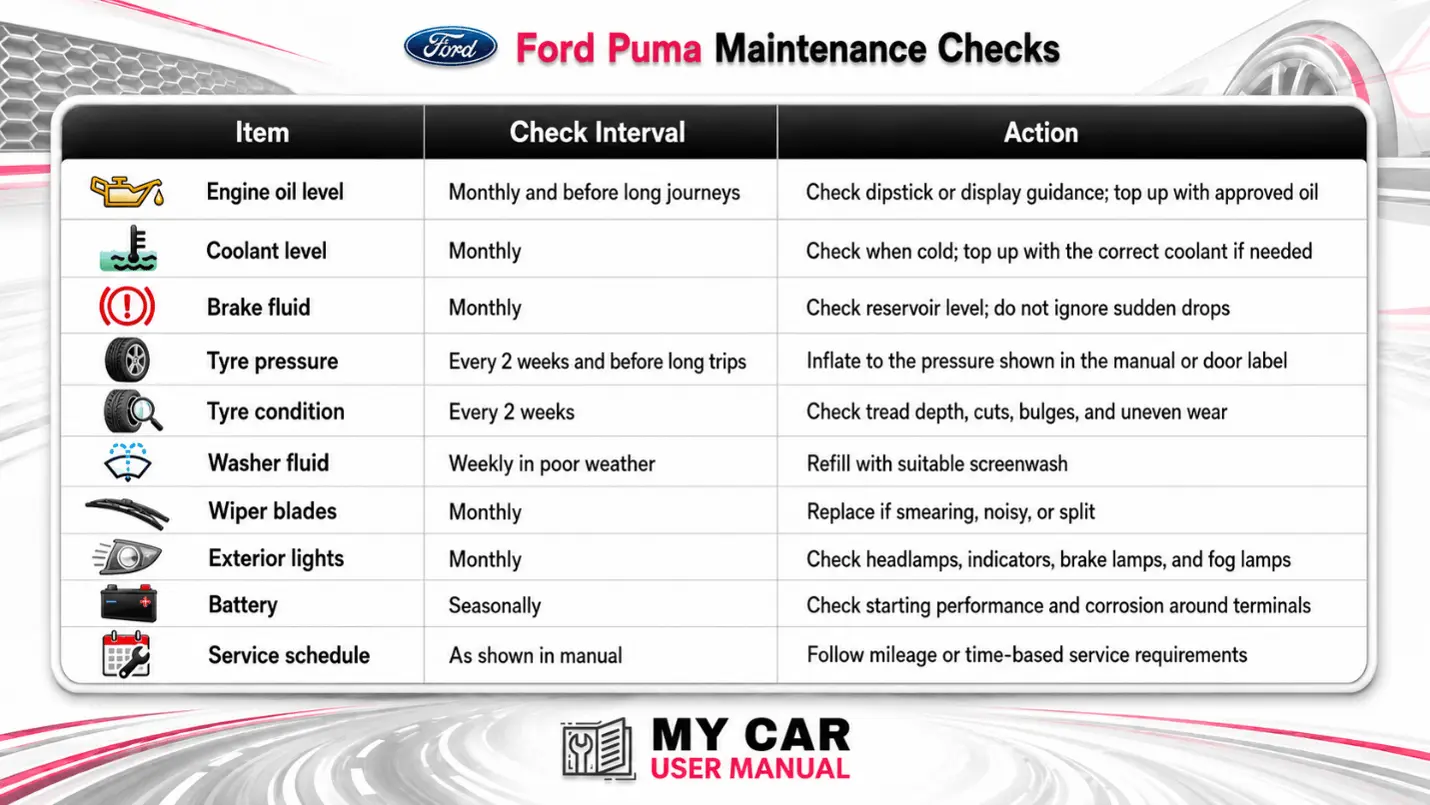
The Ford Puma handbook helps you keep routine checks simple. It explains what the owner can inspect and what should be handled by a Ford dealer or qualified technician.

Service intervals can differ by engine, mileage, age, and operating conditions. Always follow the exact Ford Puma manual by year.
Ford Puma User Manual PDF

How to Navigate the Ford Puma Owner’s Manual Effectively?

To navigate the manual effectively, search by topic instead of reading from the beginning. Most PDFs allow quick keyword search.

  • Select the correct Ford Puma manual by year and model.
  • Open the PDF in your browser to view or read it instantly.
  • Use the PDF search function for specific terms.
  • Check the contents page for major sections.
  • Compare illustrations with your dashboard, steering wheel, and centre display.
  • Print the important pages you need often.
  • Download the manual PDF for offline use before long journeys.
  • Recheck the page later, as manuals are updated regularly when more PDFs are added.

For best results, match the manual to the registration year, model year, trim, and engine type. A Puma ST, EcoBoost Hybrid, or facelift model may include features that do not appear in earlier handbooks.

Troubleshooting Ford Puma Common Issues Using the Owner's Manual

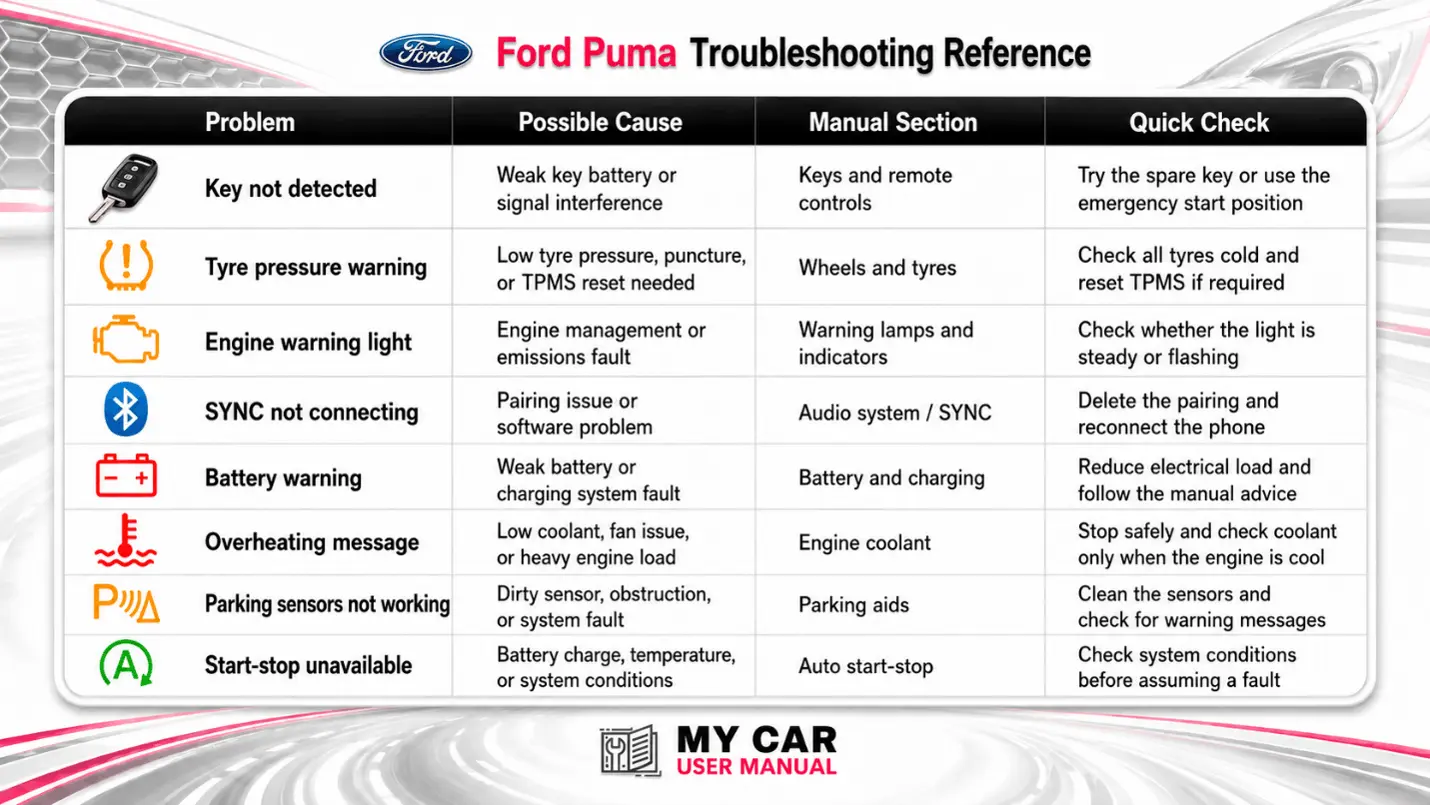
Check the Ford Puma user manual when a warning light, message, or feature does not work as expected. It can help you confirm whether the issue is a normal setting, a maintenance reminder, or a fault that needs attention.
Ford Puma Owner Manual PDF

Troubleshooting Steps with the Ford Puma Handbook

  • Identify the exact warning light, message, sound, or symptom.
  • Open the correct Ford Puma handbook for your year and model.
  • Search the PDF using the warning message or system name.
  • Read the full section, including cautions and notes.
  • Check simple items first, such as fluid levels, tyre pressures, key battery, or screen settings.
  • Do not continue driving if the manual says to stop safely.
  • Print or save the relevant page if you need to explain the issue to a technician.
  • Use the manual alongside the service record for maintenance-related faults.










