At My Car User Manual, you can get Lexus UX owner manuals for different model years in PDF format. You can view or read the manuals online. You can print or download them for offline use. All the manual PDFs are free. No payment or account required.
The PDF manuals explain controls, displays, and safety systems. They also cover everyday vehicle features. Manuals are organised by model and year. The library is updated regularly. You can quickly find the right information for your vehicle.
The Lexus UX joined the UK line-up in 2019. It was introduced as a compact premium crossover. It first launched with the Lexus UX 250h self-charging hybrid. The electric UX 300e was added later. Lexus then introduced the UX 300h as the main hybrid option. For 2026, the UX 300h is offered in Premium, F Sport Design, F Sport Design Tech, F Sport, and Takumi trims.
At My Car User Manual, Lexus UX manual PDFs are organised by model year. This helps you choose the right handbook. We regularly review and update manuals as newer model years and versions become available.
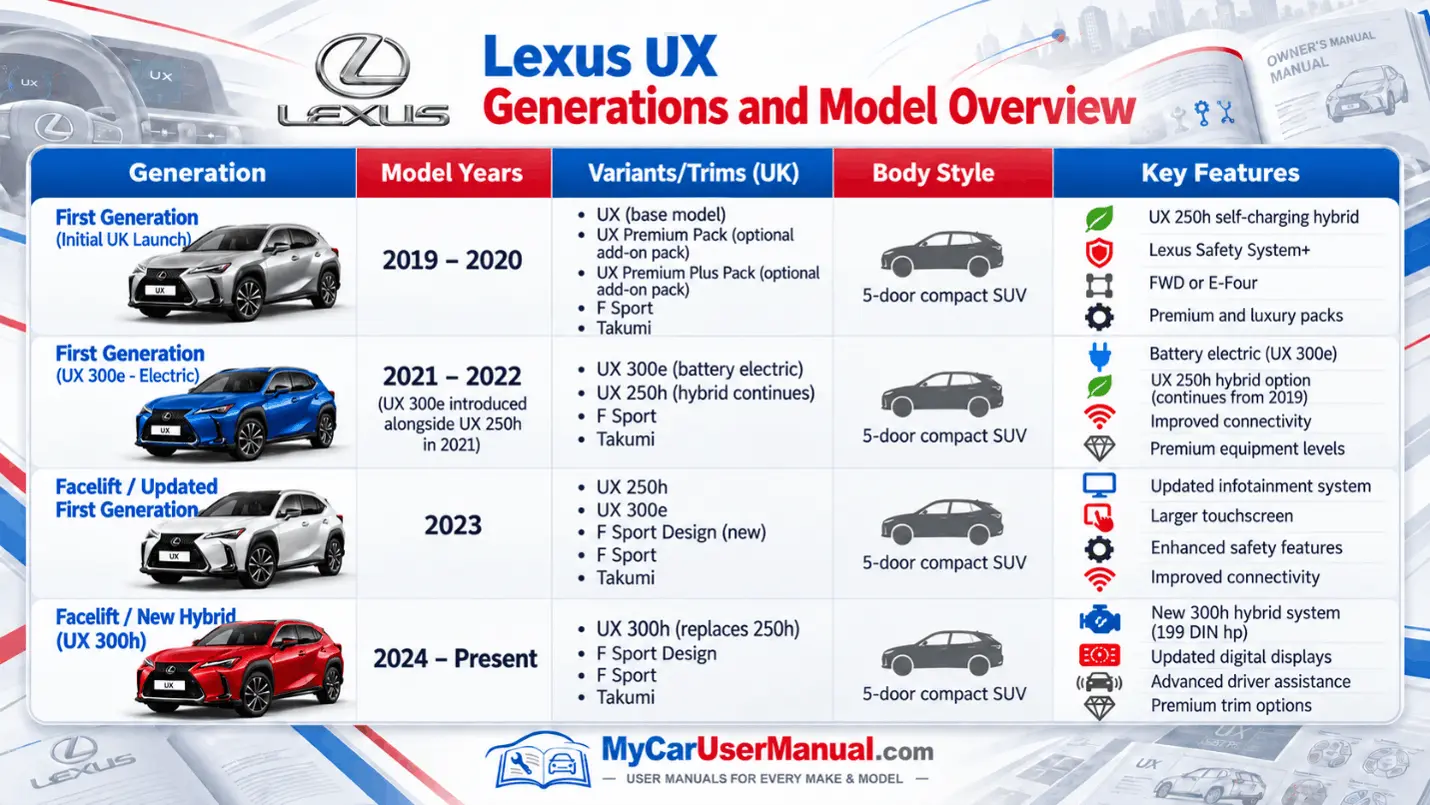
The Lexus UX user manual explains how to use the vehicle. It covers the main systems and basic controls. It also explains safety, multimedia, and driver assistance settings. The information may vary by model year and powertrain.
Main Information Covered in the Lexus UX Handbook
Use the Lexus UX manual PDF that matches the model year of your vehicle. Equipment, menus, and warning messages can change between different versions.
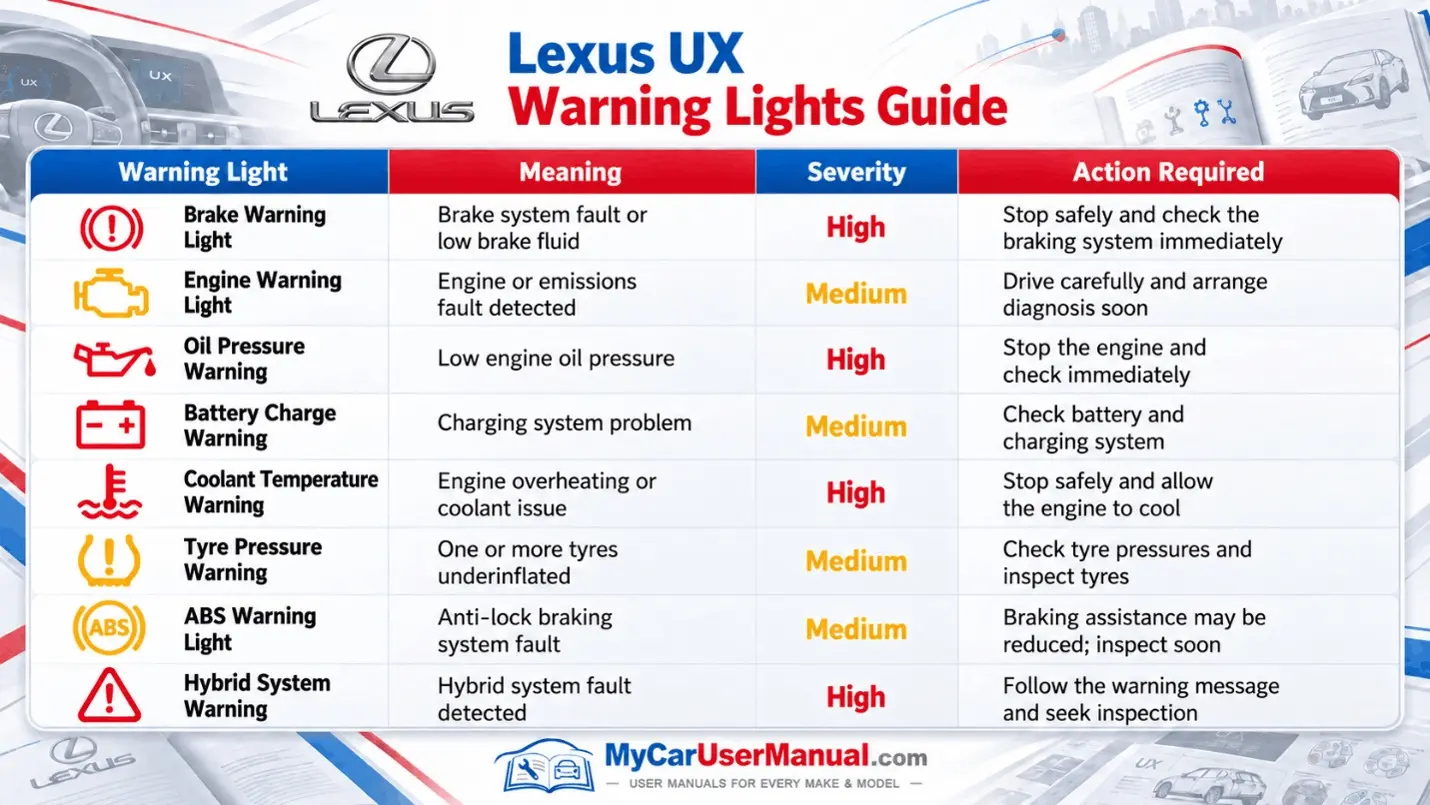
Warning lights tell you about the condition of important vehicle systems. Some lights show normal operation. Others warn that the vehicle may need checking or immediate attention.
The manual PDF explains each symbol, the reason it may appear, and the recommended response. Always read the accompanying display message as well as checking the warning-light symbol.
Important Lexus UX Warning Light Information
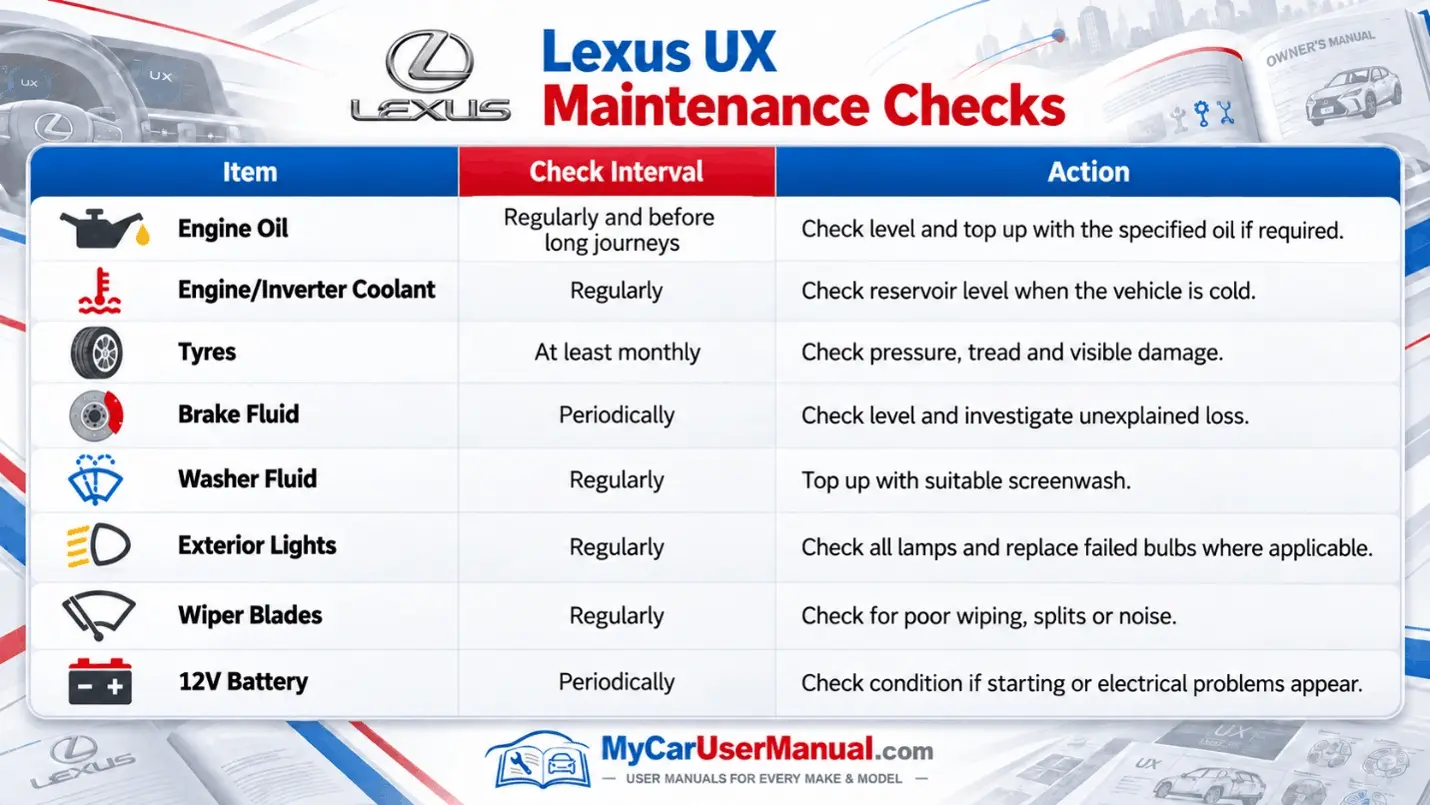
The Lexus UX handbook includes routine checks. These help keep the vehicle reliable. Routine checks help spot problems early. This may prevent bigger issues.
Service intervals can vary by model year, mileage, and engine type. Always check the correct manual and follow your vehicle’s service schedule.
Important Maintenance Checks
The Lexus UX owner’s manual covers many vehicle features and systems. Use the PDF search to find warnings, settings, or components quickly.
Use the contents page for full system information. Search by keyword when you know what you need.
Quick Ways to Find the Right Information
The Lexus UX user manual can help with many operating issues. It explains warning messages, system limitations, and reset procedures. It also covers conditions that may stop certain features from working.
The handbook is particularly useful when a dashboard message appears or a feature behaves differently from expected. Check the exact wording of the message first, then locate the matching section in the manual.
Common Lexus UX Issues to Check in the Manual
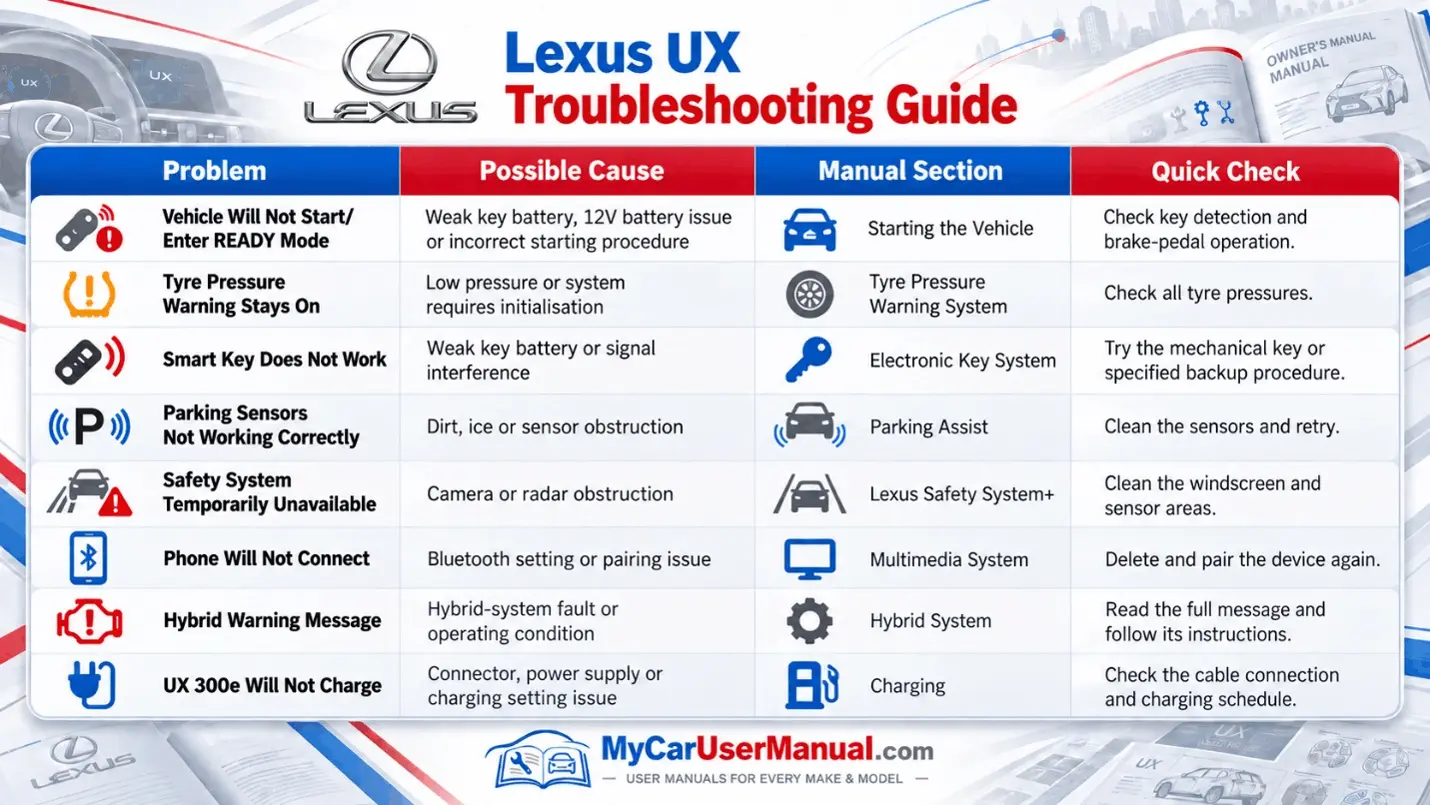
Steps for Troubleshooting with the Owner’s Manual










