Get free Tesla Model 3 owner manuals by model year. You can open the PDF on any device. You can view and read it online for quick access. You can download a copy to your phone or computer for offline use. You can also print the full manual or only the pages you need. Check that the edition matches your car’s equipment.
The Tesla Model 3 owner’s manual explains how to charge the battery, use the touchscreen, and adjust vehicle settings. It covers phone keys, climate controls, and safety features. It also explains warning messages and what they mean. You will also find maintenance advice and steps for checking common issues. Tesla updates its manuals as features change, so compare saved PDFs with the manual on your car’s touchscreen.
The Tesla Model 3 manual PDF is available for every model year. Find your manual by year, then check the model variant and equipment. Each edition explains the features fitted to the models it covers. Instructions can differ for charging, gear selection, and touchscreen settings. Use the correct Tesla Model 3 handbook to avoid following guidance for a different version.
Tesla Model 3 Models and Key Updates
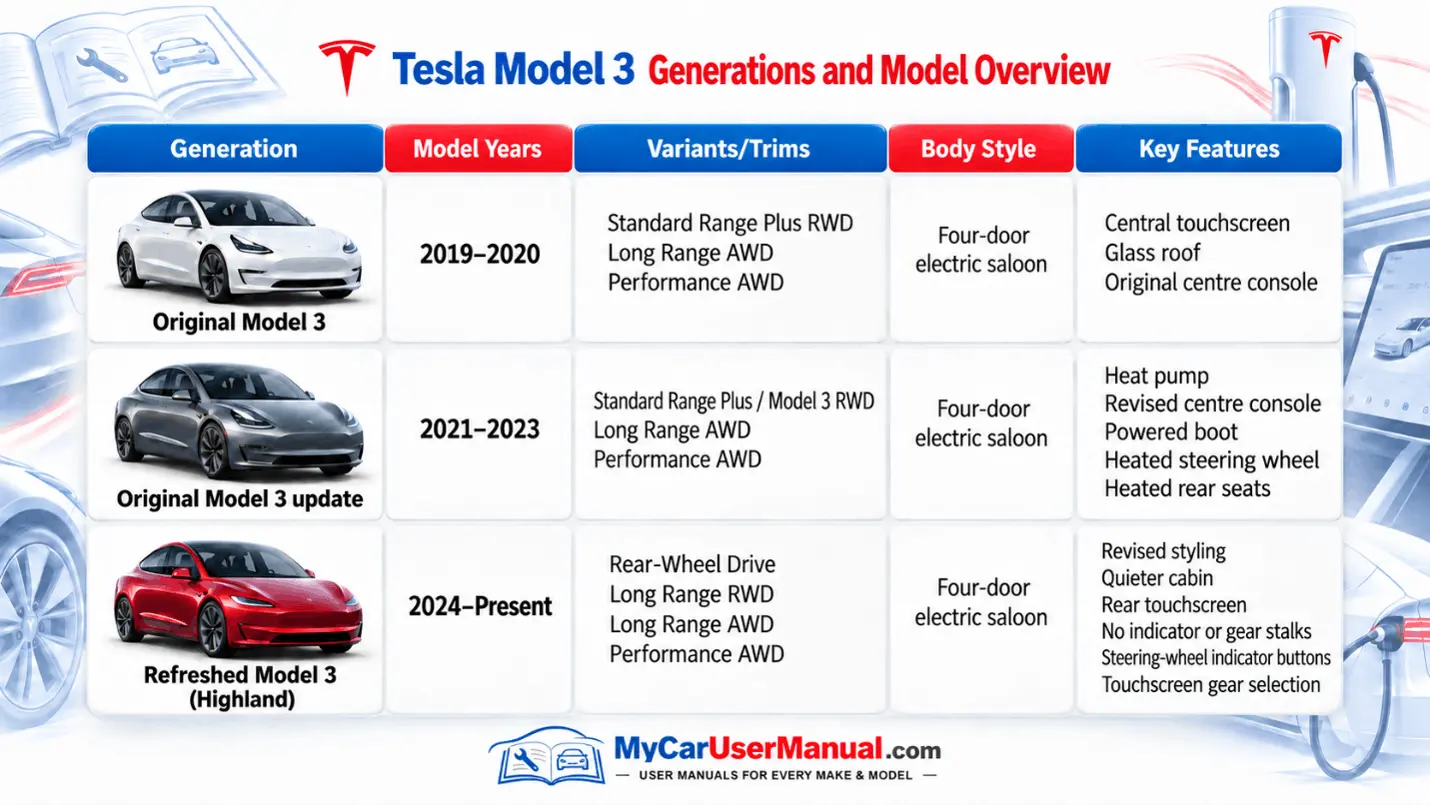
The Tesla Model 3 user manual explains how to operate the car’s controls and systems. It covers daily tasks, including unlocking doors, setting mirrors, connecting a phone, and managing charging.
It also explains safety restraints, driver assistance limitations, and emergency procedures. Some sections describe optional equipment, so a feature appearing in the handbook does not mean your car has it.
Main handbook topics
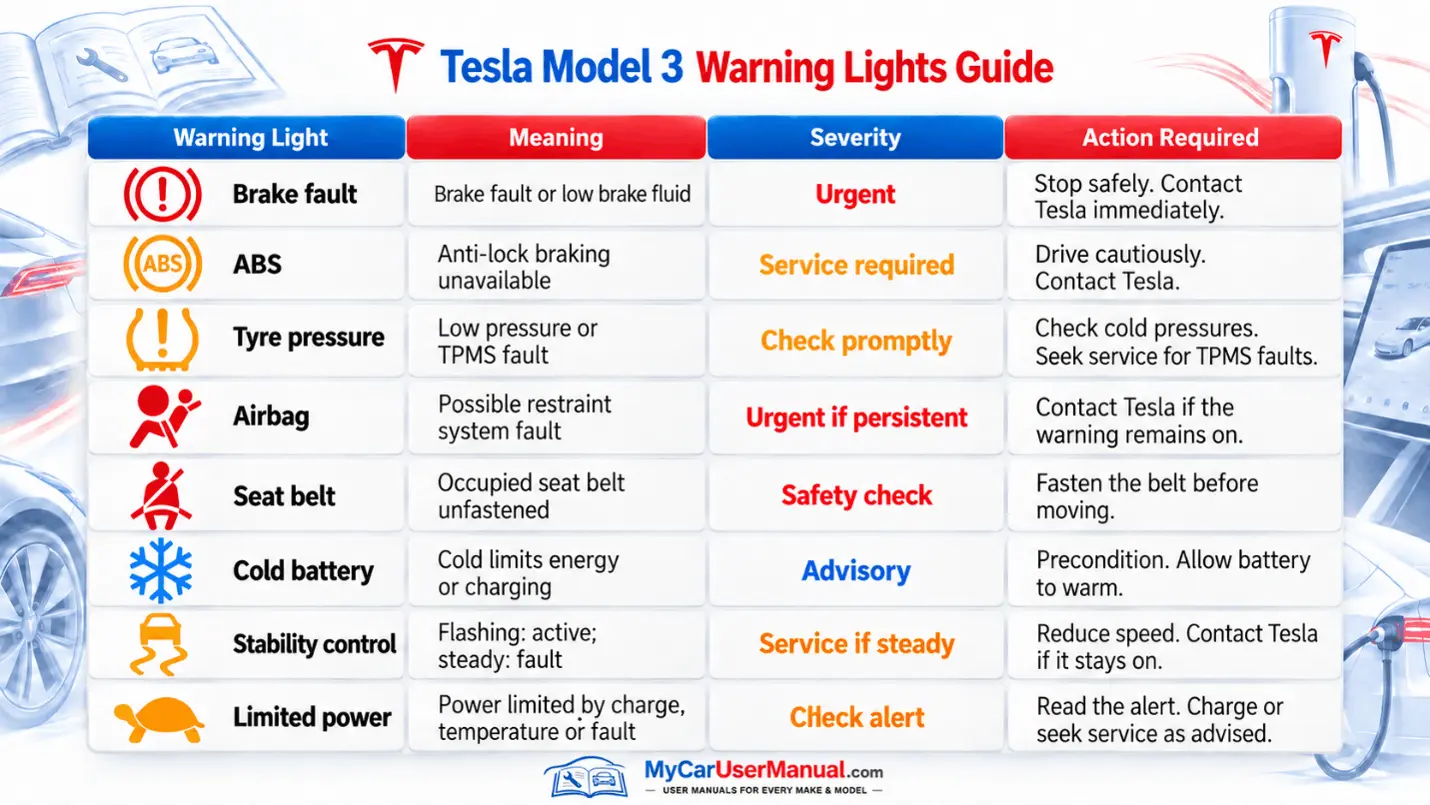
The Model 3 shows warning symbols and vehicle alerts on its touchscreen. Some indicators appear briefly when the car prepares to drive. Others show an active function or a condition requiring attention.
Read the alert message. Colour alone does not establish urgency. A red parking brake symbol can be normal. A persistent red brake fault needs immediate action.
Warning symbols to recognise
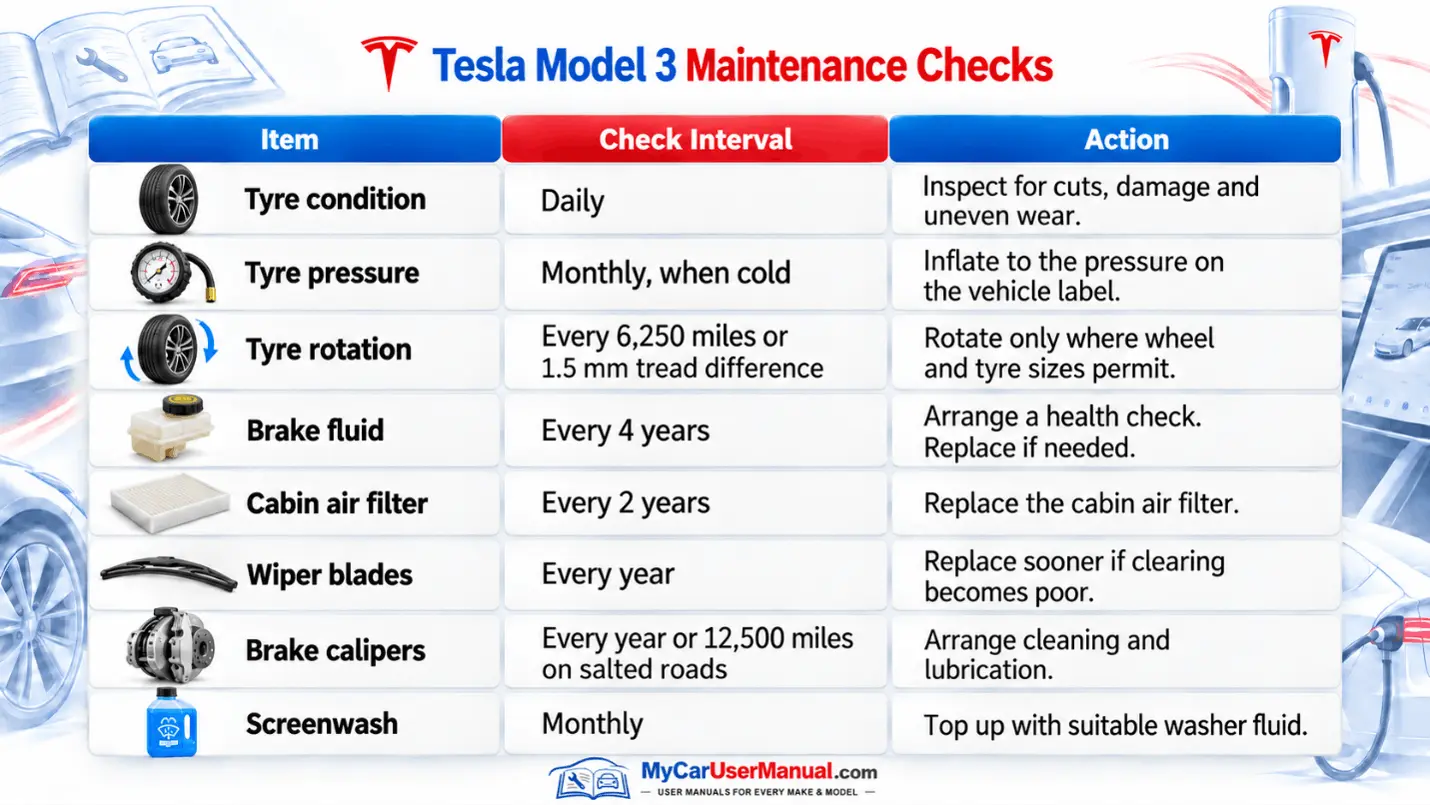
Use the maintenance section to plan inspections and replacement items. The Model 3 needs tyre, brake, and visibility checks even though it has no engine oil changes.
Intervals depend on use and conditions. Follow the applicable handbook and arrange earlier checks if wear or symptoms appear.
Maintenance reminders
Open your Tesla Model 3 manual PDF in a reader with text search and bookmarks. Searching for a specific control or alert code is usually quicker than scrolling through every page.
Tesla regularly updates its owner information as software changes. A downloaded Tesla Model 3 handbook remains a saved edition. Compare it with the vehicle’s Manual app and release notes when controls or instructions differ.
Steps to find the right instructions
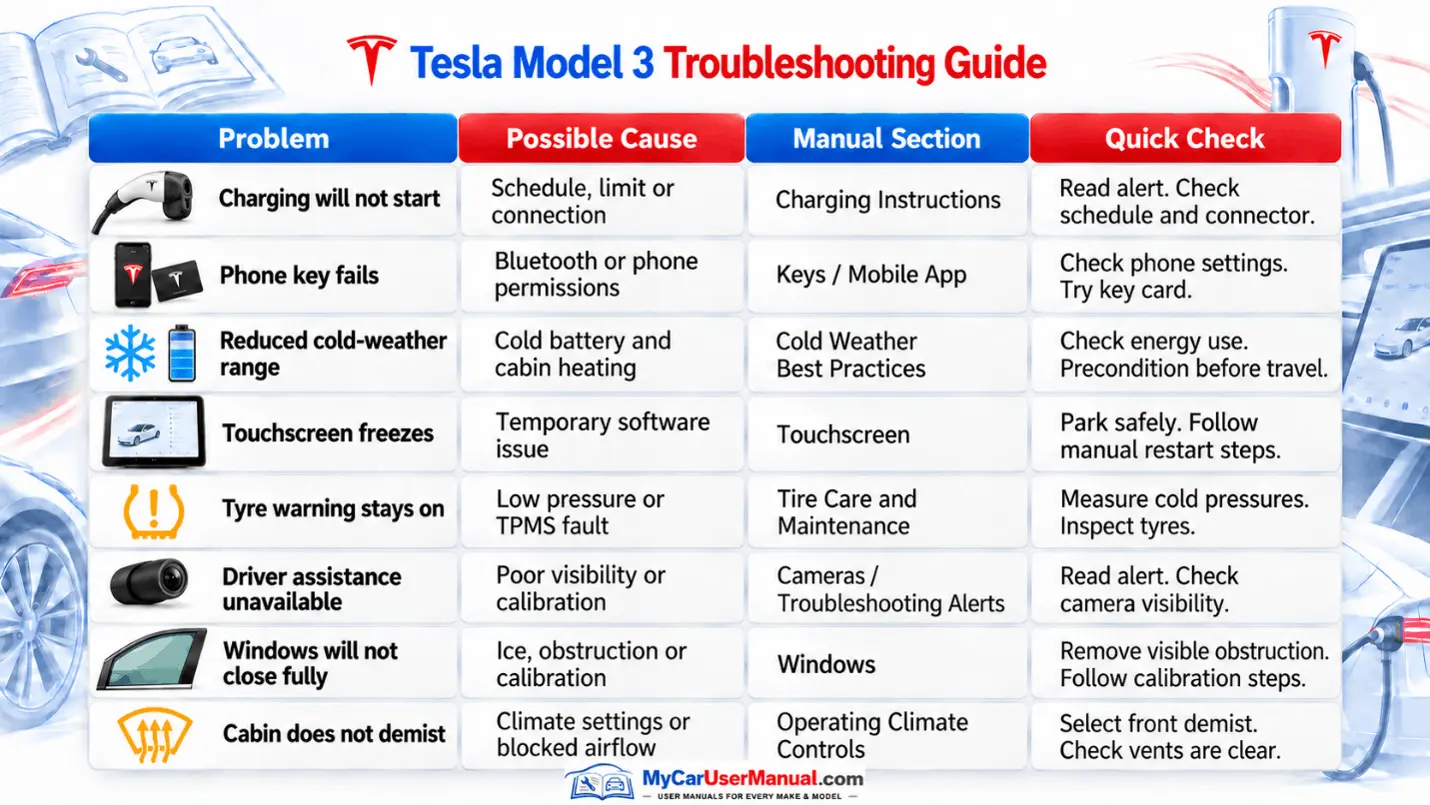
The troubleshooting section helps you interpret symptoms and alerts. Begin with the exact message displayed, as similar symptoms can have different causes.
Carry out only the owner checks described in the handbook. Persistent faults need service assessment. If an alert tells you to stop or says the vehicle may shut down, follow that instruction immediately.
Common issues to look up
Steps for troubleshooting safely









