Find Toyota Auris owner manuals in free PDF format. You can view and read the manual online. You can download it to any device or print the pages you need. The library is organised by model year and generation. You can easily access the correct Toyota Auris user manual.
All the Toyota Auris manuals in the library are free. No signup. No payment. No hidden steps. Each manual is organised to help you understand controls, warning lights, maintenance checks, safety systems, and everyday driving features. Manuals are regularly updated when newer or clearer PDF versions become available.
Toyota Auris owner manuals are organised by model year and generation. It makes it easier to find the right manual for your exact vehicle. Select the year first, then match the body style, engine, transmission, and trim where listed.
Specifications, trims, engines, and features may vary by market and year. Always check the manual that matches your vehicle’s model year and equipment.
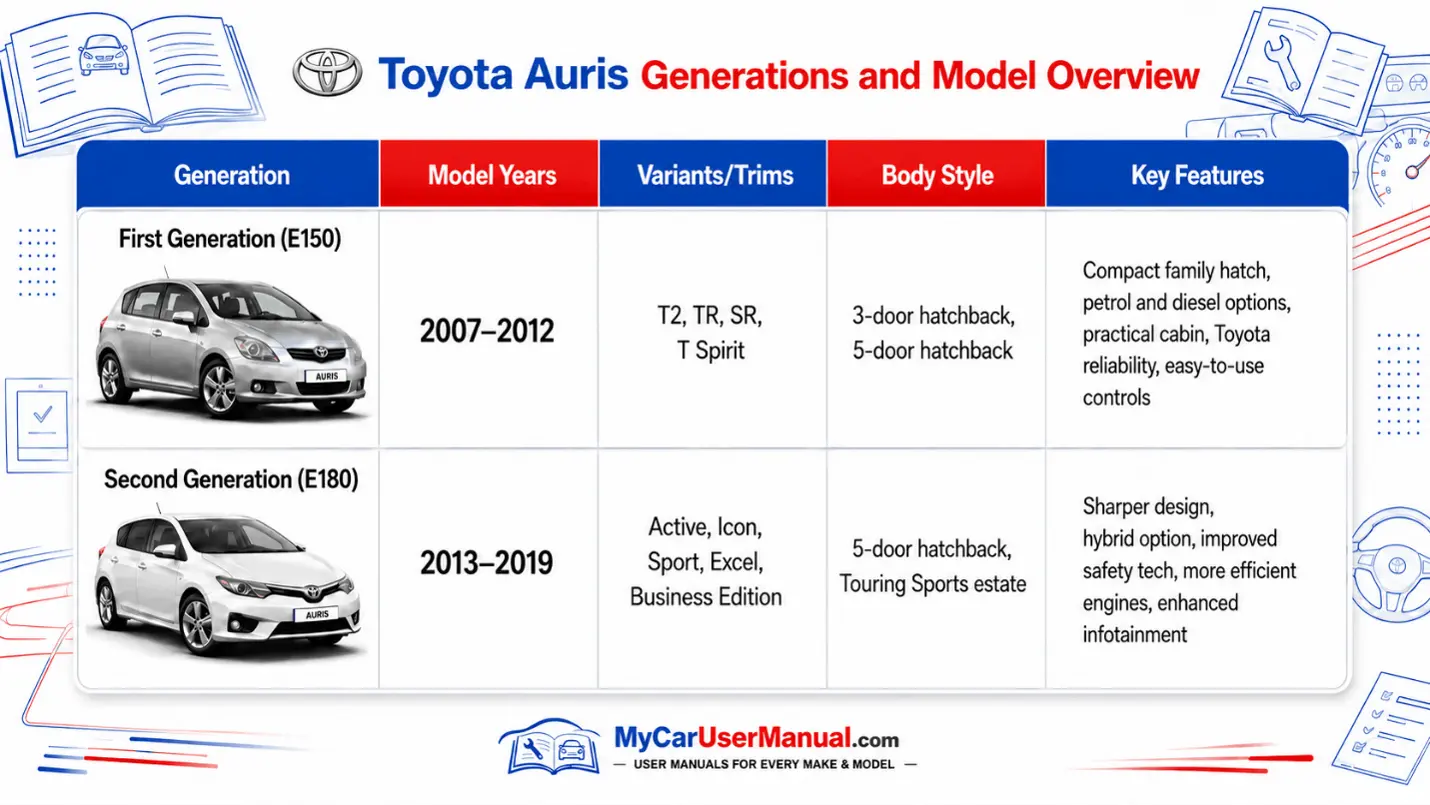
A Toyota Auris handbook explains the key systems fitted to the vehicle. It is designed for everyday reference, not only for repairs.
The manual usually covers:
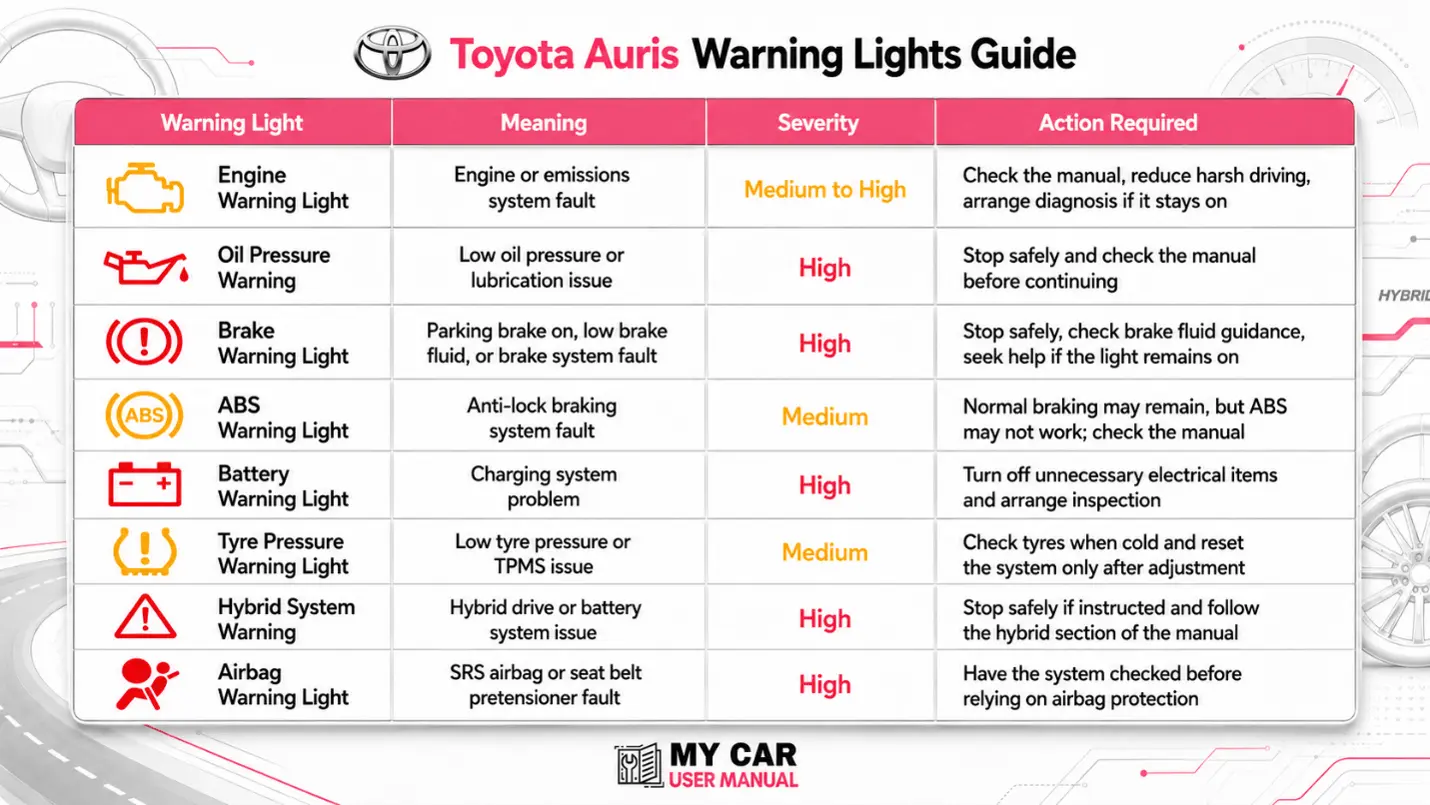
Warning lights can appear for simple reminders or serious faults. The owner’s manual explains each symbol, the likely meaning and the safest next step.
Do not ignore red warning lights. Amber lights usually mean the vehicle needs checking, but some may still require prompt action.
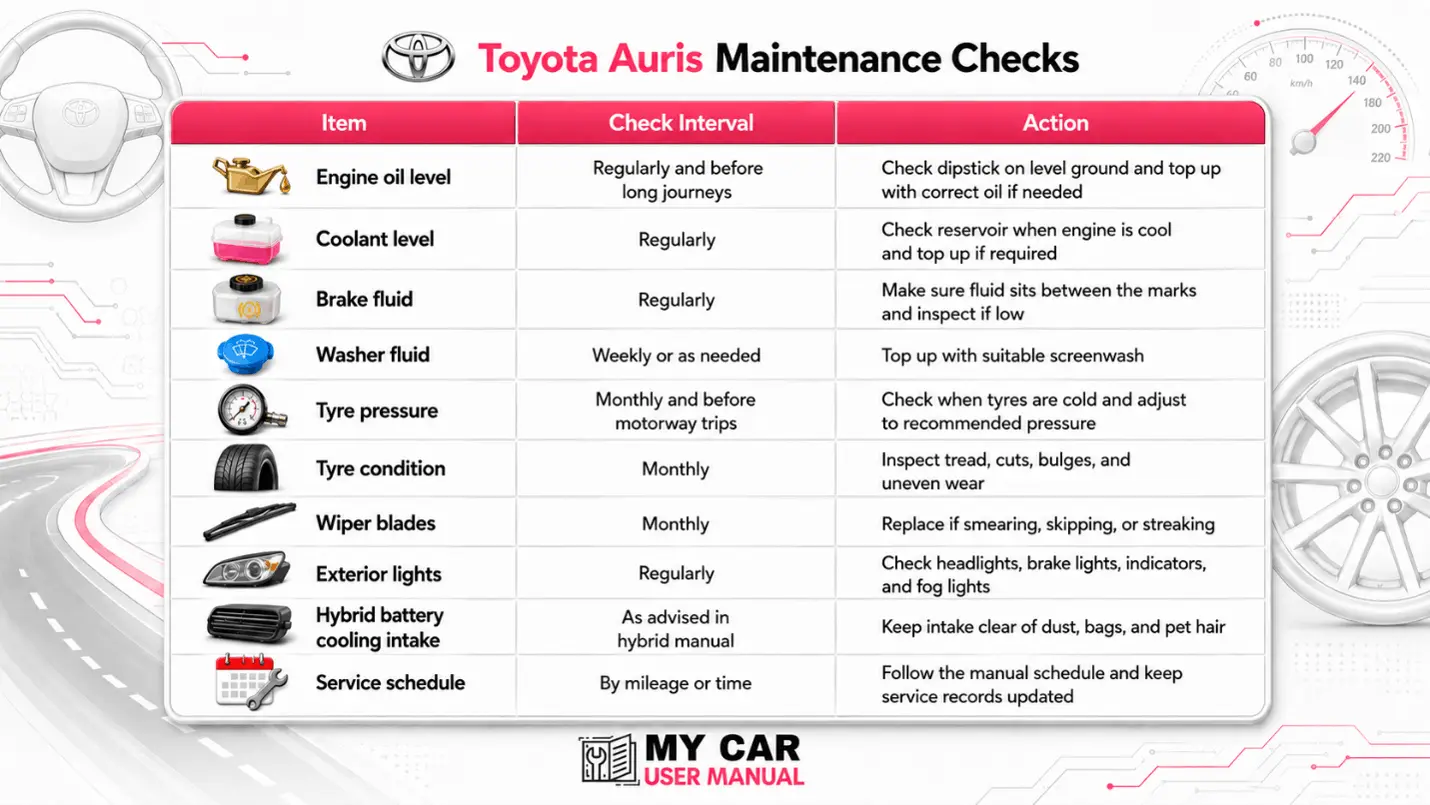
The Toyota Auris manual gives owners checks and service-related guidance. It does not replace a full service record, but it helps you understand what should be checked and when.
Always follow the service schedule supplied with your vehicle. Driving conditions, mileage, engine type, and hybrid components can affect service needs.
The Toyota Auris user manual PDF is easy to use when you know where to look. Most PDFs include a table of contents, numbered sections, and searchable text.
Steps to Use the Manual Quickly
The Toyota Auris manual can help with basic checks before you book repairs. It is useful for understanding symptoms, locating controls, and checking whether a warning message needs urgent action.
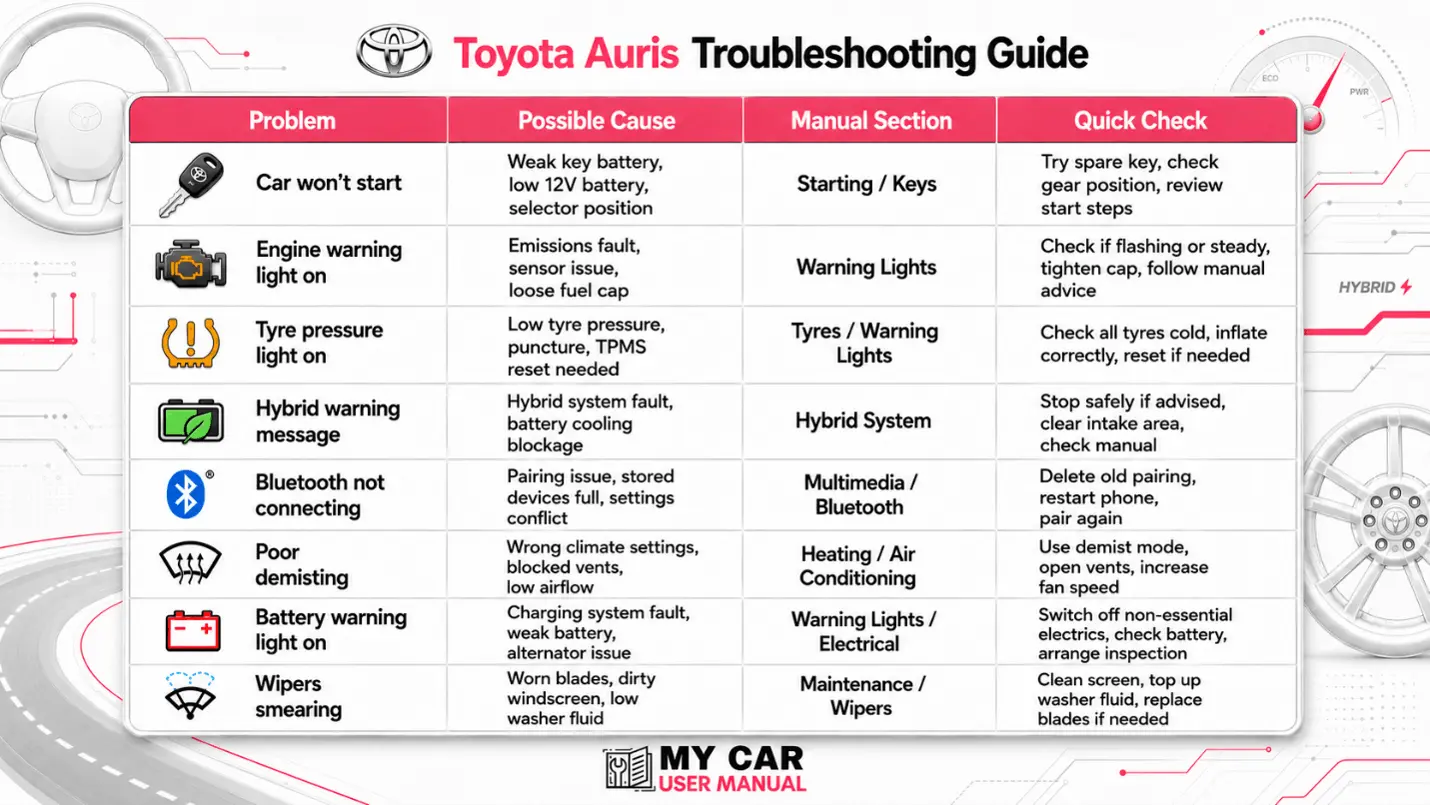
Troubleshooting steps