Looking for your Dacia Duster owner’s manual? At My Car User Manual, you can get free PDF manuals for different Dacia model years and generations. Select your model year to find the correct handbook. The manual PDFs cover vehicle controls, dashboard symbols, maintenance checks, and everyday driving instructions.
You can view and read the manual online. You can also print specific pages or download the full PDF. The downloaded copy allows you to access info offline. No need for any payment or creating an account. Our listings are regularly updated. You can find the latest handbooks as they become available.
The Dacia Duster has been available in the UK since 2013. It has three generations. Each one has its own handbook. The details change between facelifts and engines. Choose the manual that matches your car’s year and trim.
Dacia Duster Generation Summary
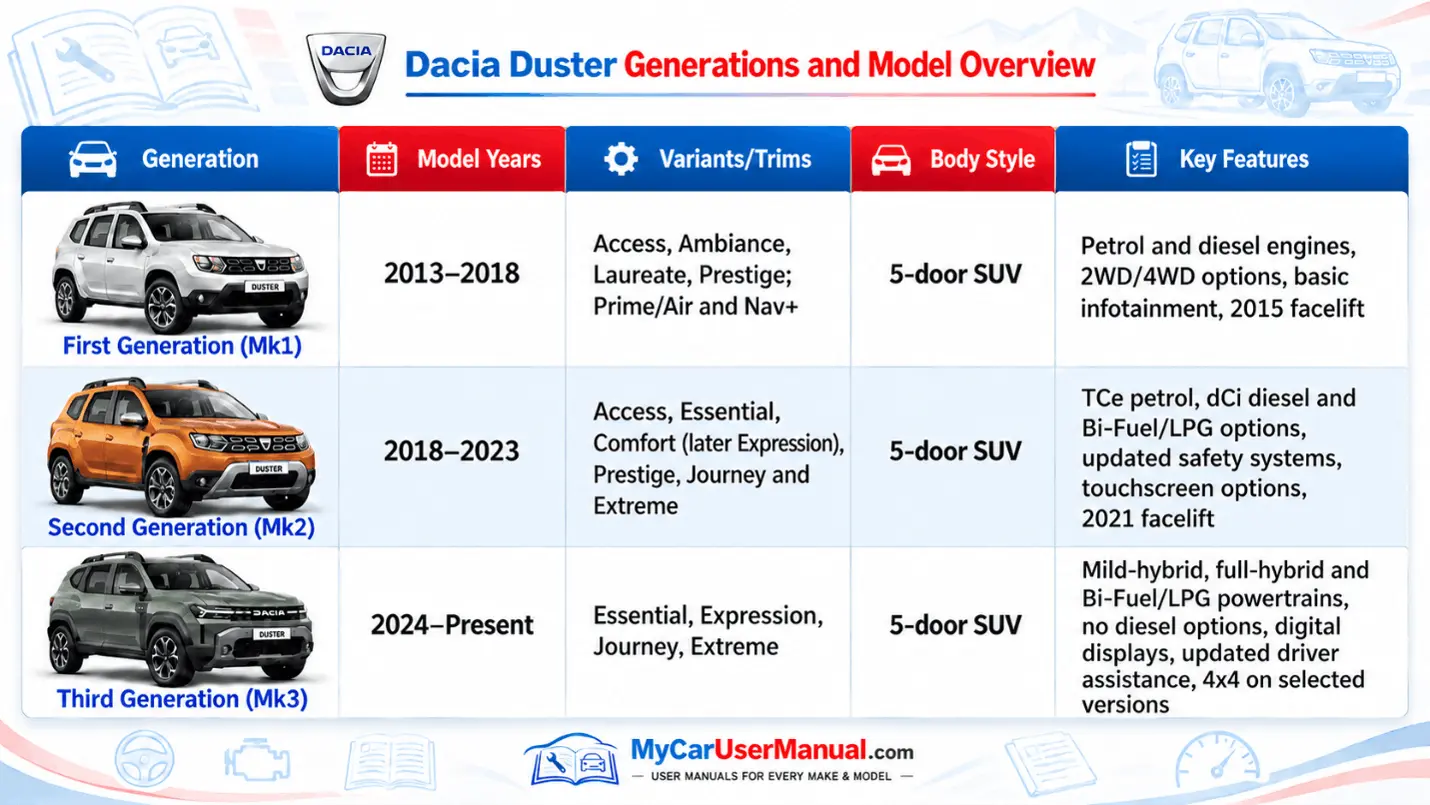
The Dacia Duster user manual explains how to operate and maintain the car. It guides you on controls, safety equipment, driving tips, and routine care. Use the manual as a first reference when something is unclear.
Main Topics Covered in the Dacia Duster Handbook
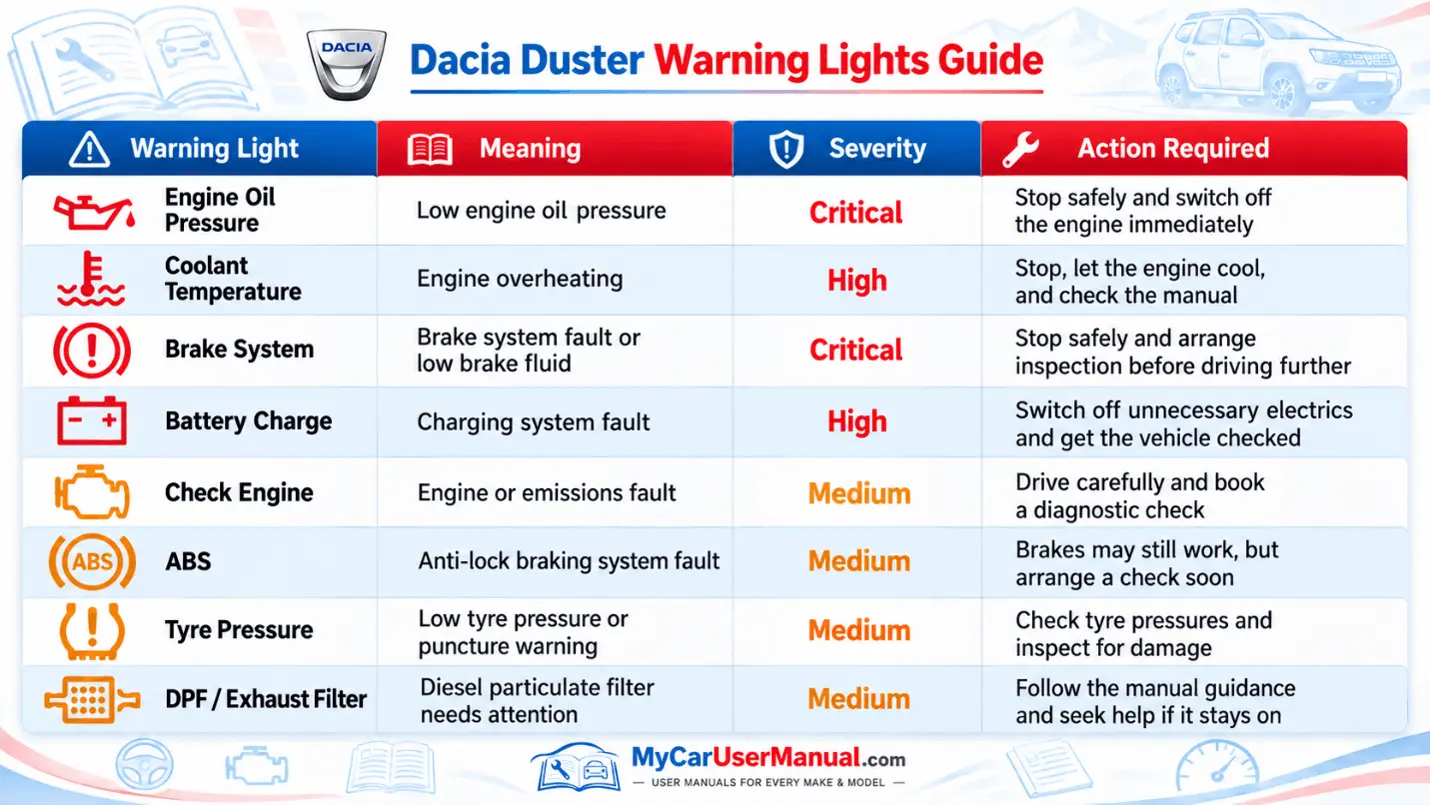
The dashboard warning lights indicate vehicle conditions and possible faults. Red warnings normally require urgent attention, while amber warnings often indicate a system that needs checking.
The Dacia Duster owner’s manual PDF explains each symbol and the action required. Warning messages and symbol designs can vary by generation. Always follow the instructions for your particular vehicle.
Important Dacia Duster Warning Light Checks
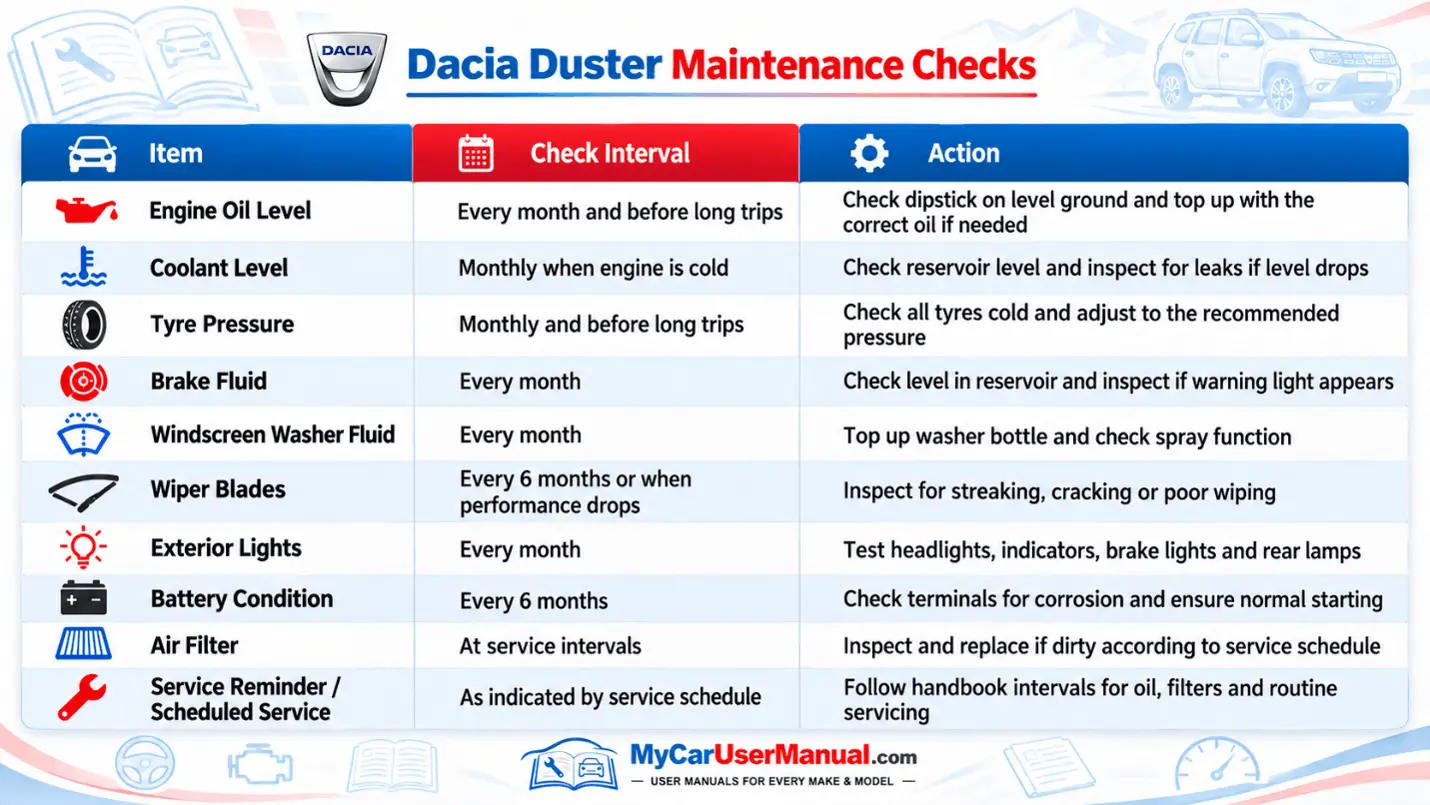
Regular checks keep your Duster reliable. Most take only a few minutes. The manual lists what to check and where to find each item under the bonnet.
Service intervals depend on your engine and year. Use the maintenance document supplied with your Duster for exact servicing intervals, oil specifications, and replacement schedules.
Essential Maintenance Reminders
The manual PDF has a built-in search option. It makes it quick to use. You do not need to read it from start to finish. Search for a word or symbol, or jump to a section from the contents page.
You can use your browser's search option on your mobile. On a computer, press Ctrl+F. Save the PDF to your device so you can read it without a signal.
Steps to Find Information Fast
Many small problems have simple causes. The owner’s manual explains the likely reasons. It tells you what you can safely check yourself.
Always read the safety notes first. Never carry out checks that the handbook says require professional assistance.
Common Problems
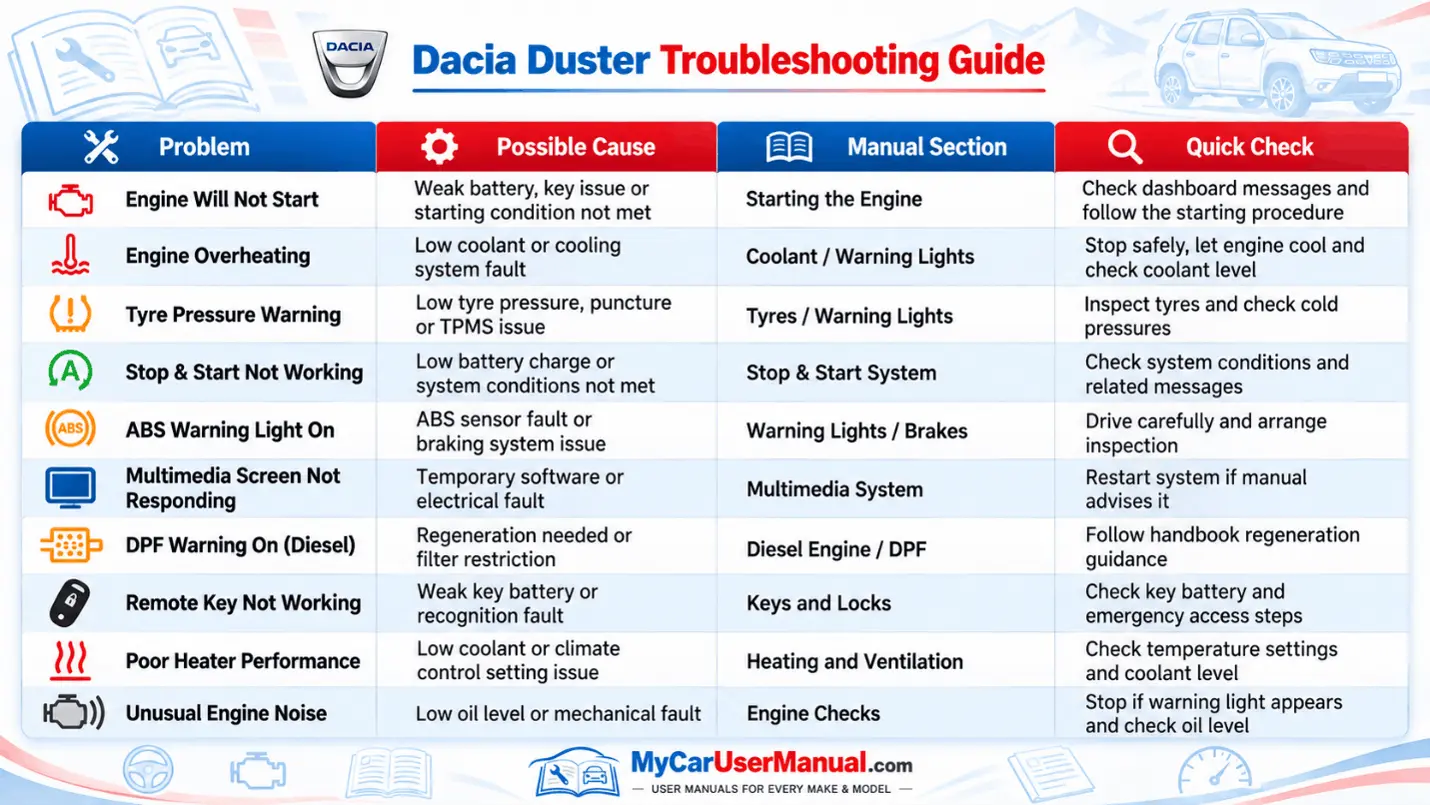
Steps to Troubleshoot a Problem