Looking for a Dacia owner’s manual? You are in the right place. Here you can get Dacia owner manuals by model, generation, and production year. Each PDF manual gives you quick access to important vehicle information. It includes controls, dashboard symbols, maintenance guidance, safety systems, infotainment, and basic troubleshooting.
Choose the correct Dacia owner’s manual PDF to view or read online. You can also download the handbook for offline access. You can open the document on a mobile, tablet, or desktop. You can search within the document for quick navigation. You can print individual pages. All the Dacia manual PDFs are free to view, print, or download. No purchase or account required.
Here you can get Dacia manual PDFs for different models. Always choose the right manual by model, generation, and production year. It is important, as different features can change between generations and even between different model years.
Selecting the correct Dacia manual by year helps you avoid following instructions intended for another version. This is particularly important when checking warning lights, fluid specifications, controls, driver assistance features, or maintenance information.
Key Dacia Model and Generation Information
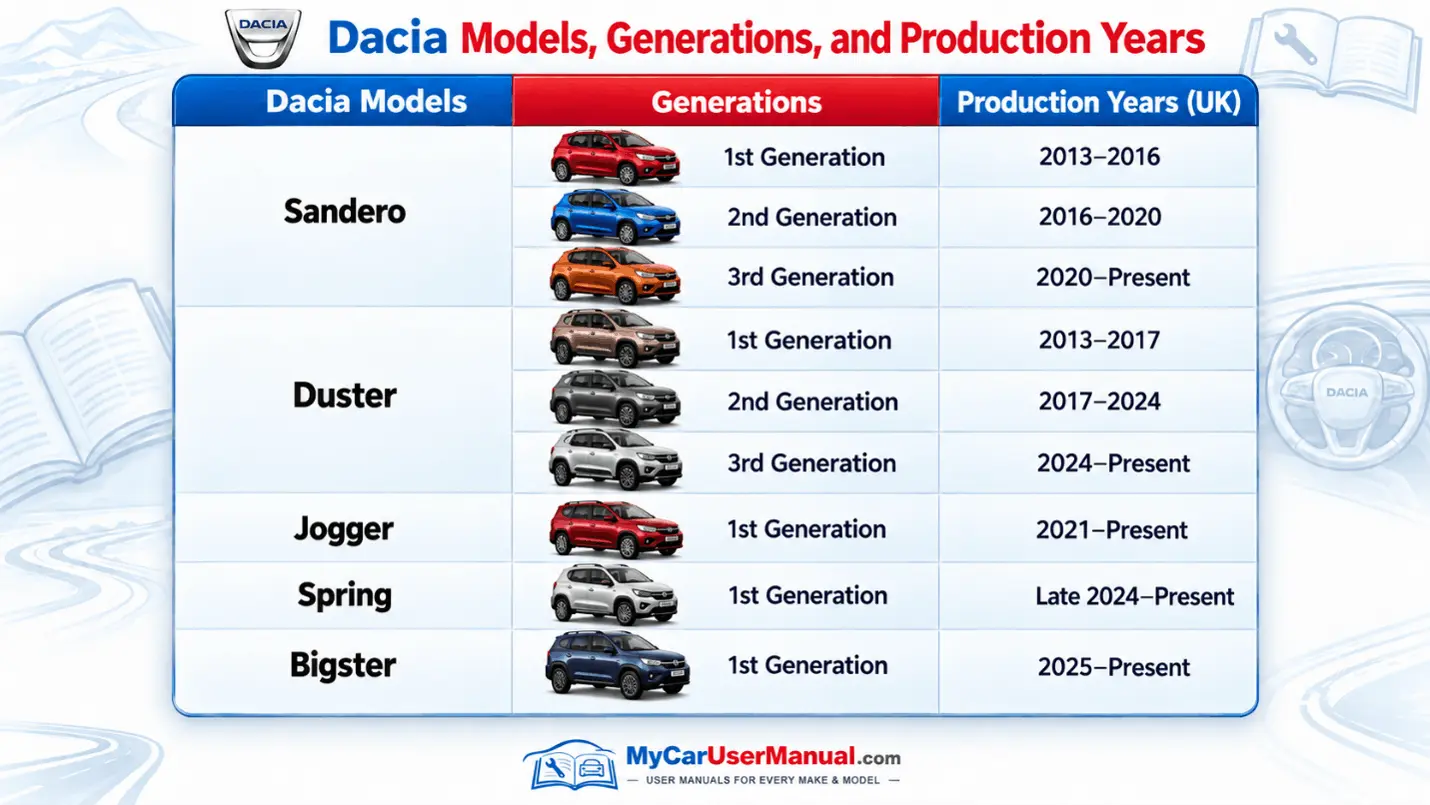
The Dacia owner’s manual explains everyday vehicle operation. It also provides you with data about safety and maintenance information. It can help you understand a warning symbol. Using the manual, you can check tyre information, locate a fuse, use the multimedia system, or find the recommended procedure for a routine vehicle check.
For servicing information, check the maintenance section that applies to your exact model and engine. The Dacia maintenance schedule, fluid specifications, and service requirements can differ by model, powertrain, and production year.
Important Manual Information at a Glance
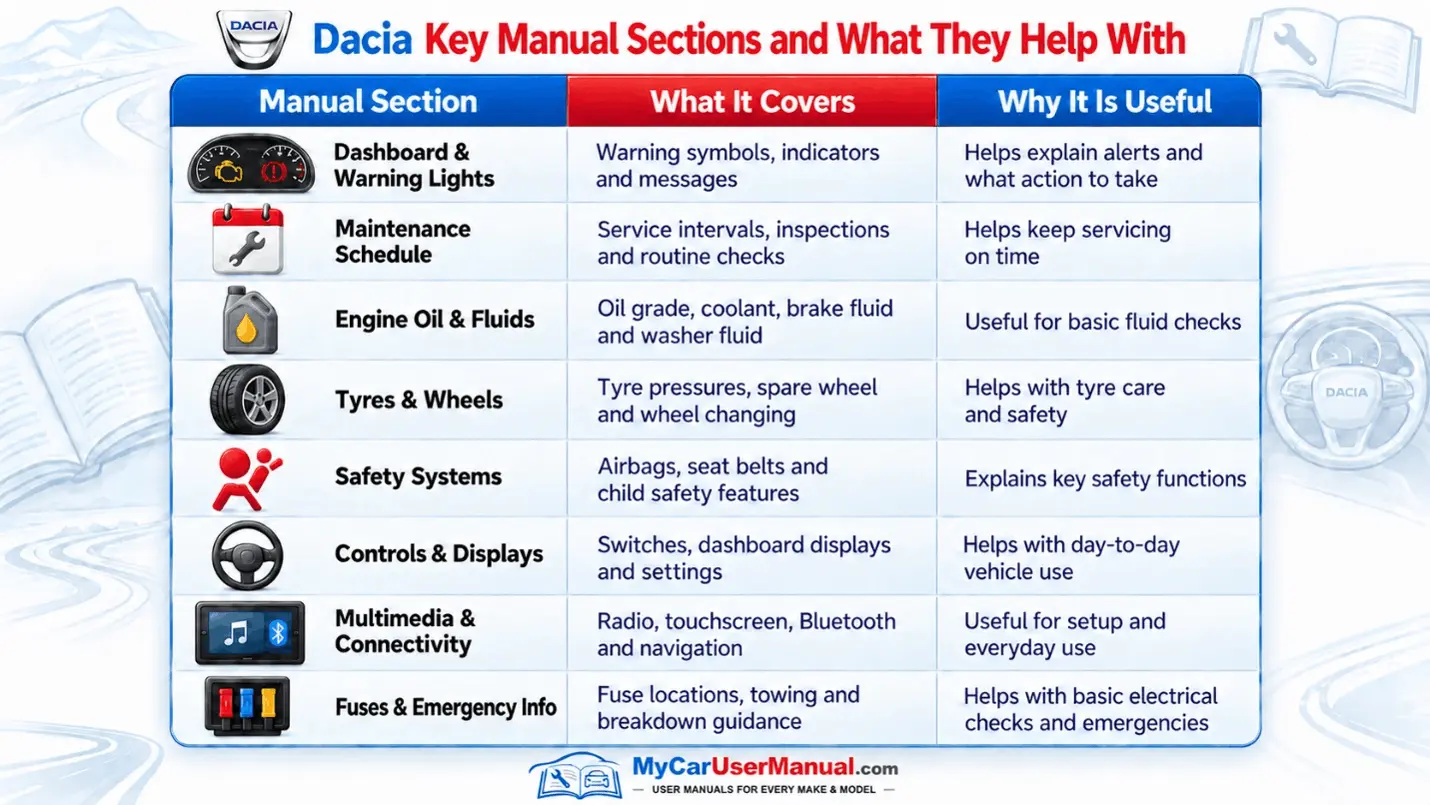
Dacia models may have different features, but most manuals follow a similar layout. They explain the main controls, key functions, and settings. They also tell you what to do when a warning light or message appears.
Common Information Found in Dacia Handbooks
For used-car buyers, the Dacia user manual is also useful. It helps them check what particular controls and systems are designed to do before operating unfamiliar equipment.
The Dacia manual PDF is usually easier to use than a printed handbook. You can view the manual online. You can also download it or print only the pages you need. Before following any instructions, check that the manual matches the model, generation, and production year of your car.
Quick Ways to Find Information
Many common vehicle issues can be checked in the user manual. It provides details about dashboard warnings and tyre pressure alerts. It can also help with starting problems and infotainment issues. Service messages are usually explained as well. The manual also shows the basic checks you can carry out.
Use the manual to identify the problem. Carry out only basic safety checks. Do not use it as a replacement for professional diagnosis. If a red warning light appears, stop when safe. Check the manual before continuing. Complex repairs should be left to a qualified technician.
Common Dacia Issues and Quick Manual Checks
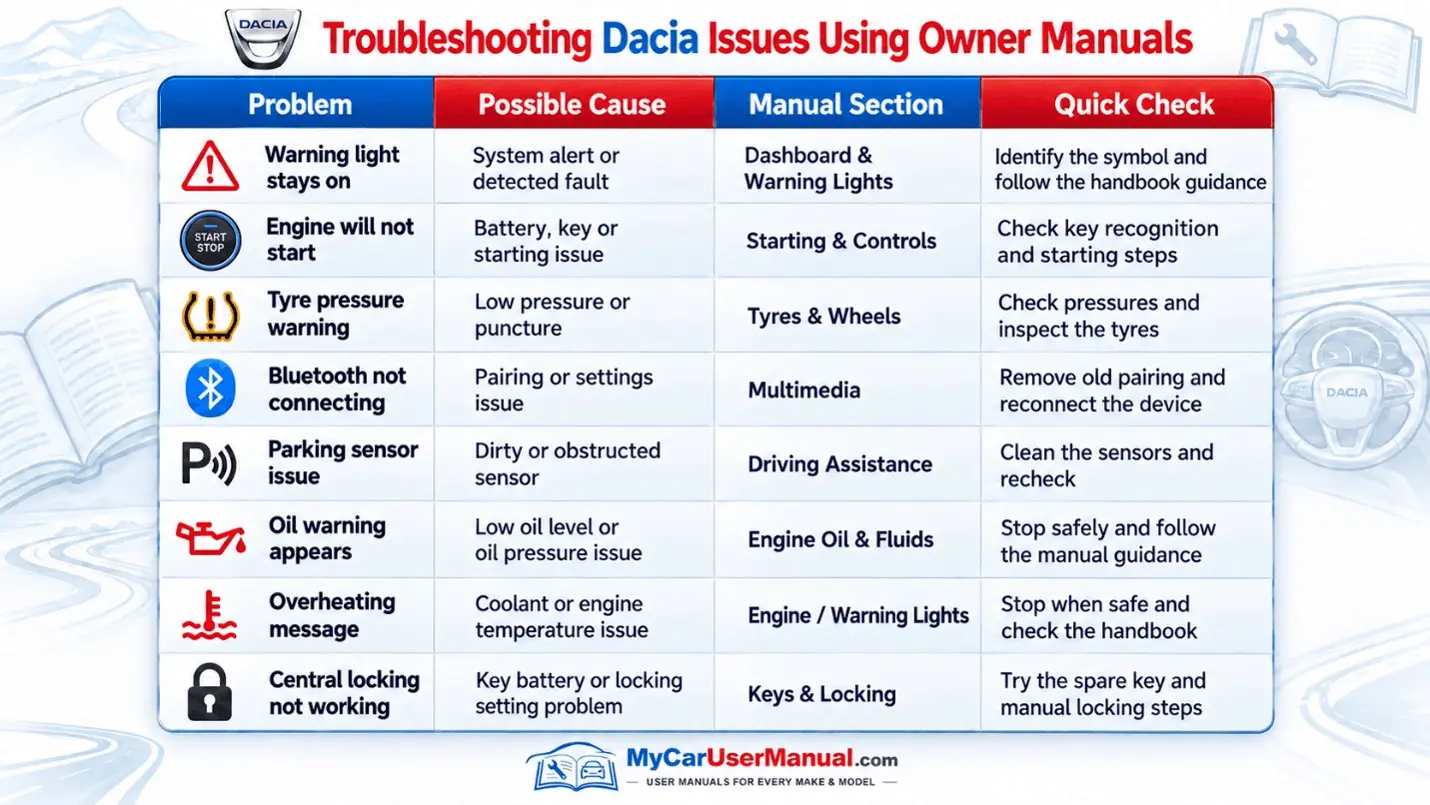
Basic Troubleshooting Steps











