At My Car User Manual, you can get free Dacia Jogger owner manuals for different model years. You can view or read the manuals online. You can also print or download the PDFs at any time. The manual PDF provides useful information. They cover the vehicle's controls, safety features, and everyday operation. Every Dacia Jogger manual PDF is free. You don’t need to pay or create an account.
The manual library is organised by model year and generation. Choose your vehicle's year to find the correct Dacia Jogger user manual. Our collection is regularly updated with available manuals for petrol and hybrid models. You can save a copy to your phone, tablet, or computer for quick access.
The Dacia Jogger arrived in 2022 with a seven-seat layout. It has a practical estate-style body. Its first generation included Essential, Comfort, and Extreme SE trims. Later models introduced Expression, Extreme, and Hybrid 140 versions. The updated 2026 range brought revised styling and the Hybrid 155 powertrain.
Always choose the Dacia Jogger manual by year to match your vehicle's equipment and features. Some controls, dashboard displays, and safety systems differ between versions. Choosing the correct model year helps you find instructions that apply to your car.
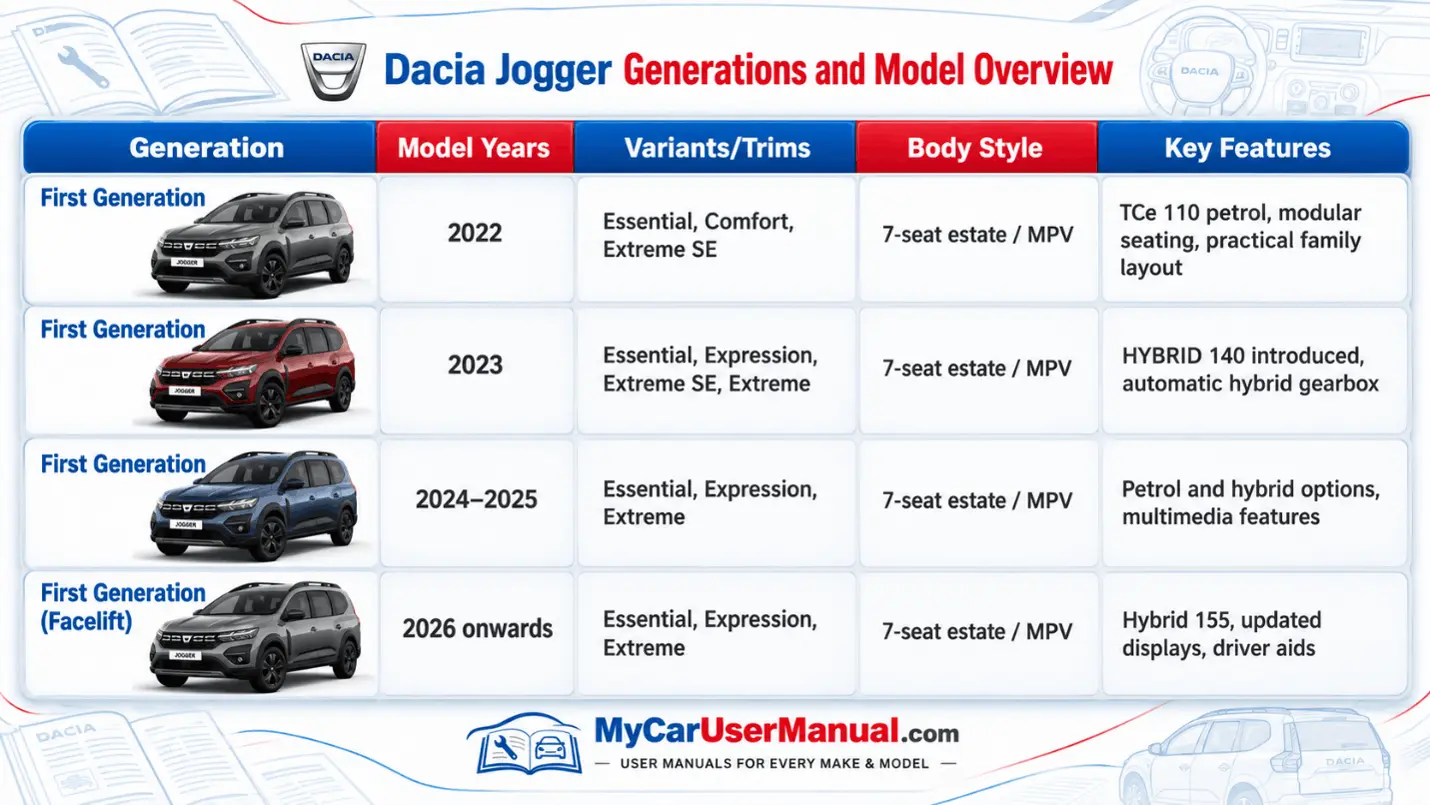
The Dacia Jogger handbook explains how to operate the car. It provides guidance on its main features. It covers dashboard controls, seat adjustments, lighting, and driving functions. Instructions for the vehicle's safety systems and electronic equipment are also mentioned in the manual. Instructions can differ depending on the model and trim.
Main Topics Covered in the Dacia Jogger Manual
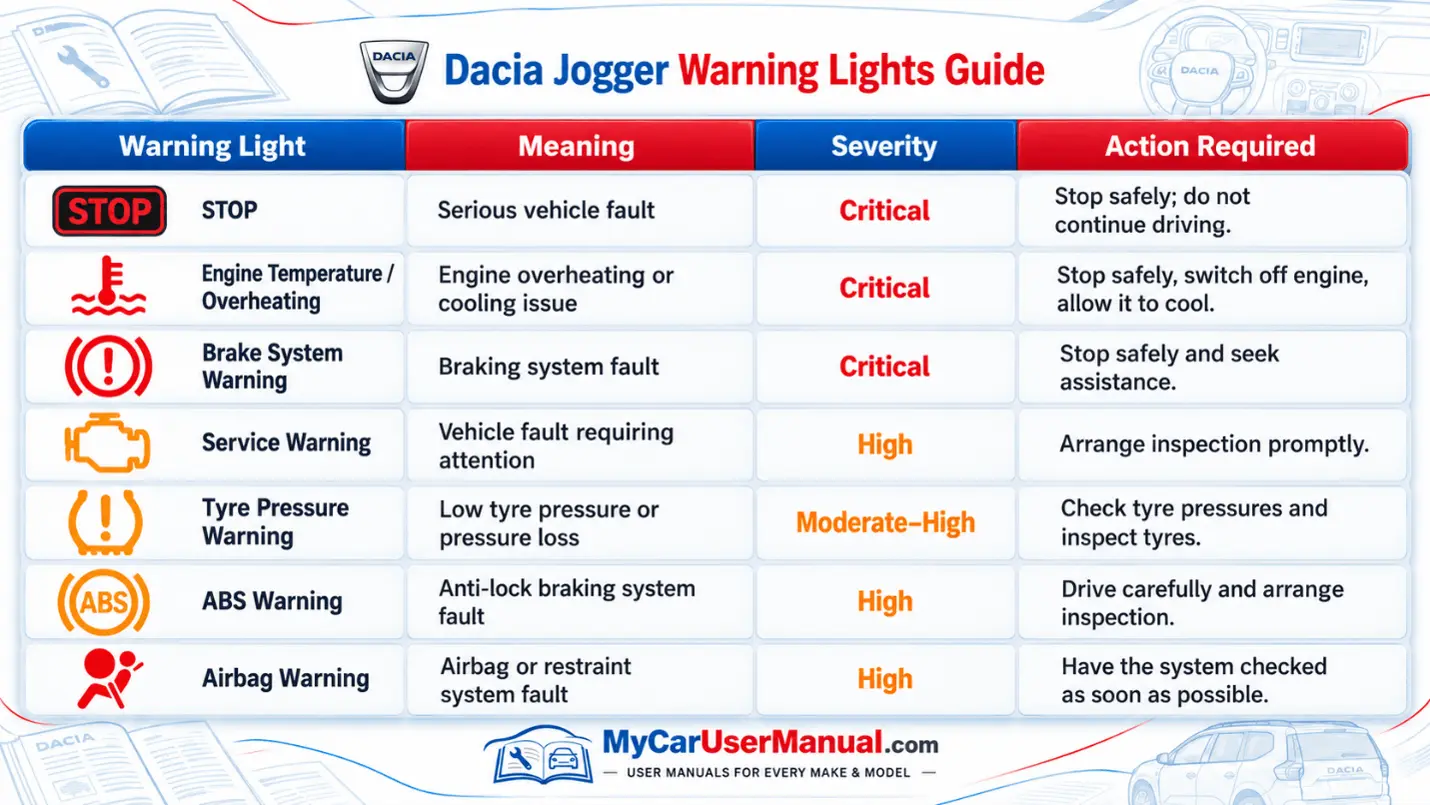
The dashboard warning lights are important. They point towards a fault or vehicle condition. The owner's manual tells the meaning of the warning lights and also the required actions.
The colour of the warning light helps you understand how serious the problem is. A red light usually means you should stop safely. An amber light may indicate a fault that needs attention.
Important Warning Light Checks
Never continue driving when the manual instructs you to stop.
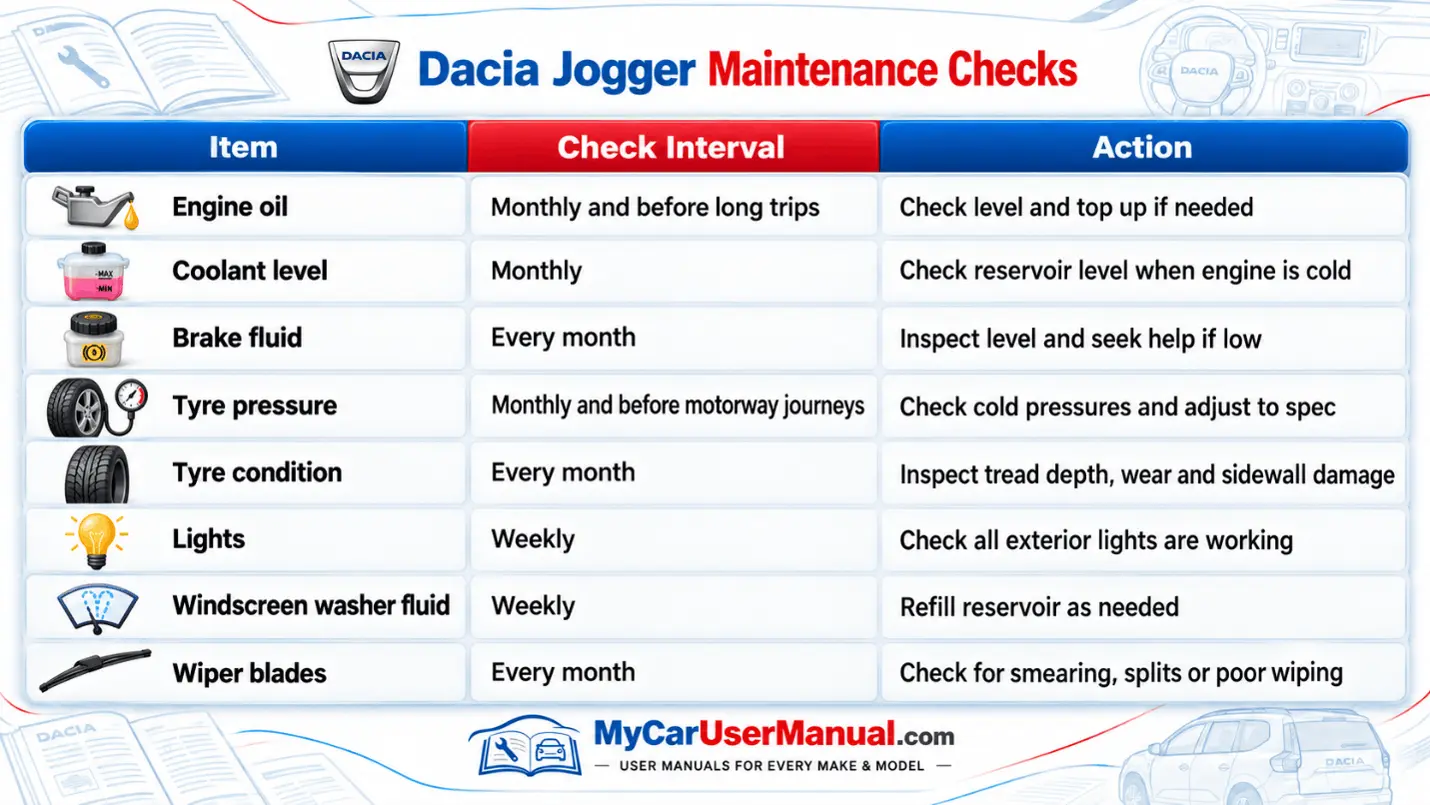
Regular checks are important to keep your vehicle in good condition. The Dacia Jogger manual shows the method of checking engine oil, coolant, tyre pressure, and lights. It explains what to check before opening the bonnet. The correct procedures for basic maintenance tasks are also described in the manual.
The maintenance guidance for the petrol and hybrid versions is not the same. You can carry out some checks at home. But some maintenance tasks require workshop equipment. Always follow the service schedule specified for your vehicle.
Essential Maintenance Reminders
The Dacia Jogger manual PDF is easy to search. Use the contents page and the alphabetical index to jump to a topic. On a phone or computer, you can also search for a keyword.
Download the file so you can access the information when there are no signals available. That helps when you’re on the road or in a car park with no coverage.
Steps to Find Information in Your Dacia Jogger Manual
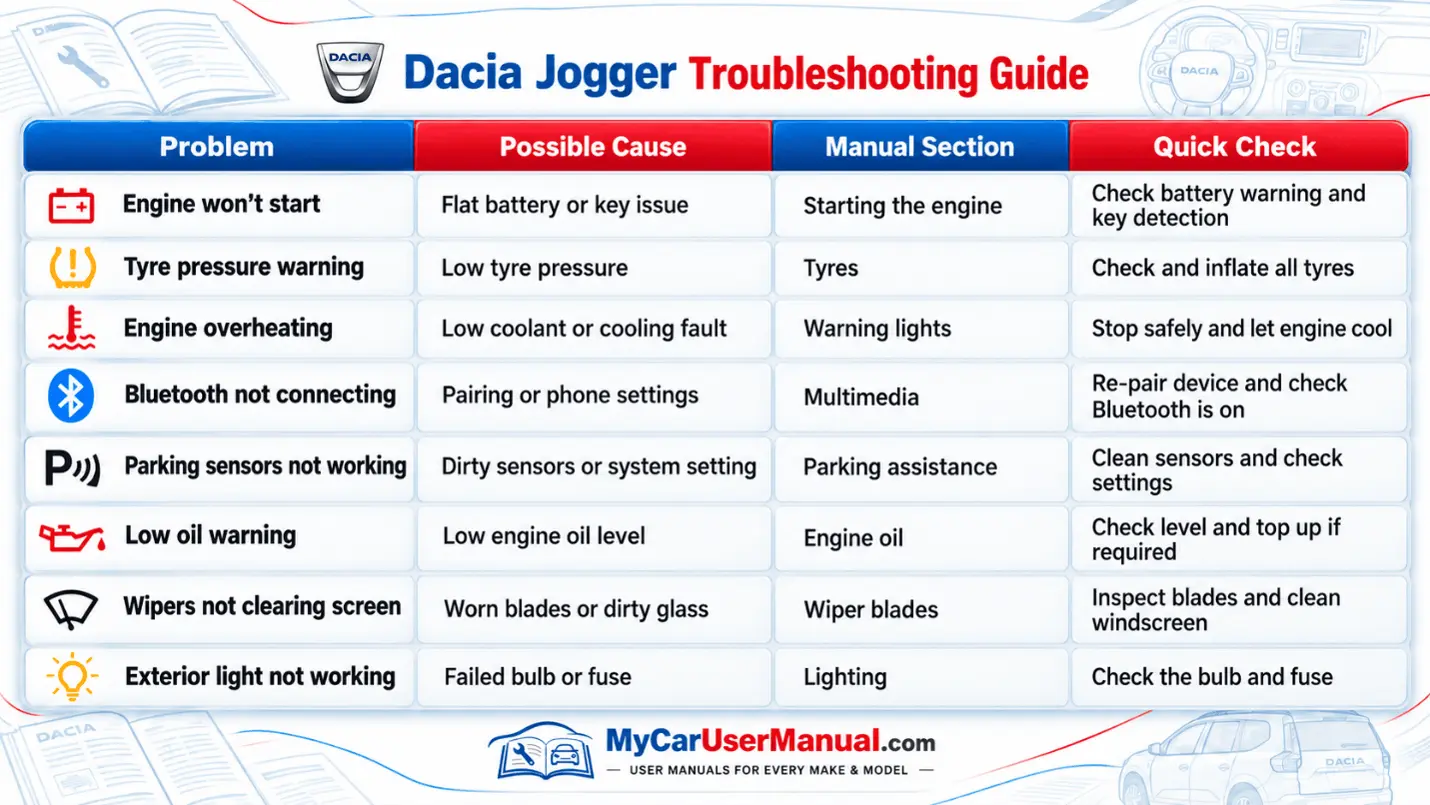
The Dacia Jogger user manual covers common vehicle problems. It explains dashboard warnings and starting issues. It also shows how to check faulty equipment. Some issues may be caused by incorrect settings or low tyre pressure.
First, check the symptoms in the relevant manual section. Follow only the checks described for the vehicle. If a fault remains, or a serious warning appears, arrange professional assistance. Do not attempt unsafe repairs by yourself.
Common Problems to Check in the Manual
Steps to Troubleshoot Common Dacia Jogger Problems








