Looking for a Dacia Spring owner’s manual PDF? No need to look further! At My Car User Manual, you can get the handbook for your Dacia Spring. The manual PDF provides you with clear instructions on charging, dashboard controls, safety features, and everyday operation. It helps you understand your electric car and use its features correctly.
All the manual PDFs are sorted by model year and generation. You can find the right manual easily. You can view or read the PDF manual online. You can also print or download it for offline use. No payment or account required. Our manual collection is regularly updated. You can find the right and updated information for your vehicle.
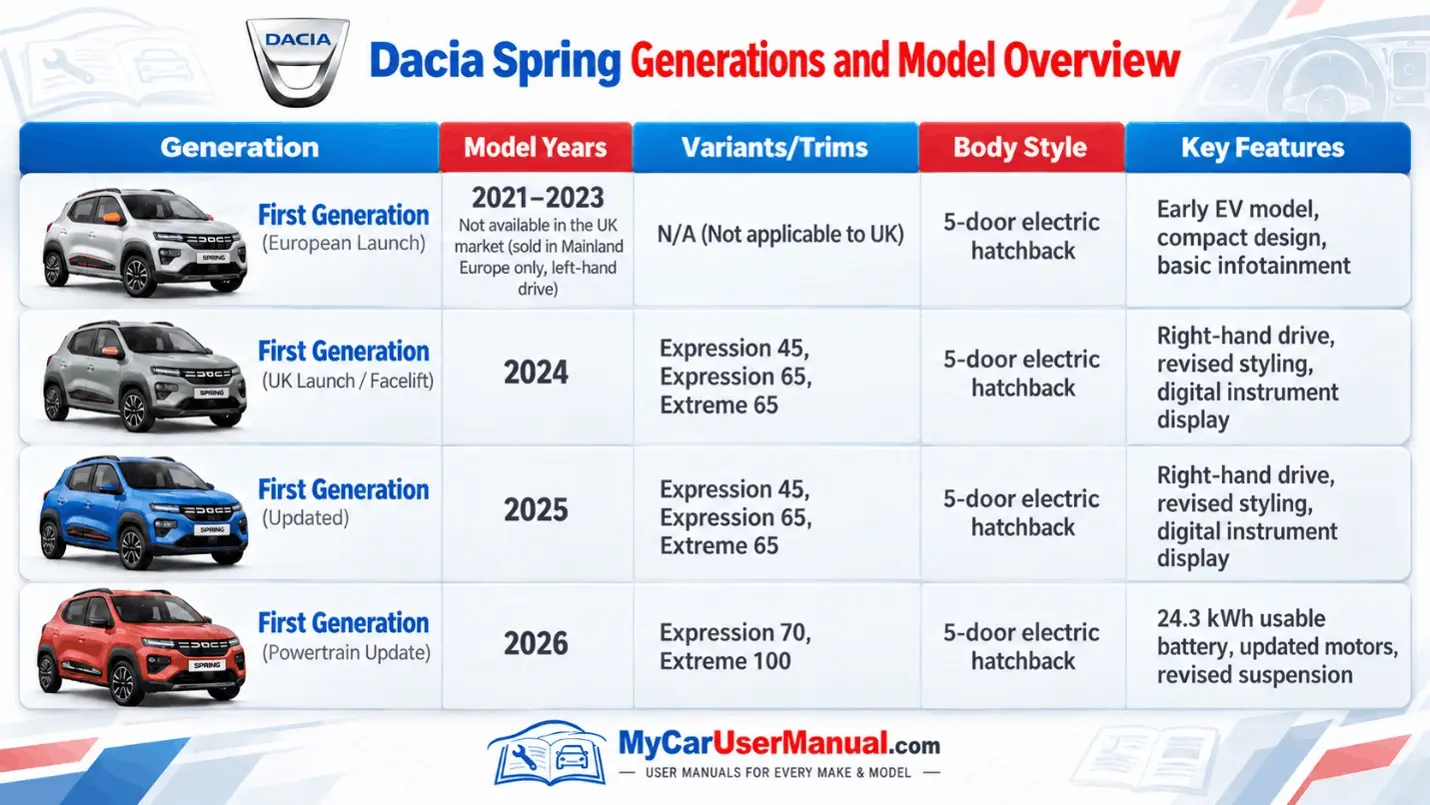
Here, you can get Dacia Spring manual PDFs for different generations and model years. The first-generation Spring launched in Europe in 2021. It was not sold in the UK until 2024. Earlier 2021–2023 models had left-hand drive, a compact design, and basic infotainment.
The UK version arrived in 2024 with right-hand drive and updated styling. It also featured a digital dashboard. The 2024–2025 models included Expression 45, Expression 65, and Extreme 65 trims. In 2026, Dacia introduced the Expression 70 and Extreme 100. These models feature a 24.3 kWh usable battery, updated motors, and revised suspension. Always download the Dacia Spring manual PDF by year and model.
The Dacia Spring handbook helps you understand your car. It explains how to use the cabin controls, safety gear, and electric systems. It also describes the digital dashboard, driving modes, charging connections, and other settings.
It's a handy guide to check before you drive or change any settings. Keep in mind that features like parking sensors, touchscreen controls, and driver assistance depend on your specific trim level.
Main Topics Covered in the Dacia Spring Manual
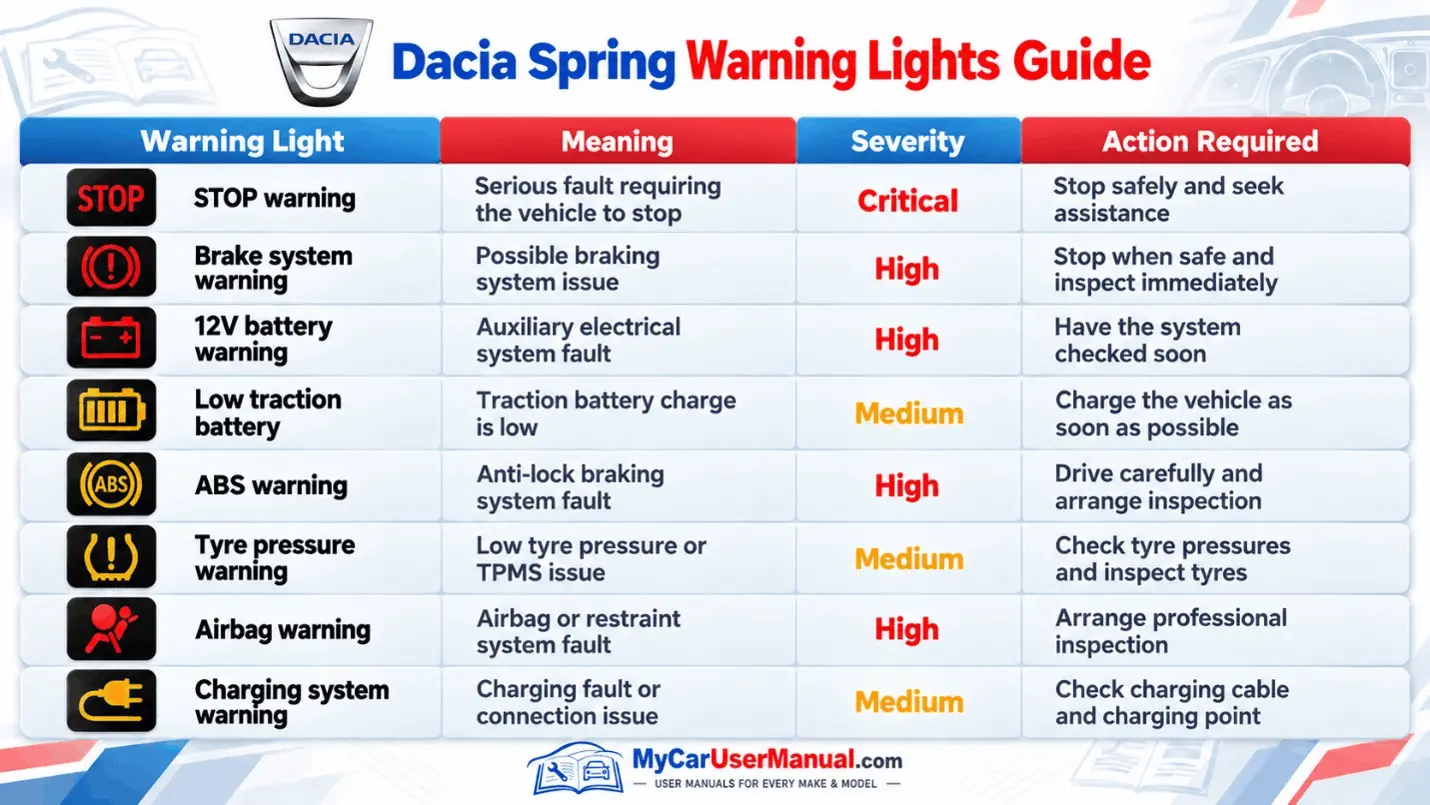
A warning light on your Dacia Spring dashboard could mean a system issue, a low battery, or a feature that is currently on. The user manual explains every symbol. It tells you what each light means and what you should do in response.
When a light turns on, pay attention to its color and any message on the screen. Some lights turn on briefly when you start the car and then go away. Others need your attention. Never ignore a red warning.
Warning Light Checks
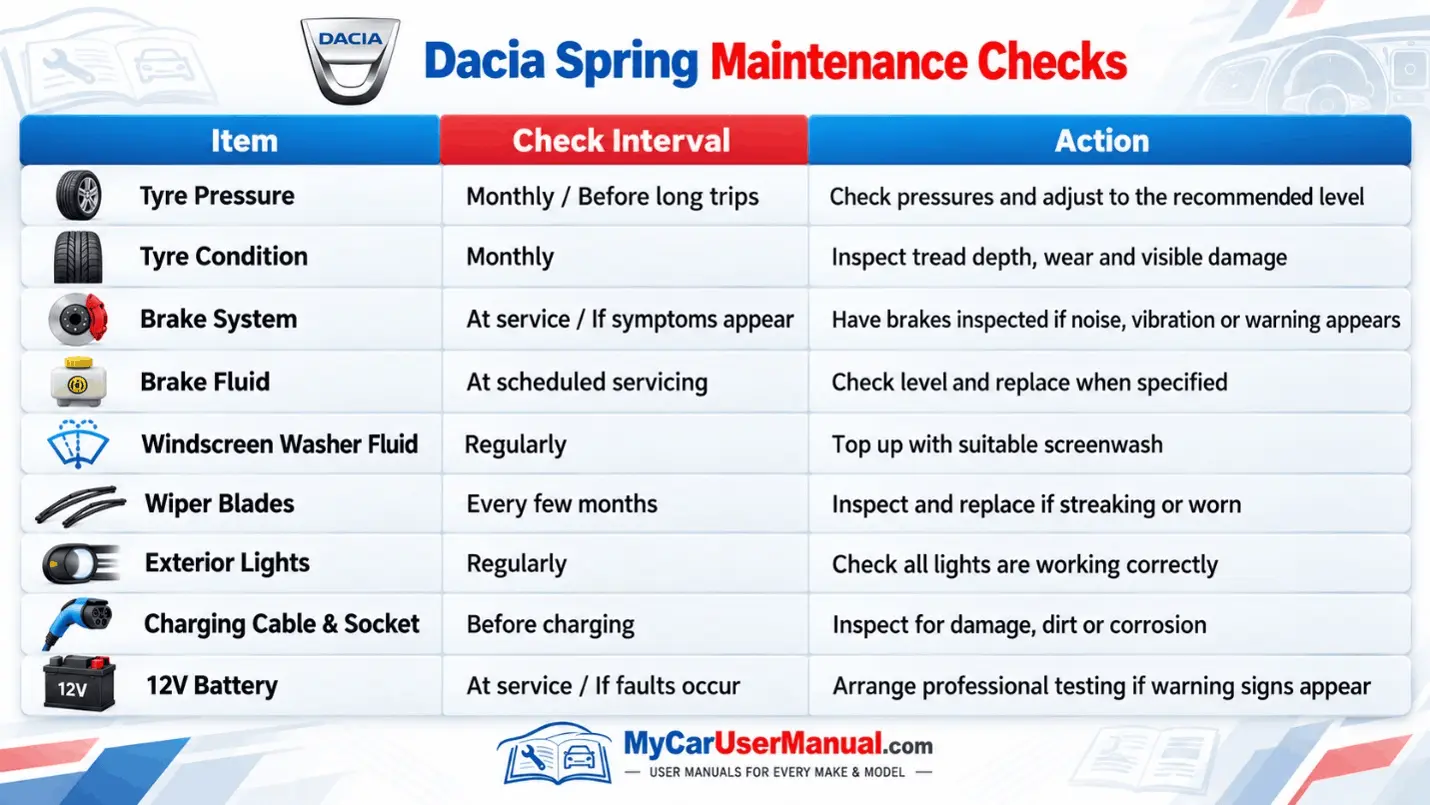
The Dacia Spring is fully electric. It doesn't need oil changes or regular engine tune-ups. However, you still need to check key parts regularly:
Your owner's manual walks you through routine checks and safety tips. Check it alongside your official service schedule to stay on top of maintenance intervals.
Never attempt to repair high-voltage electrical components yourself. Always leave those to a qualified professional.
The manual PDF is easier to navigate than the printed book. You can read the handbook online or save a copy to your phone, tablet, or computer. A downloaded manual is useful when you have no internet connection.
Steps to Find Information in the Manual
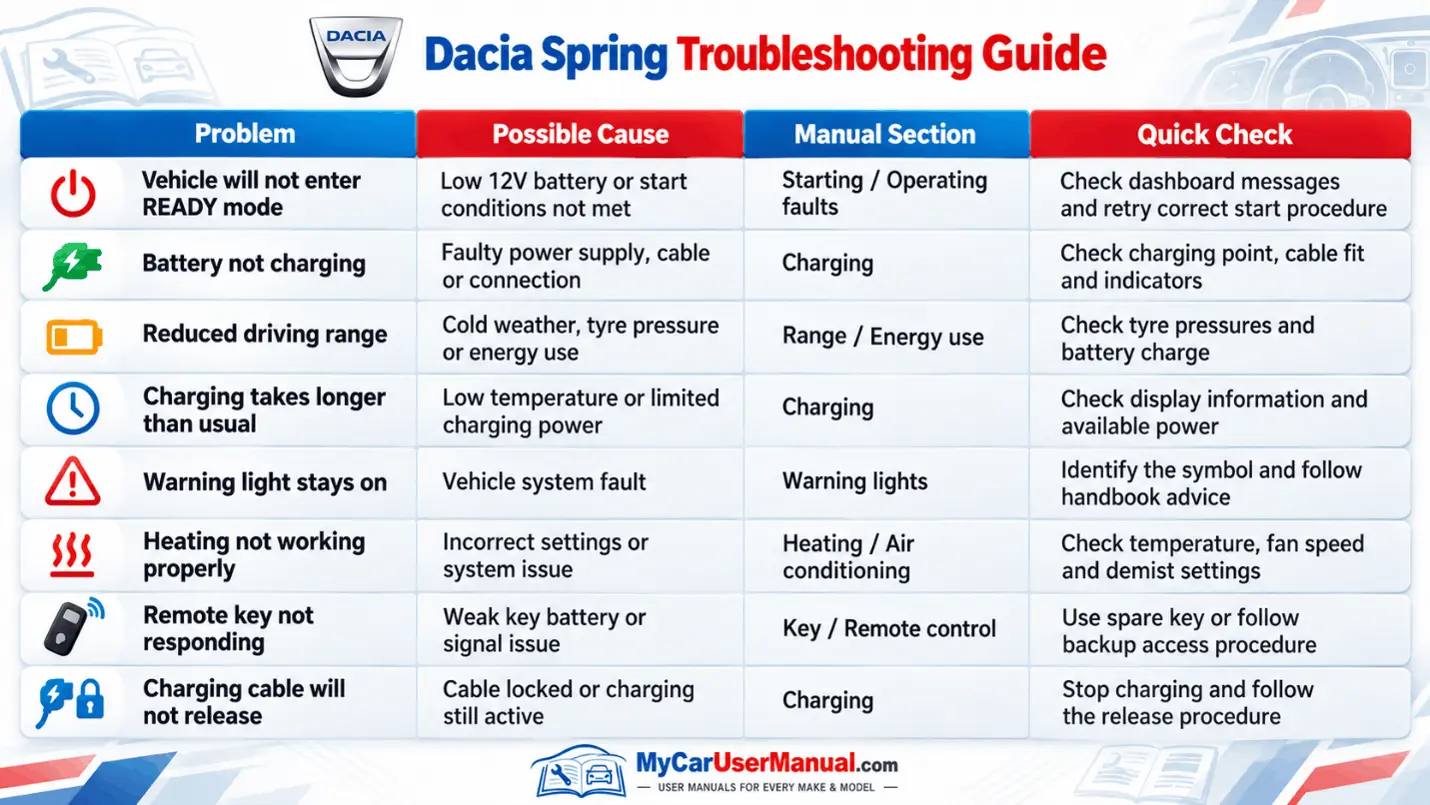
The Dacia Spring owner's manual includes practical guidance for common operating problems. If your vehicle will not charge, displays an unexpected warning, or refuses to enter READY mode, the troubleshooting information can help identify possible causes.
Start with the basic checks described in the handbook. Some problems involve settings, low battery charge, or incorrect cable connections. Persistent electrical faults, braking problems, and high-voltage warnings require professional attention.
Common Dacia Spring Problems to Check
Steps to Troubleshoot Your Dacia Spring








