At My Car User Manual, you can find free Dacia Sandero owner manuals in PDF. The manuals are listed for different model years and generations. Just choose your model year and get the required manual. The manual PDF provides useful information about vehicle controls, safety features, dashboard settings, and everyday operation.
You can view or read the manual online. The download and print option is also available. No payment or account required. We update the manual collection on a regular basis. So you can find the updated information. Save a copy on your phone or computer for easy reference.
The Dacia Sandero has undergone several changes since its introduction. Equipment, engines, and driving features can change in different versions. So, always choose the right handbook for your vehicle.
Find the Dacia Sandero manual by year to get the right instructions. Earlier models include Access, Ambiance, and Laureate trims. Newer versions include Essential, Expression, and Journey. Manual availability and equipment coverage may vary by model year.
Dacia Sandero Generations Quick Reference
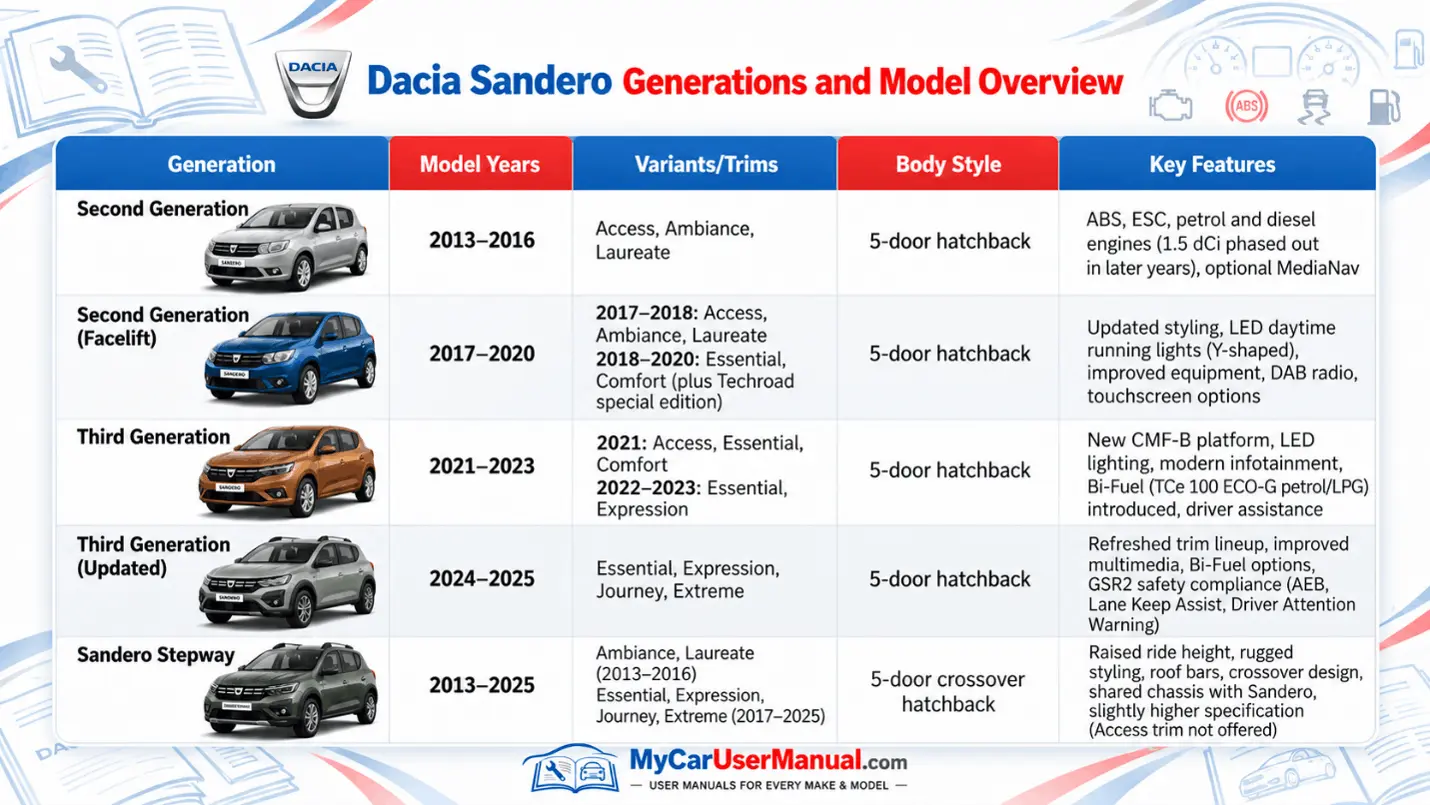
The Dacia Sandero user manual explains how to operate your car. It covers everything that is important to operate and maintain your vehicle. Instructions vary according to the vehicle's specifications.
The handbook contains safety guidance, technical information, and instructions. It helps owners understand unfamiliar features.
What does the Dacia Sandero Owner's Manual Cover?
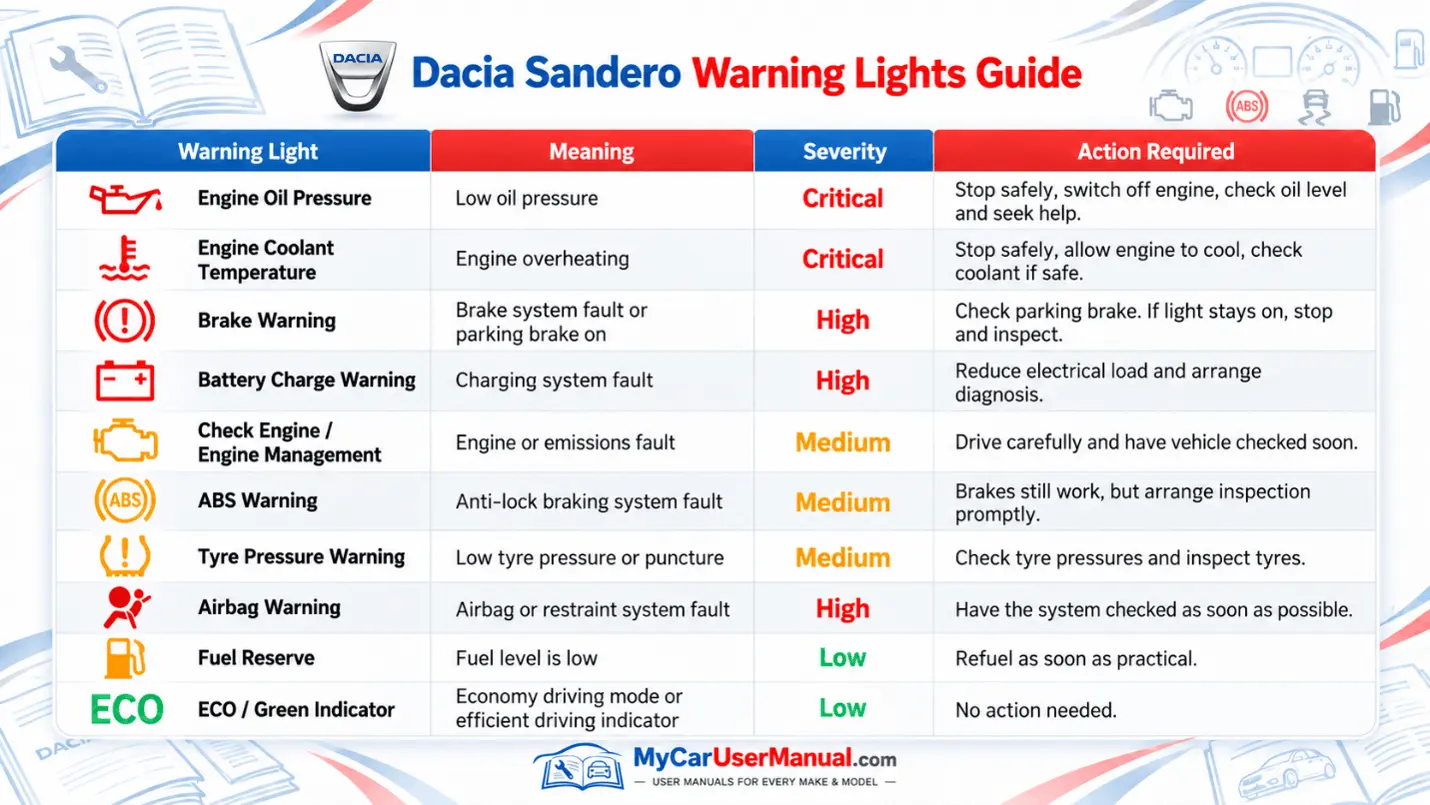
Dashboard warning lights are important. They alert you to possible faults. Some indicate routine functions, while others warn of mechanical or safety problems.
The Dacia Sandero manual PDF explains each symbol. It also explains the required action. Refer to the warning light section whenever an unfamiliar symbol appears. Never ignore a red warning.
Common Warning Light Categories
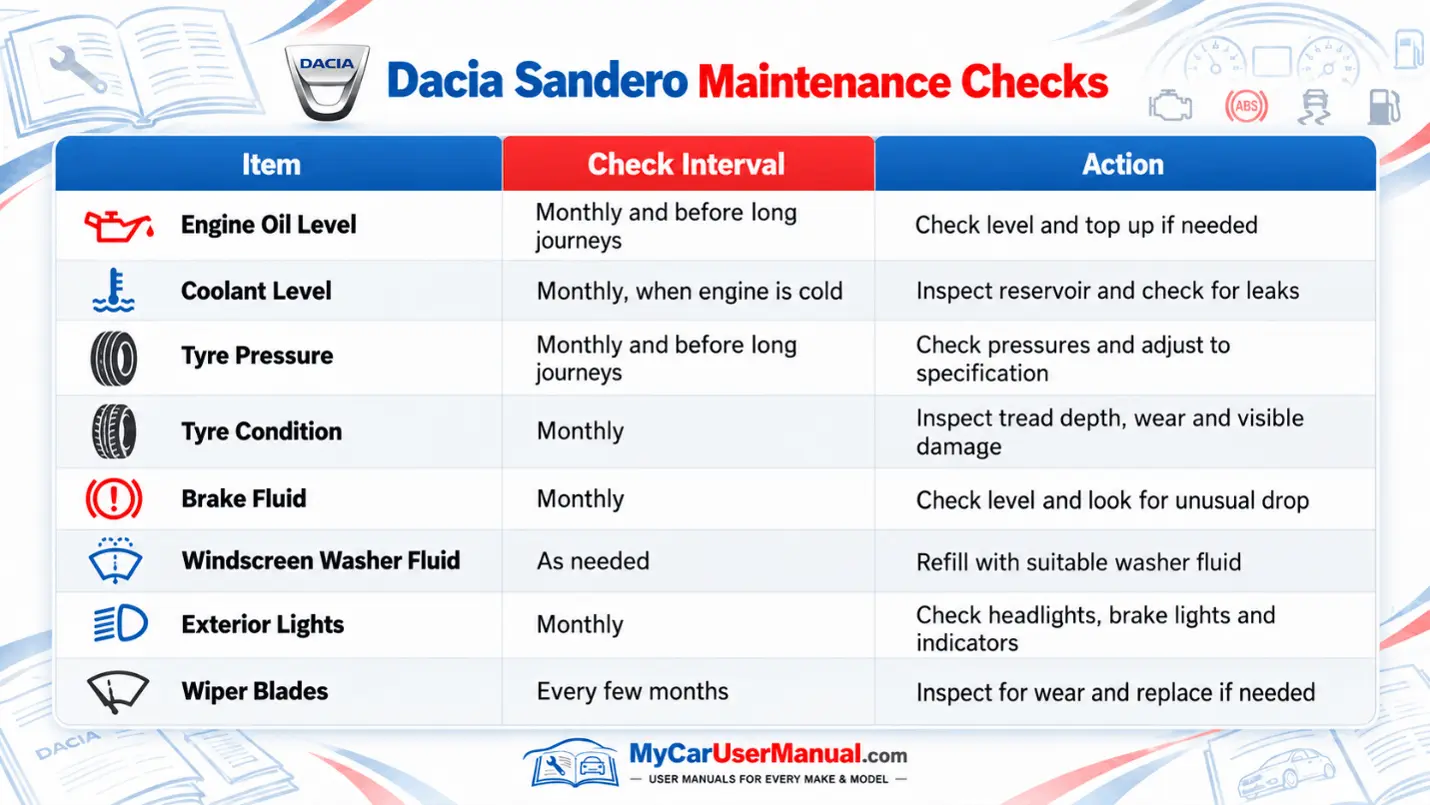
Regular checks help you maintain the reliability of your vehicle. The handbook explains how to inspect essential fluids, tyres and other accessible components. It also outlines precautions to follow before opening the bonnet.
The handbook provides basic maintenance instructions. For scheduled servicing, you may require a separate maintenance document. Always follow the service intervals specified for your engine, model year, and driving conditions.
Essential Maintenance Points
The Dacia Sandero owner’s manual PDF is organised into sections. They cover different vehicle systems. The contents page helps locate general information, while the index is useful when searching for a particular component or function.
Digital manuals are convenient. They include a search function. You can quickly find instructions without reading the entire handbook.
Steps to Find Information in the Dacia Sandero Manual
The Dacia Sandero user manual includes guidance for identifying common operating problems. It explains warning messages, possible causes of faults, and basic checks that owners can perform safely.
Some problems involve simple issues such as low tyre pressure, incorrect settings, or a discharged key battery. Others require professional attention. The troubleshooting information can help you recognise the difference and decide what to do next.
Common Dacia Sandero Problems Covered
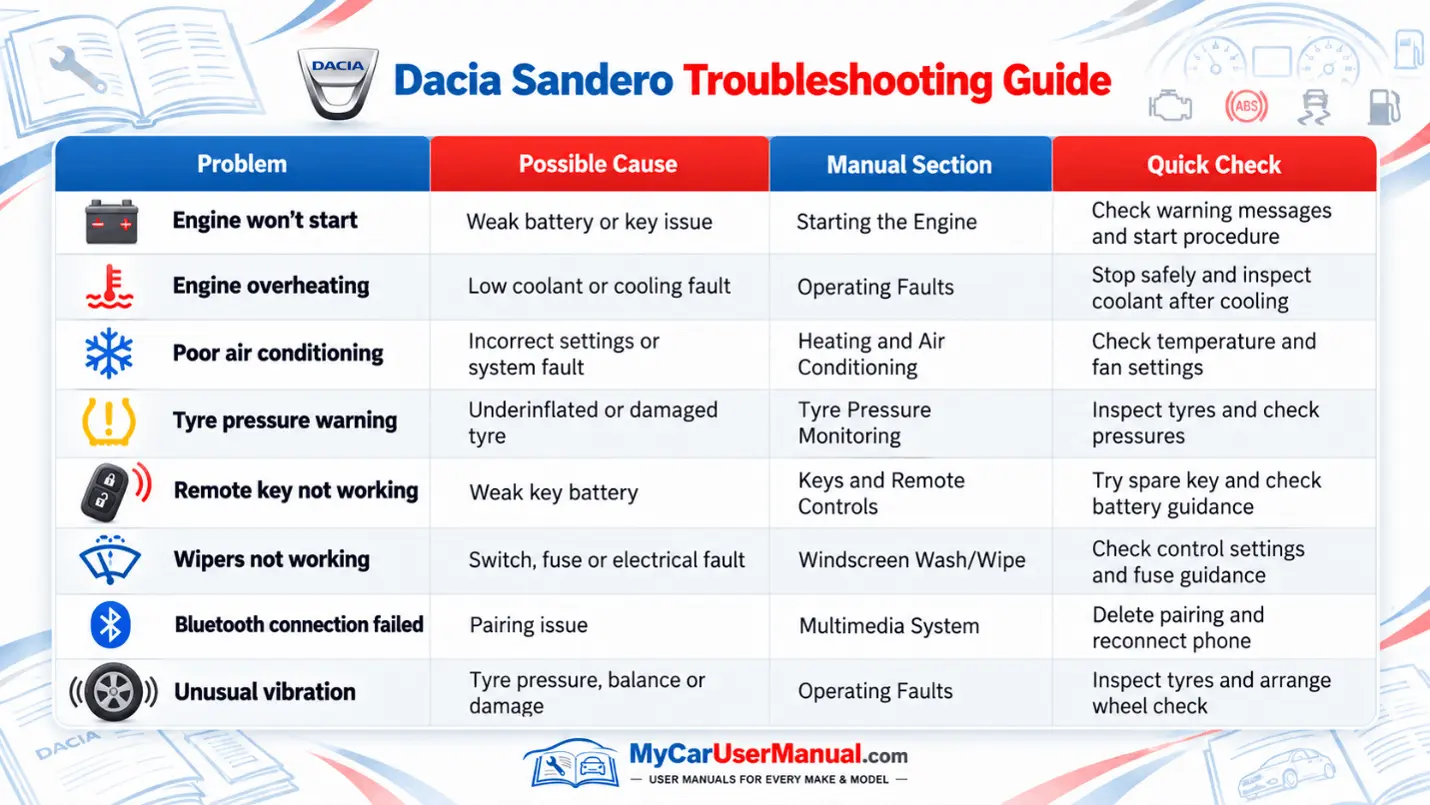
Steps to Troubleshoot Dacia Sandero Problems