At My Car User Manual, you can get the Hyundai Bayon owner’s manual for any model year. Each manual is available as a free PDF. You can view the manual PDF online. You can read it on any device. You can print specific pages for reference or download the complete manual for later use.
No purchase and no registration are required. Select the correct Hyundai Bayon manual by year to get information that matches your vehicle. Our manual library is regularly reviewed and updated as newer editions become available.
The Hyundai Bayon was introduced in 2021. Later model years received updates and trim changes. Our library has Hyundai Bayon user manual PDFs for different model years. Always choose the manual that matches your vehicle’s year. This helps you find accurate instructions. The manual library is regularly updated as newer editions become available.
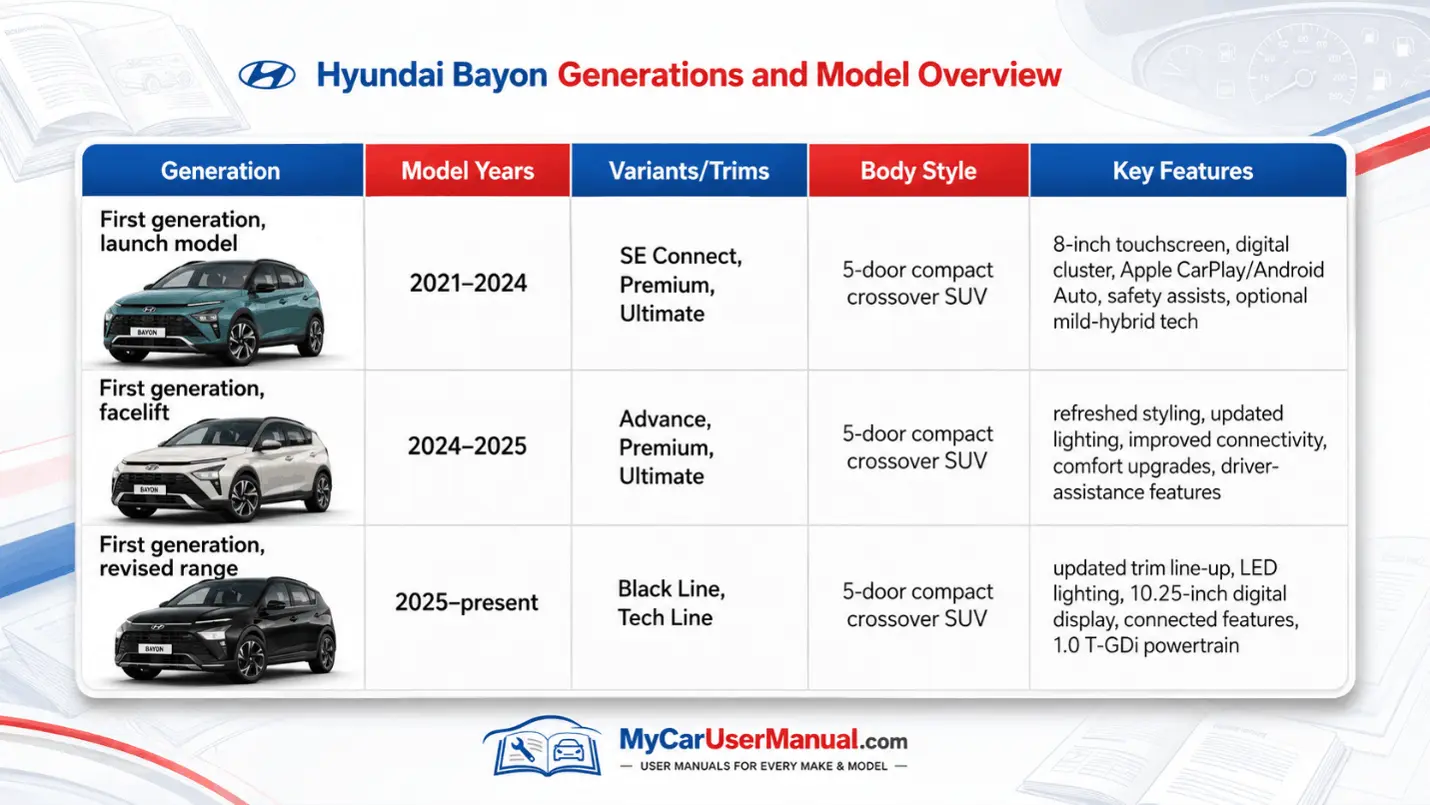
The Hyundai Bayon user manual explains how to operate the car safely and use its main systems correctly. It also identifies controls that may not be clear from their symbols.
Manual coverage normally includes:
Features vary by trim. Check the illustrations, dashboard layout and equipment notes before following a procedure.
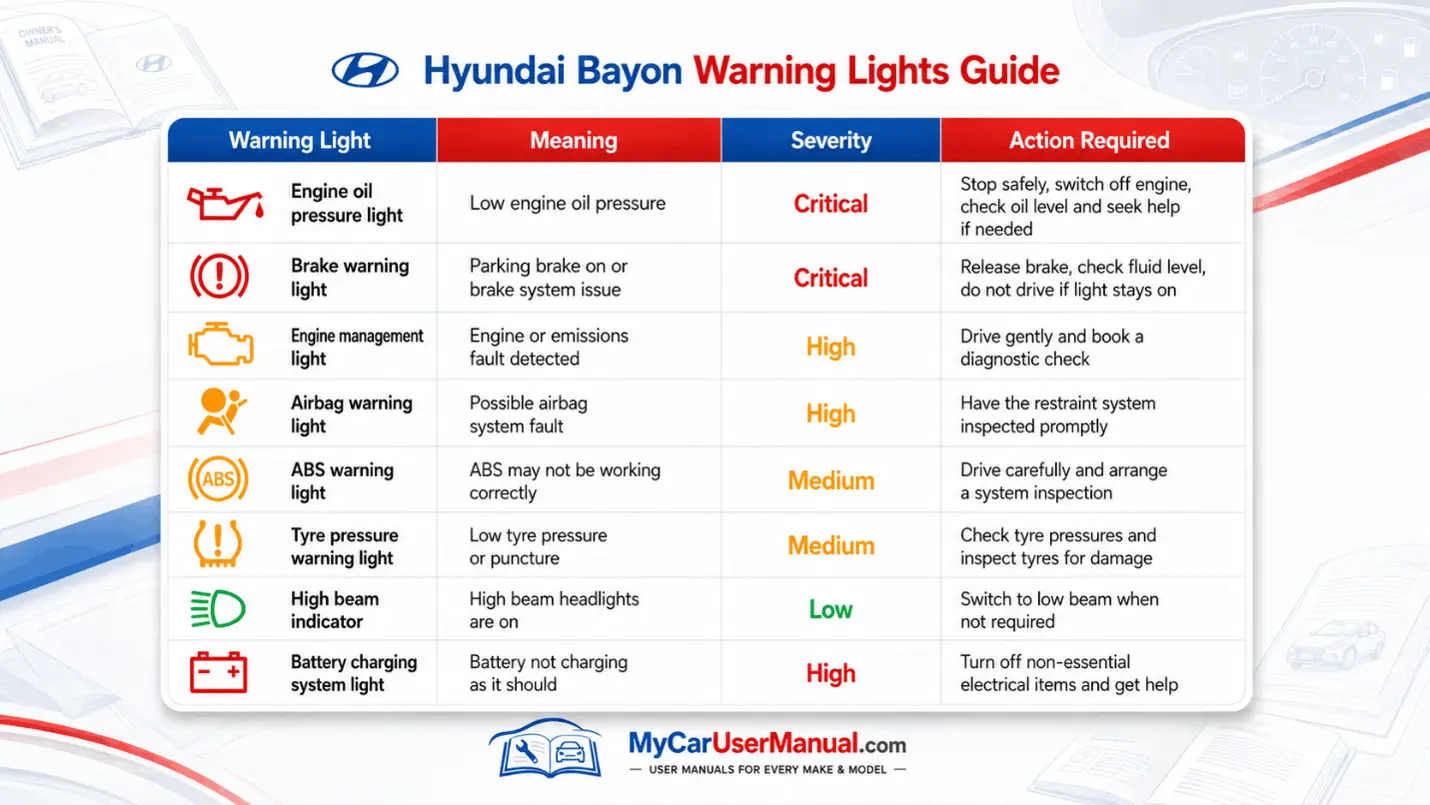
Check the warning-light section of your Hyundai Bayon manual PDF whenever an unfamiliar symbol appears. Red lights normally require immediate attention, while amber lights usually indicate that a system should be checked soon.
Regular checks can help maintain reliability, fuel economy and safe operation. Exact service intervals may differ by model year, mileage and operating conditions, so follow the maintenance schedule in the correct manual.
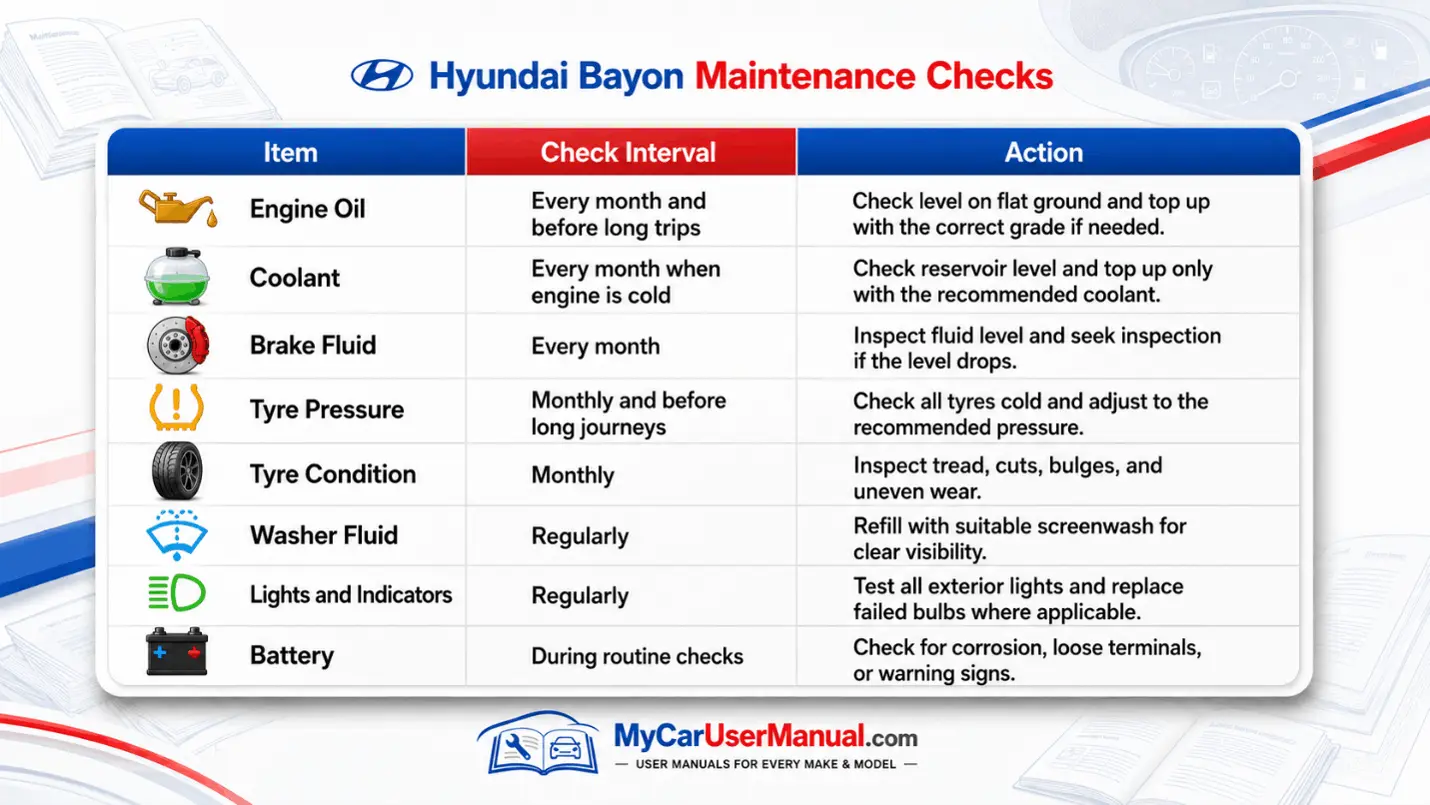
The Hyundai Bayon owner manuals also explain which fluids and replacement parts are suitable. Do not mix incompatible coolant, brake fluid, or engine-oil specifications.
The Hyundai Bayon manual PDF can contain several hundred pages. Use the contents page, search function, and index to find information quickly.
Searching by the exact dashboard message is often faster than searching for a general subject. For example, search for “key not detected” rather than only “key”.
The owner’s manual can help with many everyday operating problems. It provides basic checks and reset instructions before professional diagnosis is required.
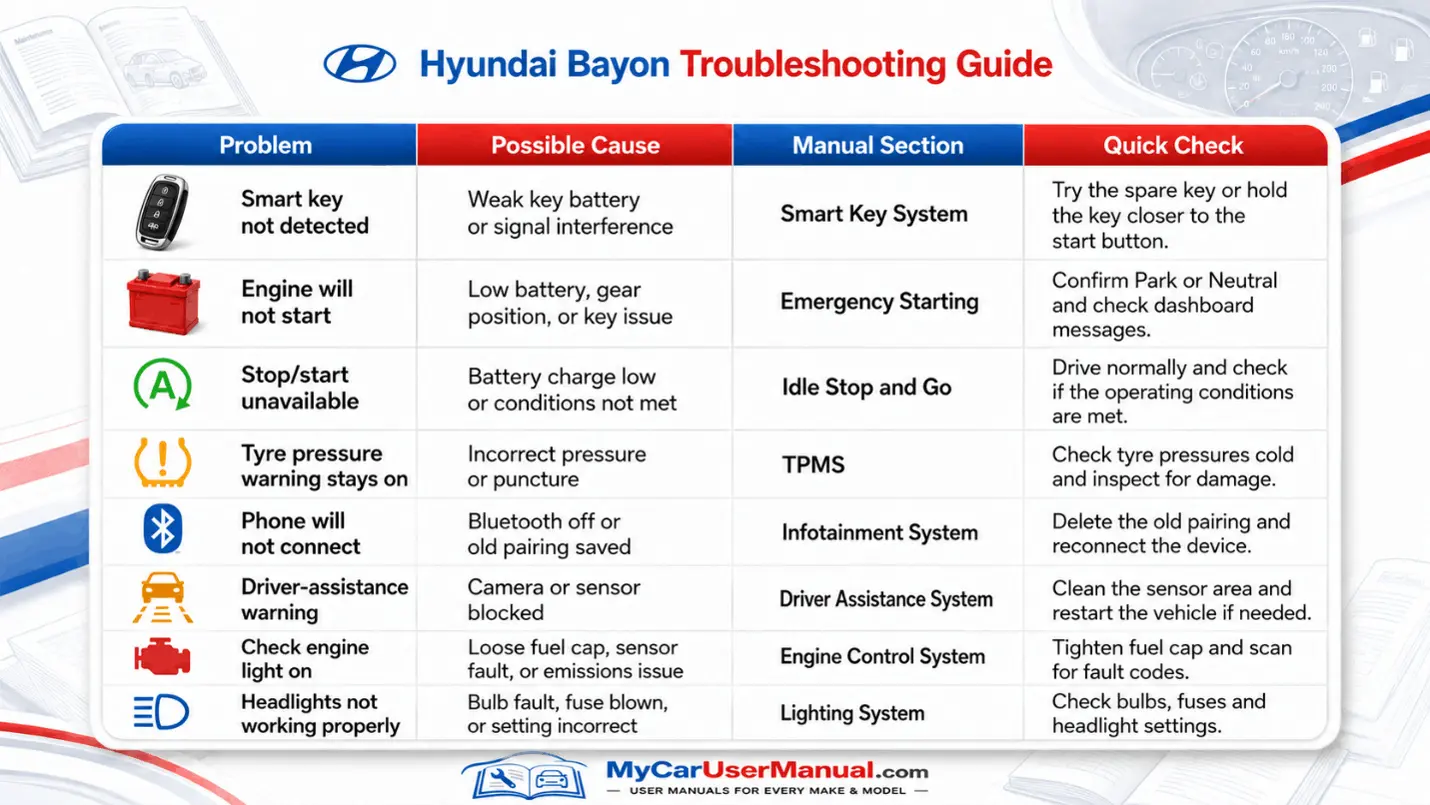
Use the following process when troubleshooting:











