At My Car User Manual, you can get Hyundai owner manuals as free PDFs for any model and generation. Every Hyundai owner's manual is free to view, read, print, or download. No purchase. No signup. No account required. Search by year and model to find the exact PDF. The manuals help you understand your vehicle before you drive, service, inspect, or troubleshoot it.
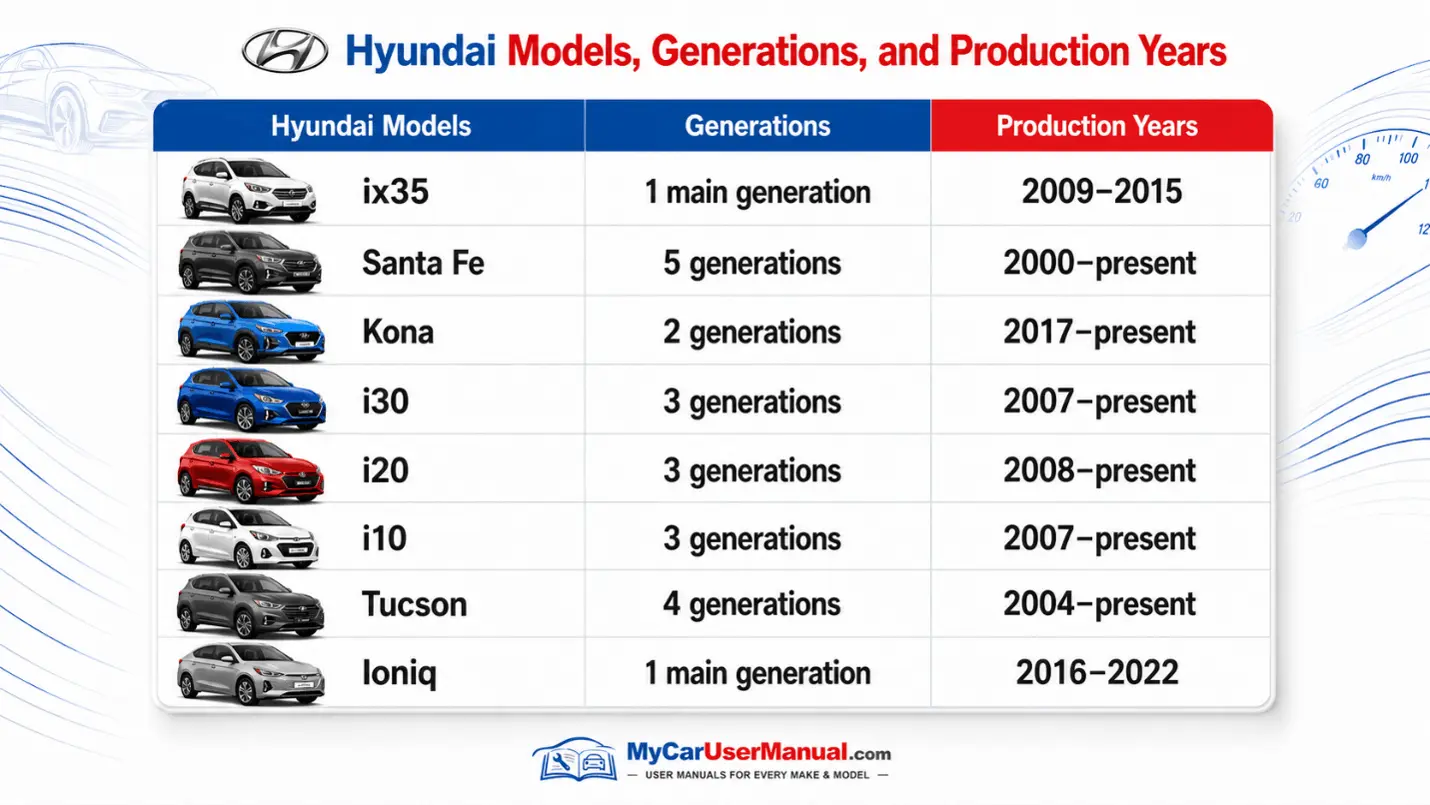
Our library includes the owner manuals for all Hyundai models and generations launched in or after the year 2000. Files update continuously as new model years and trims enter production. Each manual matches the factory specification for that build year, so the information reflects your exact vehicle rather than a generic template.
The library is organised by models and generations. Find the right Hyundai owner manual by selecting your model, generation, and production year. This helps you open the correct PDF manual. A Hyundai i20, Tucson, Kona, or Santa Fe may have different features across different years.
Each Hyundai handbook can include different controls, warning lights, service checks, and dashboard layouts. Always match the manual with your exact model year before reading, printing, or downloading it. This helps you use the correct Hyundai PDF manual without confusion.
The Hyundai user manual gives clear information for routine checks. It tells about safe vehicle use. It explains how to inspect fluids, tyres, lights, seats, child restraints, wipers, battery care, and emergency equipment.
The manual also helps you understand warning lights. For red warning lights, stop when it is safe to do so. Check the handbook before continuing. For complex repairs, electrical faults, airbag issues, hybrid systems, or engine problems, use an authorised or qualified technician.
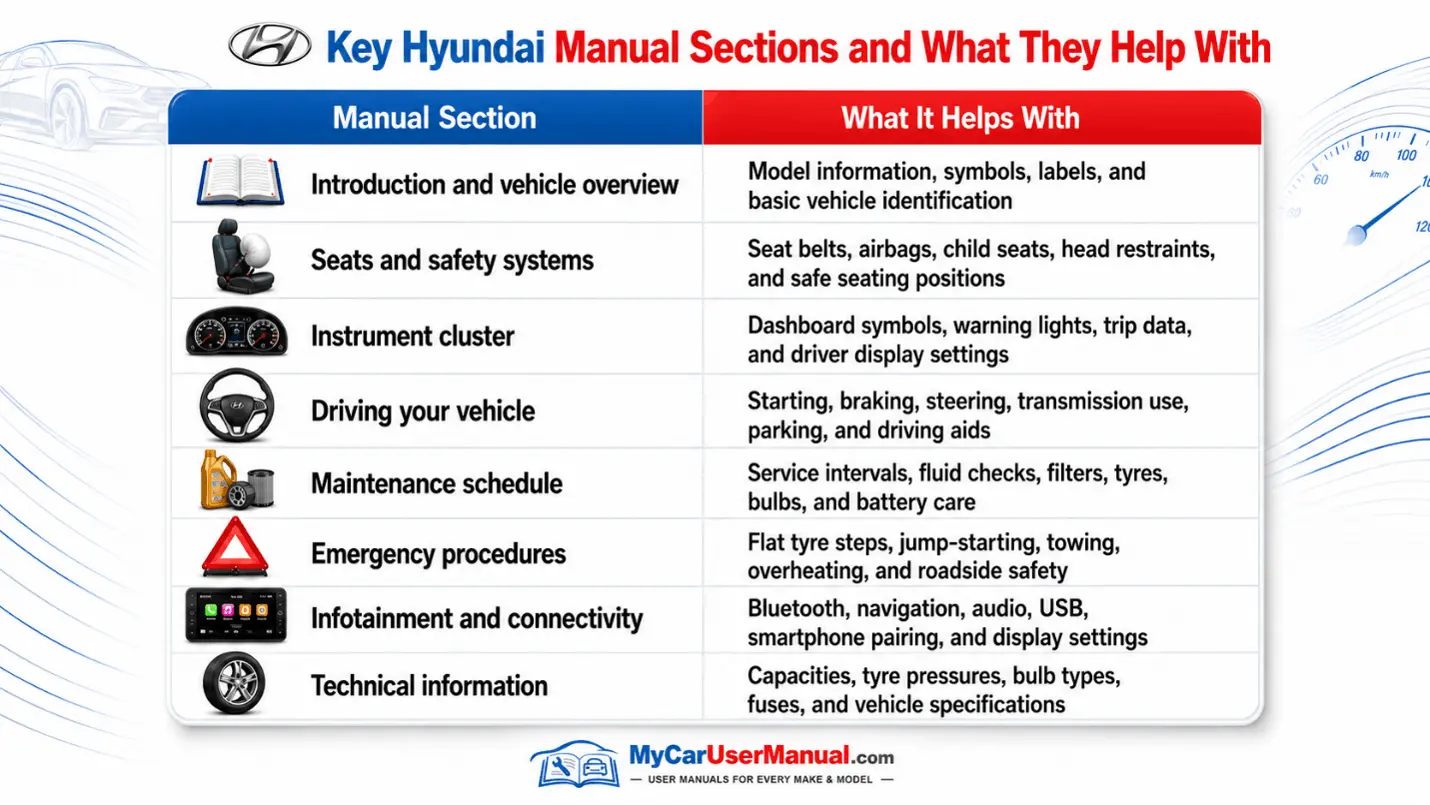
The Hyundai owner's manual helps you use your vehicle correctly. It also explains basic vehicle care. It describes dashboard symbols and warning messages. It explains the controls and built-in features. The manual is useful for more than just repairs.
Most Hyundai handbooks cover:
The Hyundai manual PDF is easy to use when you know where to look. It allows you to find key information quickly. Always start with the correct model, generation, and production year.
Follow the following steps:
The Hyundai user manual can help you narrow down common issues before booking repairs. It can explain dashboard symbols, warning messages, reset steps, safe checks, and when not to continue driving.
Use the manual for basic checks only. For complex repairs, electrical faults, braking issues, airbag faults, high-voltage EV systems, engine overheating, or repeated warning lights, contact an authorised or qualified technician.
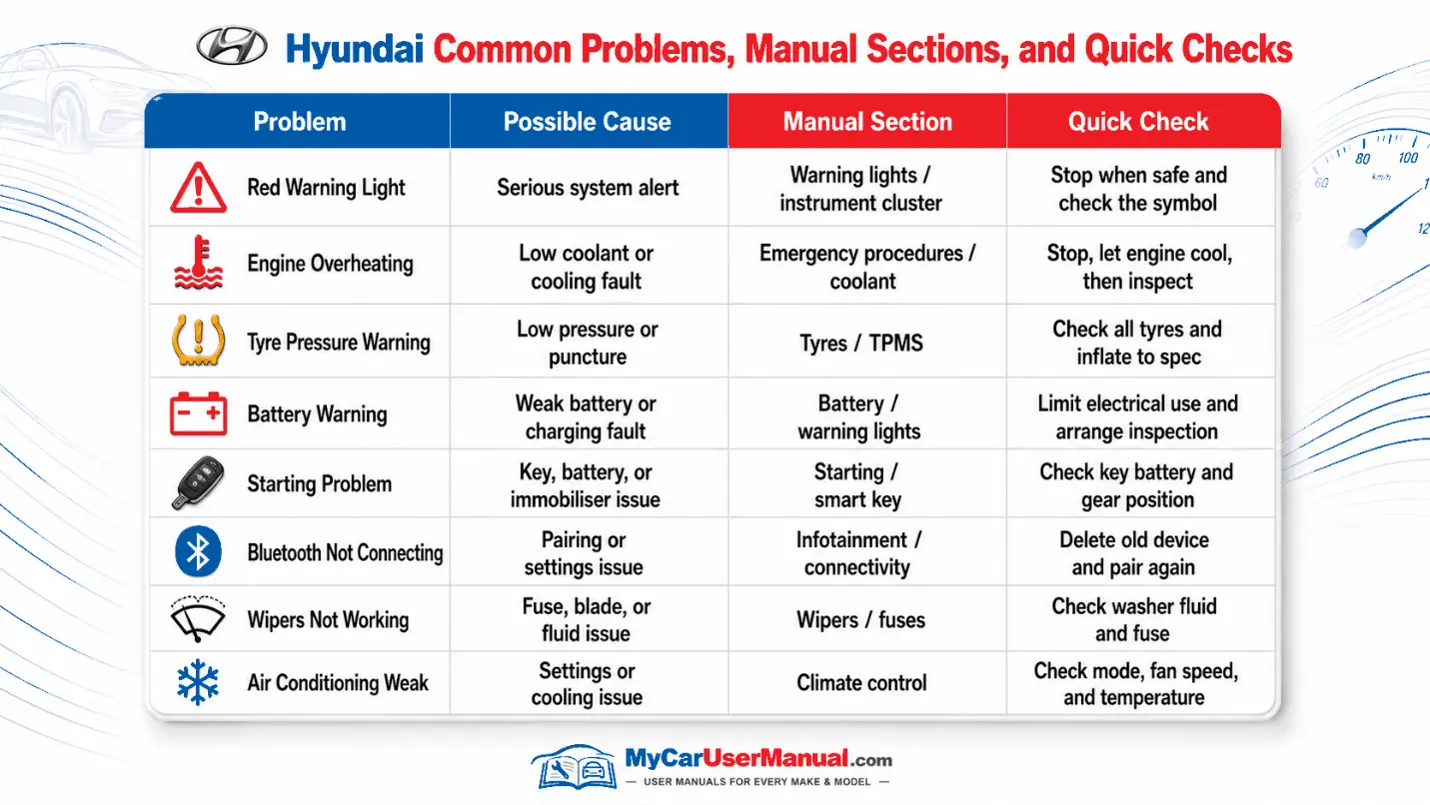
Basic Troubleshooting Steps











