Count on us to get the Hyundai Tucson owner manual PDFs. Choose the model year to view the manual online. You can read it on your phone, tablet, or laptop. You can print selected pages or download the complete PDF file for offline access. No account creation, no payment, no hidden steps.
Manuals are organised by year and generation. Choose the manual by year that matches your vehicle. Using the correct manual helps you understand dashboard controls, safety systems, warning lights, maintenance checks, and vehicle settings. Our manual library is regularly reviewed and updated as new documents become available.
The Hyundai Tucson has four generations. The manuals may vary by generation, engine, trim, and equipment level. Select the right model year before opening a manual. Each PDF file matches the original factory documentation issued for that model year.
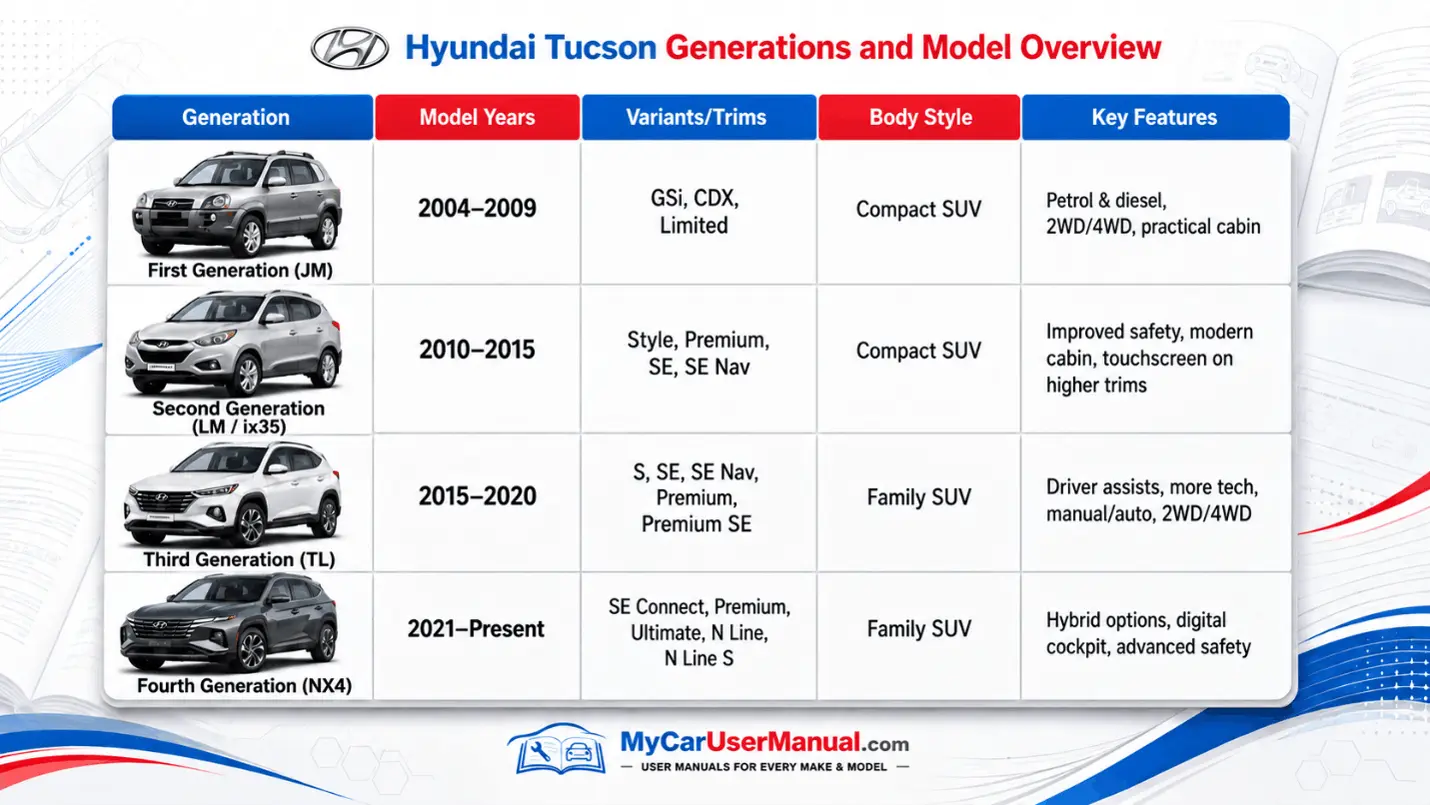
The Hyundai Tucson owner’s manual explains the controls, systems, and operating limits fitted to a specific vehicle. It identifies important components and shows how to respond to dashboard messages.
Manual coverage normally includes:
Some combined manuals describe optional equipment that is not fitted to every trim. Check the notes beside each feature before following the instructions.
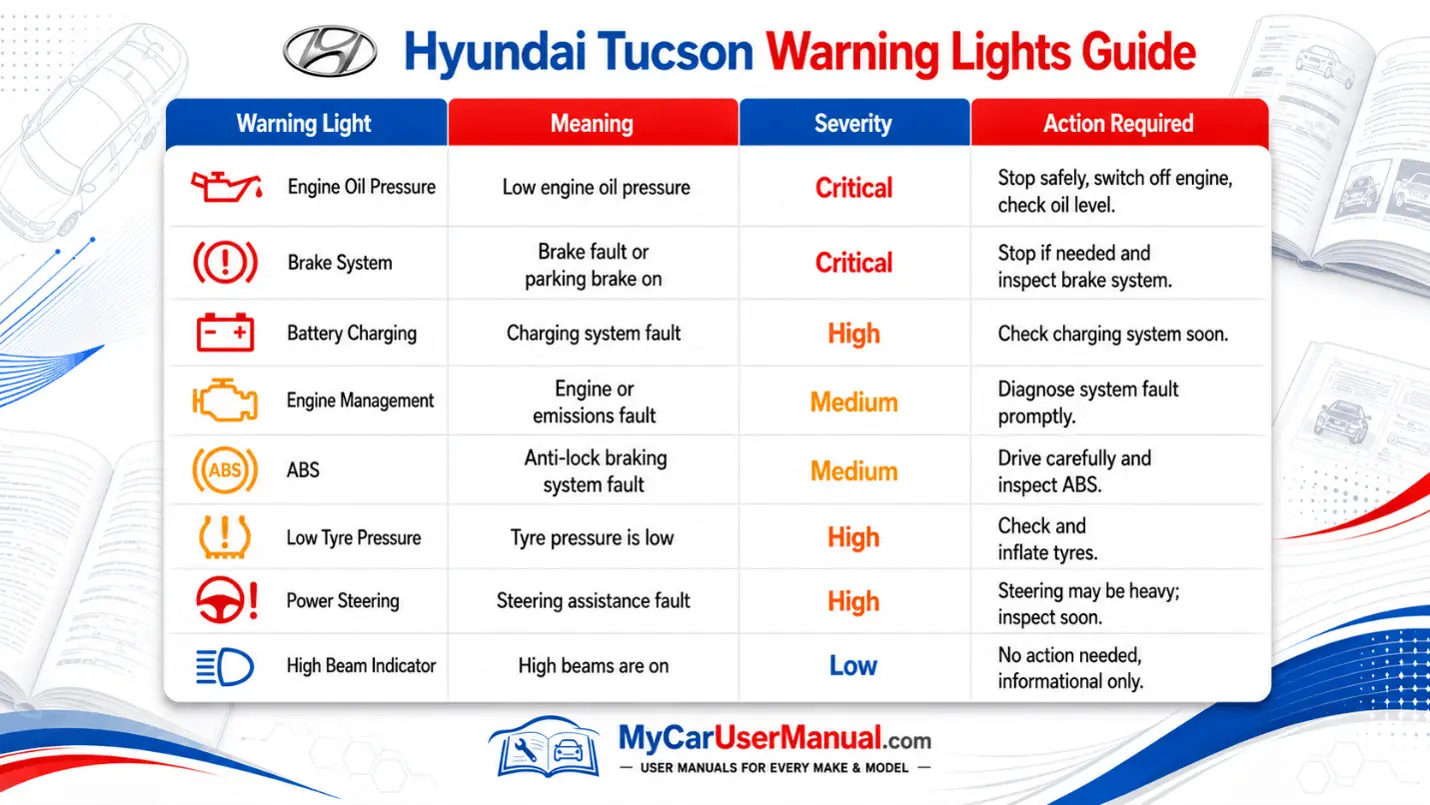
Warning lights identify faults, operating conditions, or systems that need attention. Red lights usually require immediate action. Amber lights normally indicate a fault that should be checked soon. Green, blue, and white symbols generally show that a system is active.
The exact symbol, colour and response can differ by year. Use the warning-light section of the correct Hyundai Tucson manual PDF before continuing to drive.
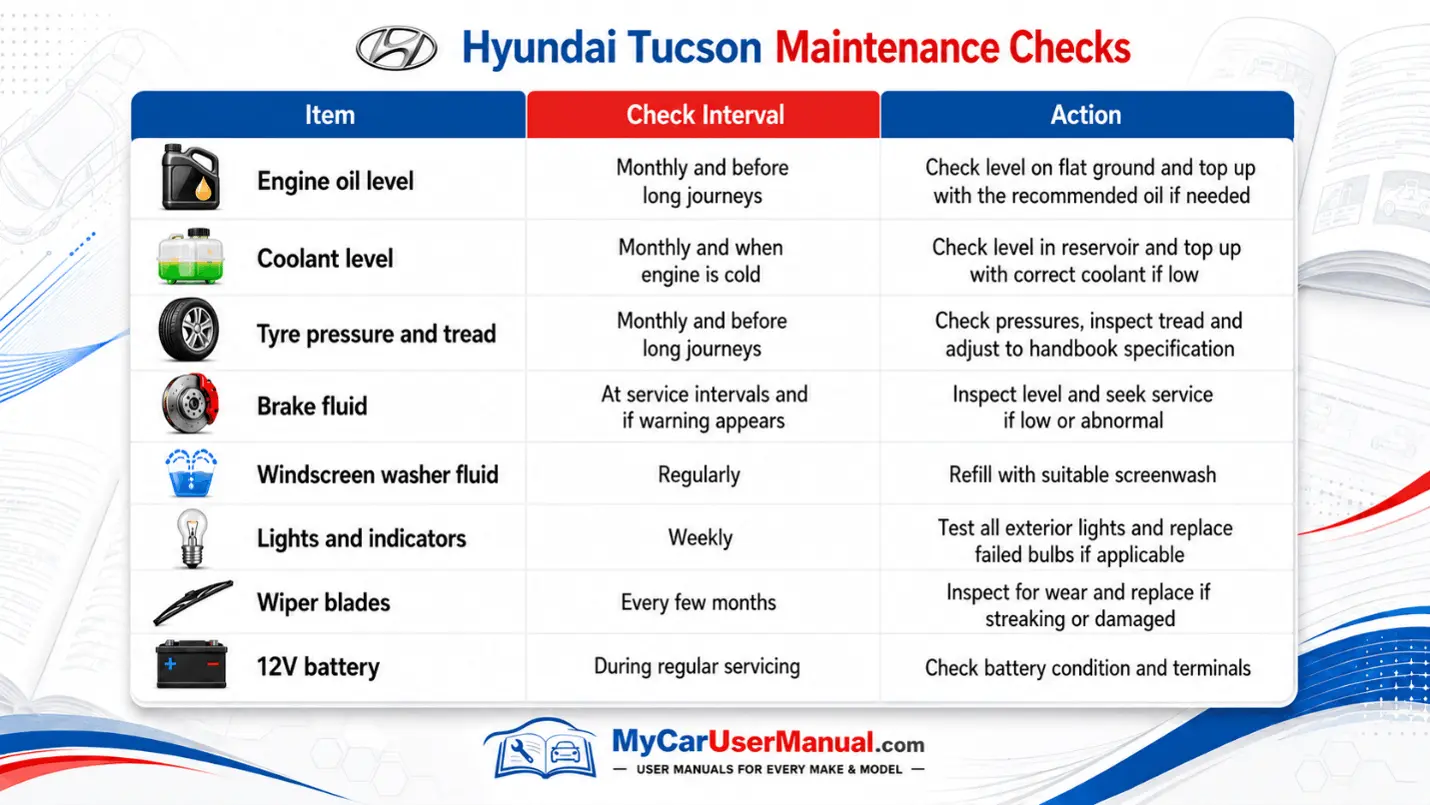
Maintenance requirements depend on the engine, transmission, powertrain, mileage, and driving conditions. Use the maintenance schedule in the correct owner’s manual together with the vehicle service record. Hyundai requires servicing to follow the recommended schedule, so avoid applying an interval from another model year or engine.
A downloaded manual PDF can remain available when there is no mobile signal. Renaming the file with the model year and powertrain also makes it easier to identify later.
The Hyundai Tucson handbook can help with operating errors and basic checks. It cannot confirm a mechanical or electrical diagnosis, but it can show the correct reset process, fuse location, fluid specification, or dashboard message.
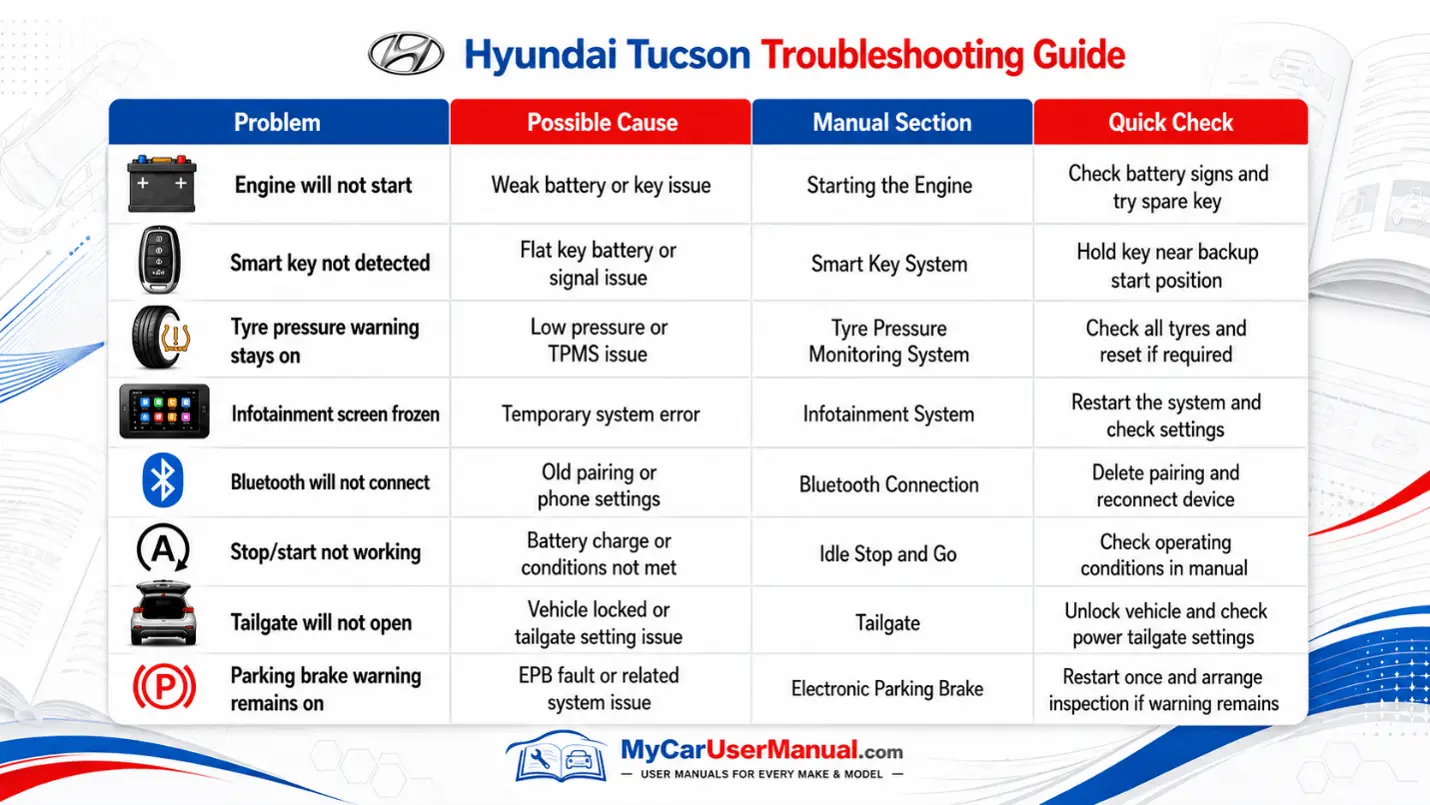
Use the following steps for safe troubleshooting:










