At My Car User Manual, you can get Mini owner manuals for different Mini models launched from 2000 onwards. Select your Mini model, generation, and production year to find the correct handbook. Access the available PDF manual in a few clicks. The Mini handbook PDFs help you understand the features of your vehicle. You can get info about controls, warning lights, safety features, and basic maintenance.
The manuals are easy to read and simple to search. You can view or explore the PDF files online or download them for later use. They can be opened on a mobile, tablet, or desktop. You can also print the specific pages or the full manual. All the manual PDFs are free. No purchase or account is required. Always choose the manual that matches your exact vehicle details. This helps you avoid using the wrong instructions. Our manual library is continuously updated as more manuals become available.
Mini models can change significantly between generations. Controls, dashboard displays, engines, infotainment systems, and maintenance instructions may differ. Always match the Mini user manual with the correct model, generation, and production year. This helps you find information that applies to your vehicle. Here you can get the manual PDF for different Mini vehicles launched from or after 2000.
Mini Models and Generations
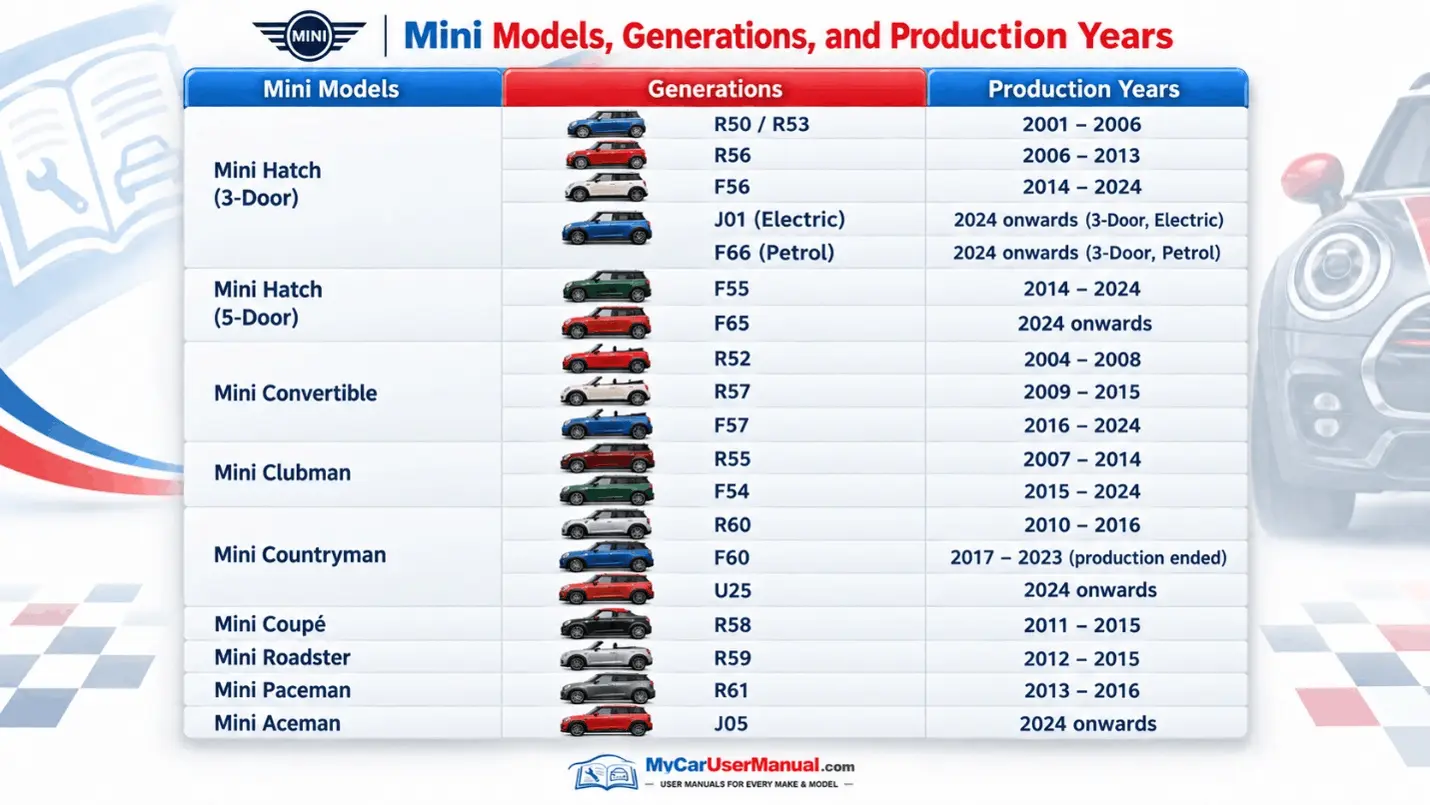
The Mini handbook helps you operate the vehicle correctly. It explains its main systems. The exact content varies by model, equipment level, engine, and production year. Most Mini owner manuals cover the same core areas.
Common information includes:
The Mini owner's manual is intended mainly for vehicle operation, routine checks, and safety information. If you are searching for a Mini factory manual for detailed mechanical repair procedures, remember that an owner's handbook is different from a workshop or technical repair manual.
The owner manual is useful for checking maintenance requirements. It can help you understand dashboard symbols. It also explains how car features should work. Always use the correct Mini PDF manual. This helps you avoid instructions for a different generation.
Pay particular attention to warning-light meanings and safety instructions. If a red warning light appears, stop when safe. Check the manual before continuing. Do not ignore warnings relating to braking, engine temperature, oil pressure or other safety-critical systems.
Important Manual Information at a Glance
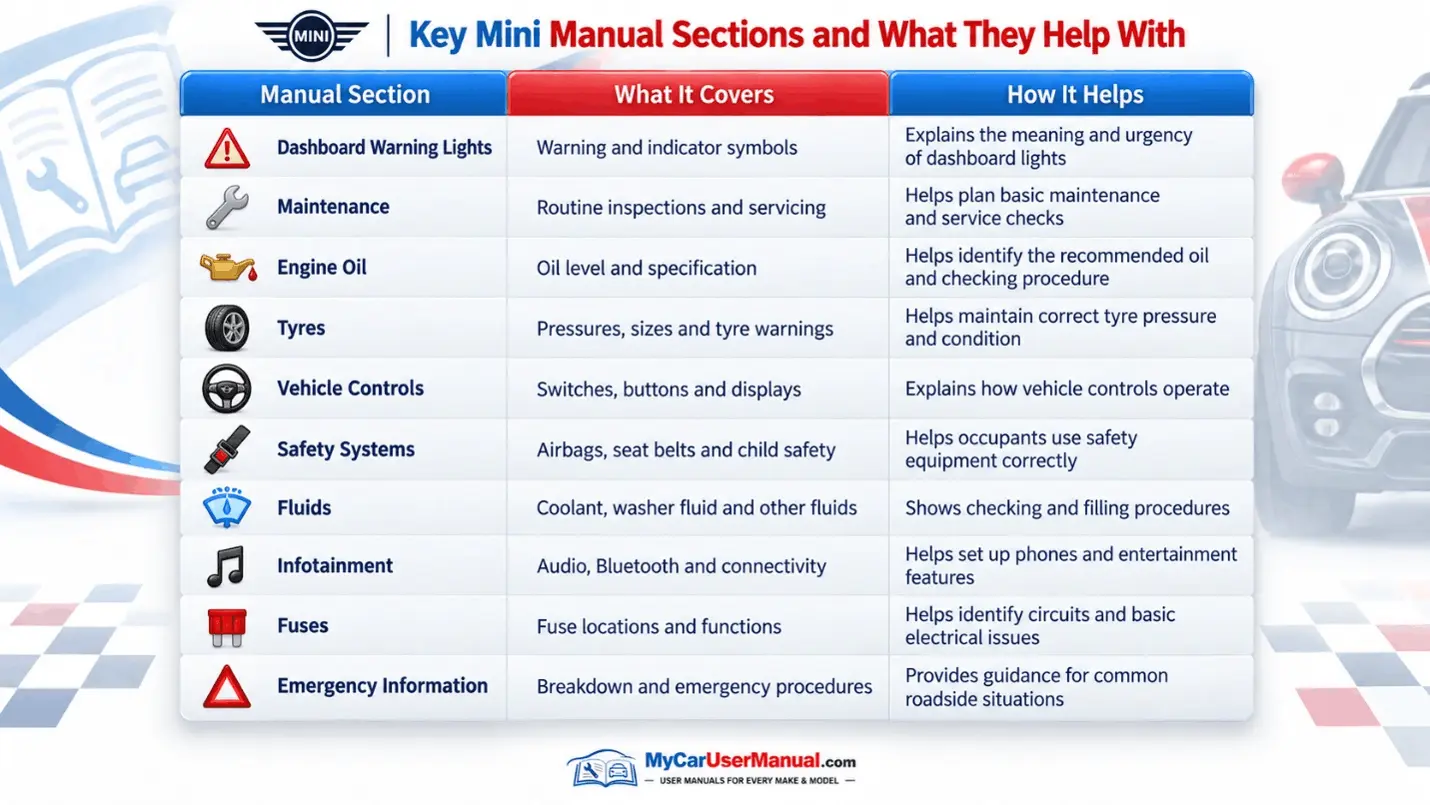
Mini PDF manuals are easy and quick to navigate. You do not need to read the entire handbook. Open the correct Mini PDF manual. Use the search function to look for any specific terms. You can search for the exact message shown on the vehicle display.
You can view the manual online or use the free download option to save it offline. Saved manuals can be opened on a mobile, tablet, or desktop computer. Useful pages can be printed. Keeping the PDF available offline is particularly helpful when internet access is limited.
Quick Ways to Find Information
The owner’s manual can help with initial checks. Use it when a warning light appears, a feature stops working, or the vehicle displays an unfamiliar message. The manual can explain what the warning means and tell you about simple checks that can be carried out safely.
The handbook should be used for identification and basic checks rather than complex diagnosis. If a red warning light appears, stop when safe. Check the manual before continuing. Any complex repairs should be handled by an authorised or qualified technician.
Key Mini Troubleshooting Checks
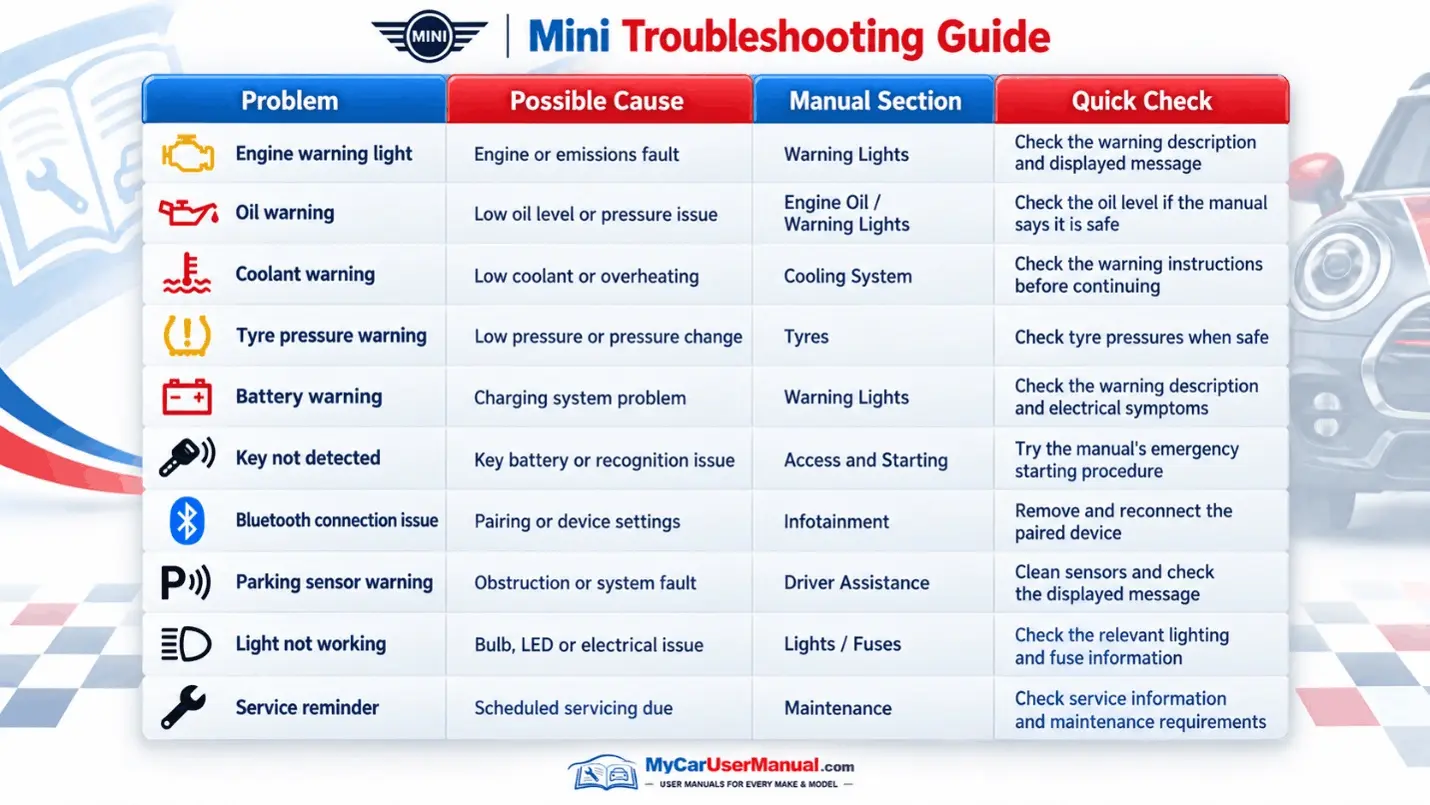
Basic Troubleshooting Steps









