Find free Mini One owner manuals for different model years and generations. View or read the manual PDF online in your browser. You can also print specific pages or download the full PDF. The PDF can be opened on a phone, tablet, or computer. No payment. No registration.
Each Mini One owner’s manual PDF provides information on vehicle controls, dashboard symbols, safety features, and basic maintenance. Manuals are organised by model and year. You can easily find the correct handbook. Our manual collection is regularly updated to help you access the information you need.
The Mini One has been available in several generations since 2001. These include the R50, R56 and F56 Hatch models. Each generation has different engines, controls and equipment. The handbook explains the features fitted to your vehicle.
You can find a Mini One manual by year and model. PDF manuals cover petrol and diesel versions, including selected One D models. Whether you have just bought a new Mini or own an older One model, check the generation and model year before downloading. This is because engines, controls, and equipment can vary between model years.
Mini One Generations at a Glance
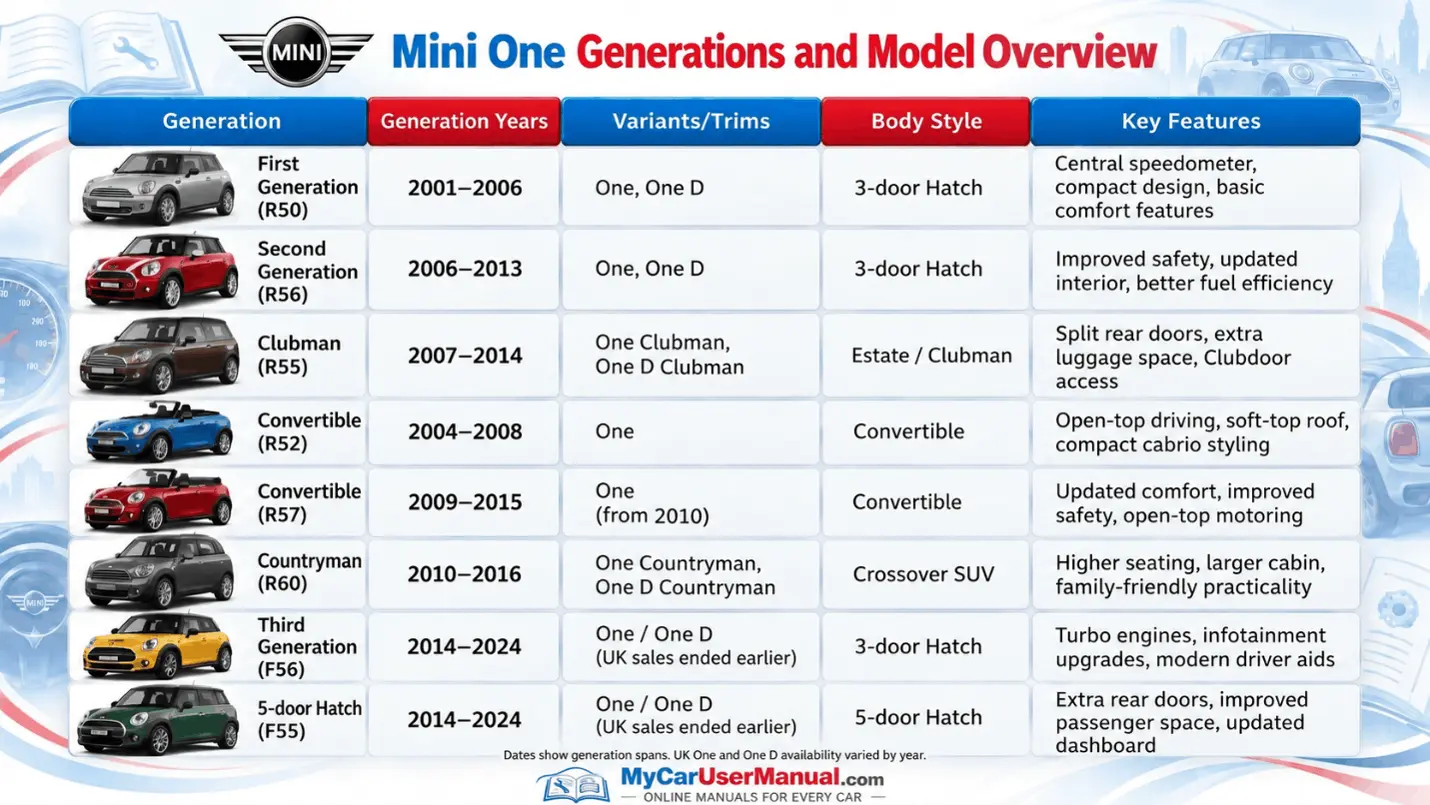
The Mini One user manual explains how to operate and maintain your car. It covers controls, safety kit, driving tips, and basic care.
Each handbook matches a specific generation. Features, fluid types, and service details can differ, so always use the file for your model year.
Main Topics Covered in the Mini One Manual
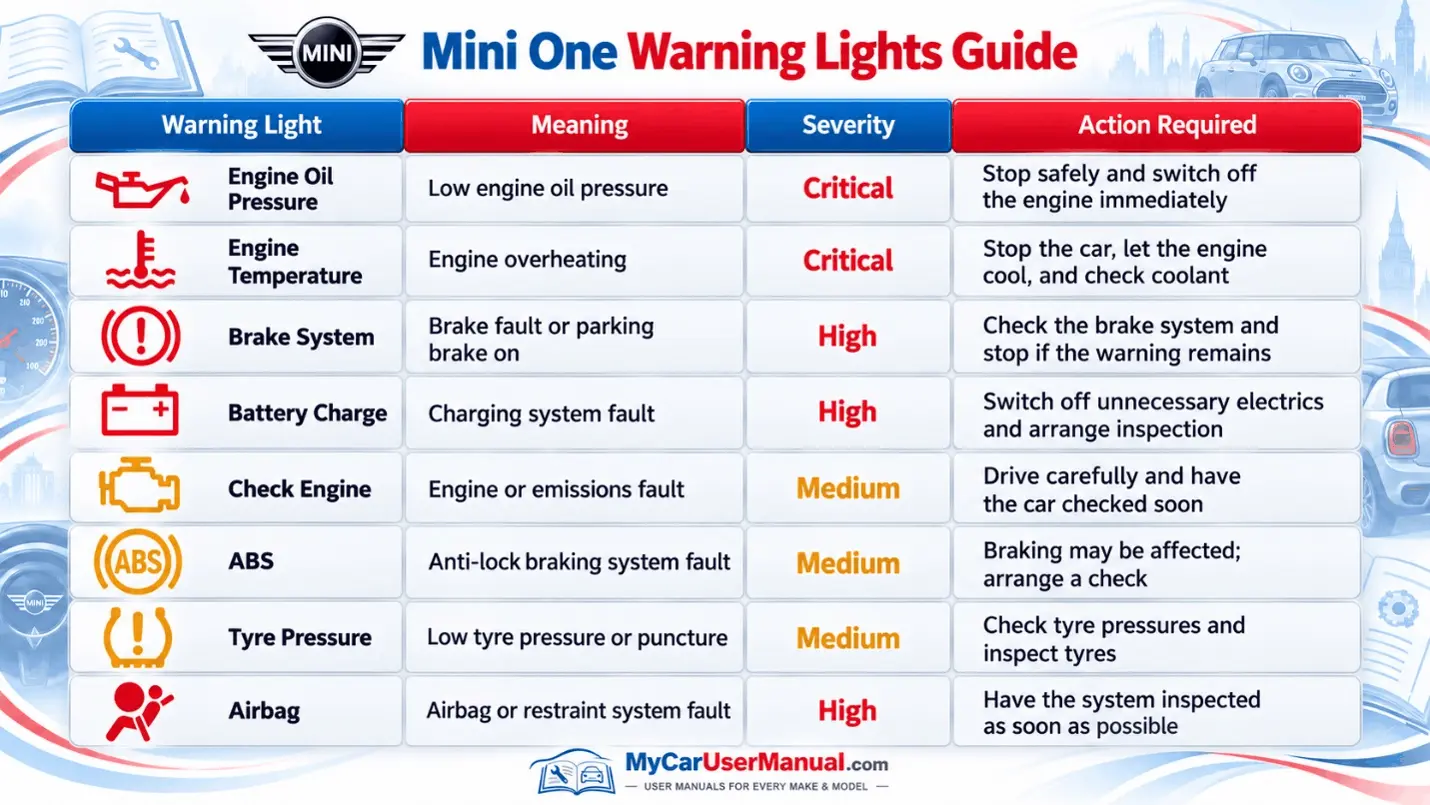
The warning lights show the condition of different vehicle systems. Some indicate normal operation. Others warn about faults. The warning light symbol and colour help you understand the message.
The Mini One user manual explains each warning light and the action required. Warning symbols can differ between older R50 models and newer generations. Always check the description for your vehicle.
Important Warning Light Checks
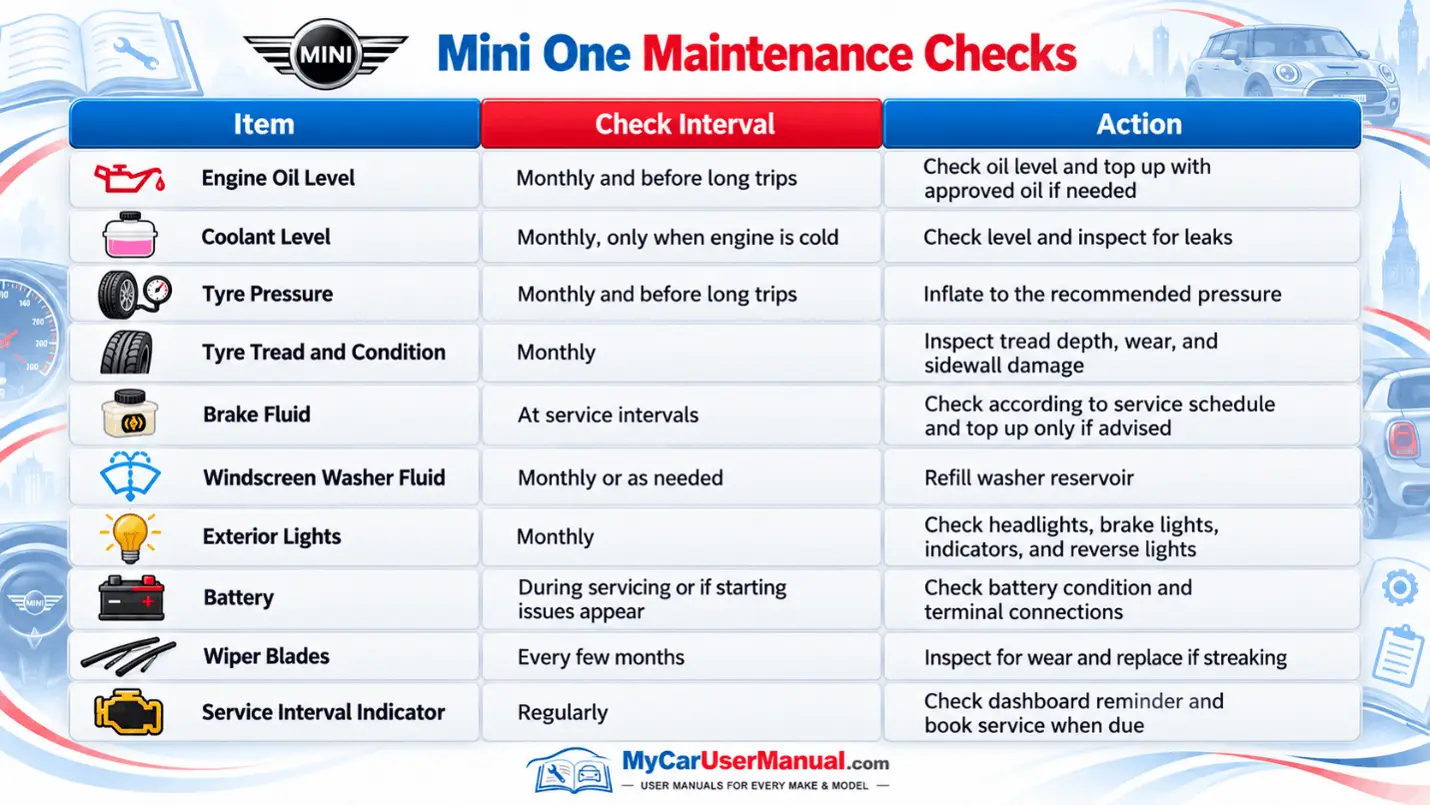
The Mini One user manual explains basic maintenance checks. These include engine oil, coolant, and tyres. It also covers lights and windscreen washer fluid. Regular checks help spot problems early.
Maintenance needs vary by engine and model year. Always follow the handbook and dashboard service information. Do not rely only on fixed service intervals.
Essential Mini One Maintenance Tips
The Mini One owner’s manual PDF is divided into sections covering different vehicle systems. The contents page helps you locate instructions. Many digital versions also allow keyword searches.
You can open the PDF in a browser or save it for offline reading. Check the model year before following any instructions. Some functions and controls differ between generations.
Steps to Find Information in the Mini One Manual
The Mini One user manual helps you check common vehicle problems. It explains dashboard messages, starting procedures, and basic checks. Some problems are caused by incorrect settings or low tyre pressure.
Start with the troubleshooting or relevant vehicle systems section. Follow the recommended checks. Do not attempt unsafe repairs. If the problem remains, contact a qualified mechanic.
Common Mini One Problems to Check
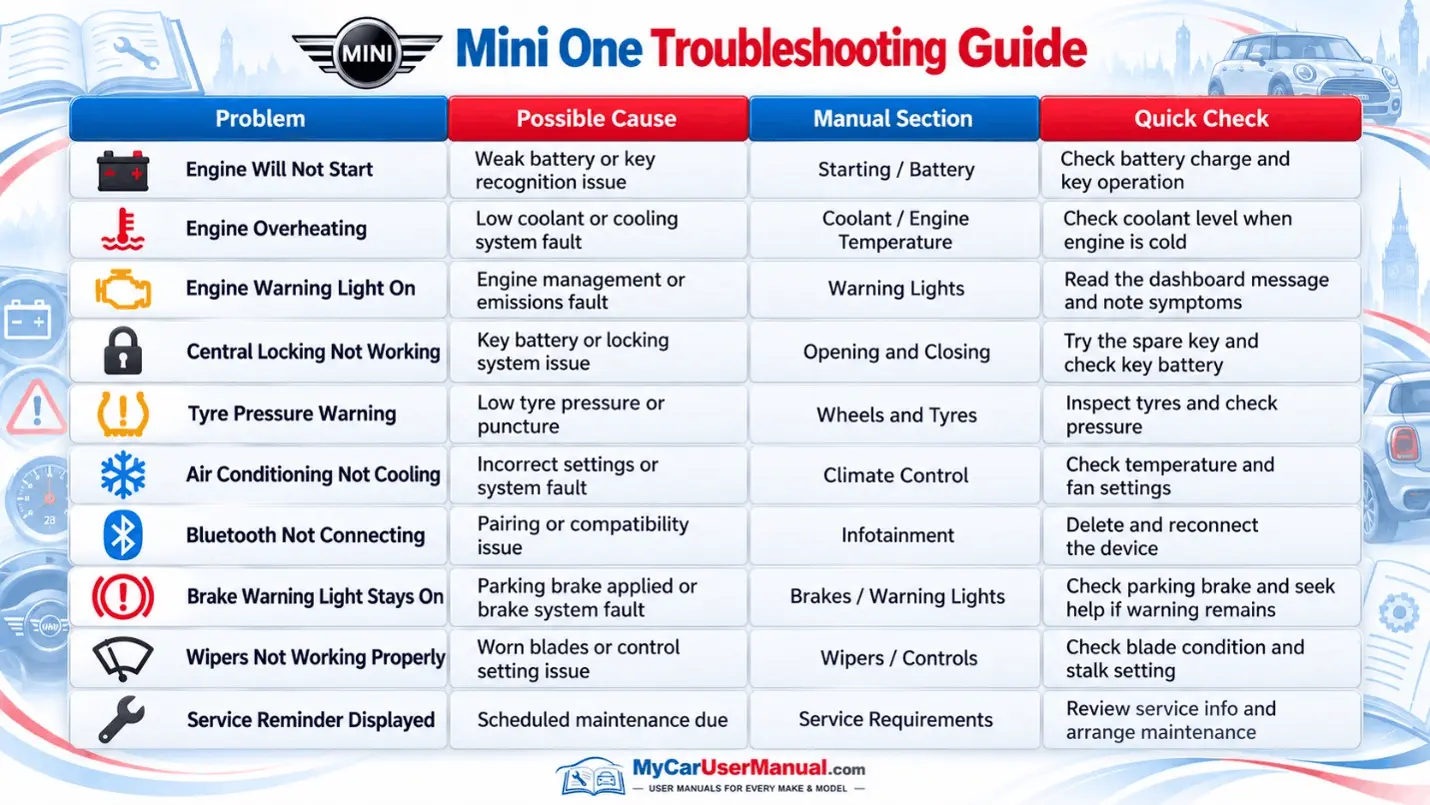
Steps to Troubleshoot Mini One Problems